
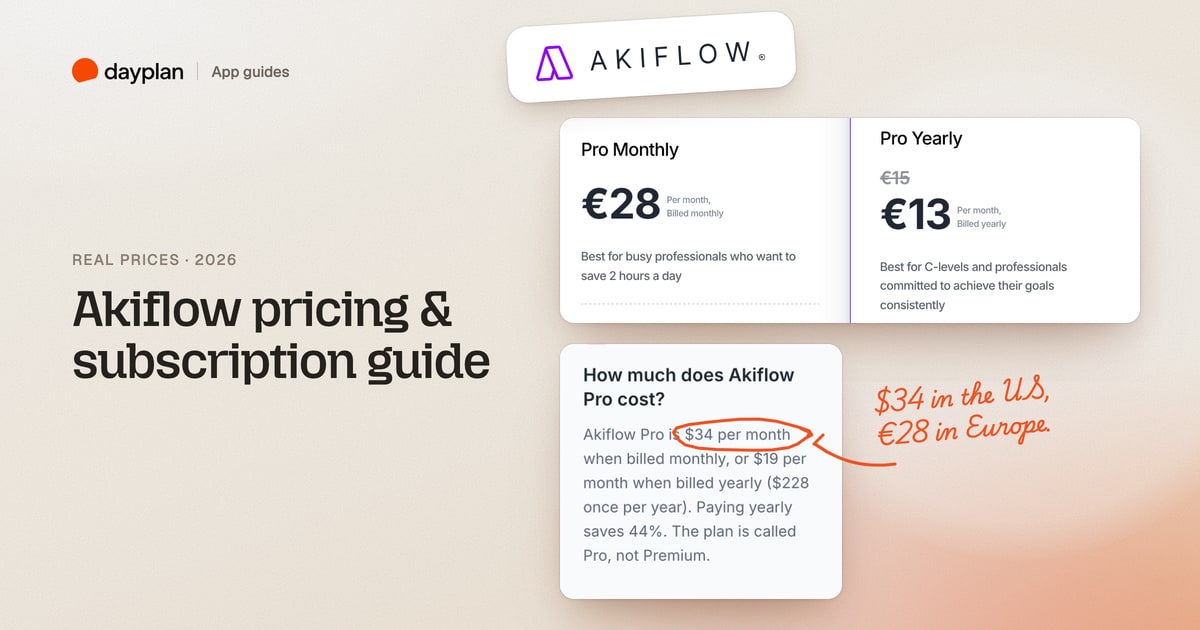
TL;DR: Akiflow has one plan, Pro. In the US it costs $34 a month, or $228 a year ($19 a month) paid up front. There's no free plan: there's a 7-day trial, you need a card to start it, and billing begins on day 7 unless you cancel. Prices are set by country, so Europe, Canada and Australia pay their own local amounts.
Akiflow (akiflow.com) is a planner that pulls tasks from your other apps into one inbox and lets you time block them on your calendar, with an AI assistant called Aki. We read Akiflow's pricing page, its help center and its own price list, then signed up, started the trial, and cancelled it, on October 28, 2026. Every screenshot is ours.
How much does Akiflow cost?
| Plan | Paid monthly | Paid yearly | What you get |
|---|---|---|---|
| Pro | $34 a month | $228 a year ($19 a month) | Tasks, subtasks, calendar time blocking, integrations, Aki AI assistant, MCP Connector, a free 1:1 onboarding call |
| AI Meeting Assistant (add-on) | $19 a month | Not listed | Meeting recording, transcripts, summaries and action items |
| Teams | Talk to sales | Talk to sales | No public per-seat price |
Over a year, paying monthly costs $408. Paying yearly costs $228, which saves $180 (44%).
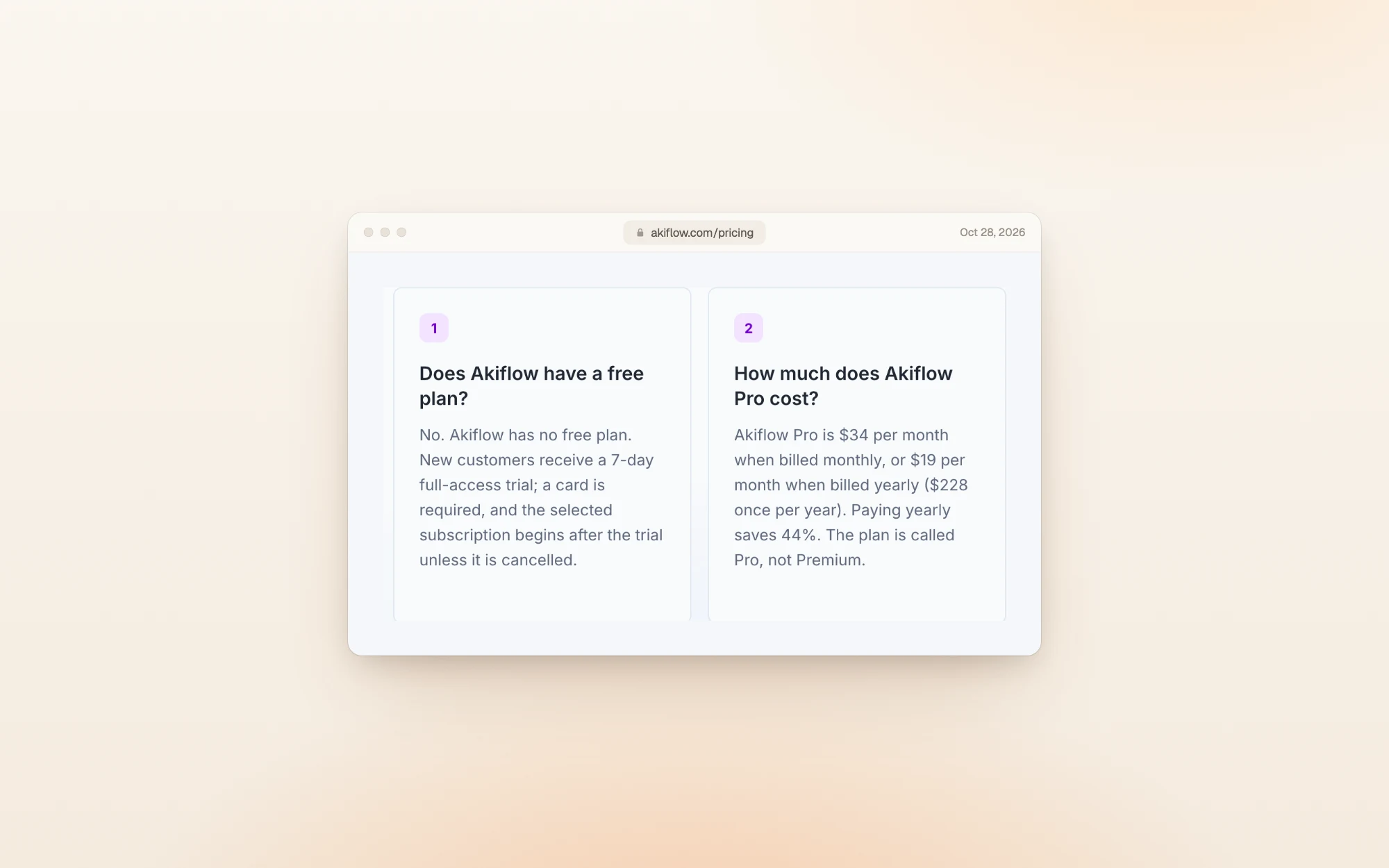
Akiflow states its US prices in the pricing FAQ, along with the trial terms:
Akiflow prices by country
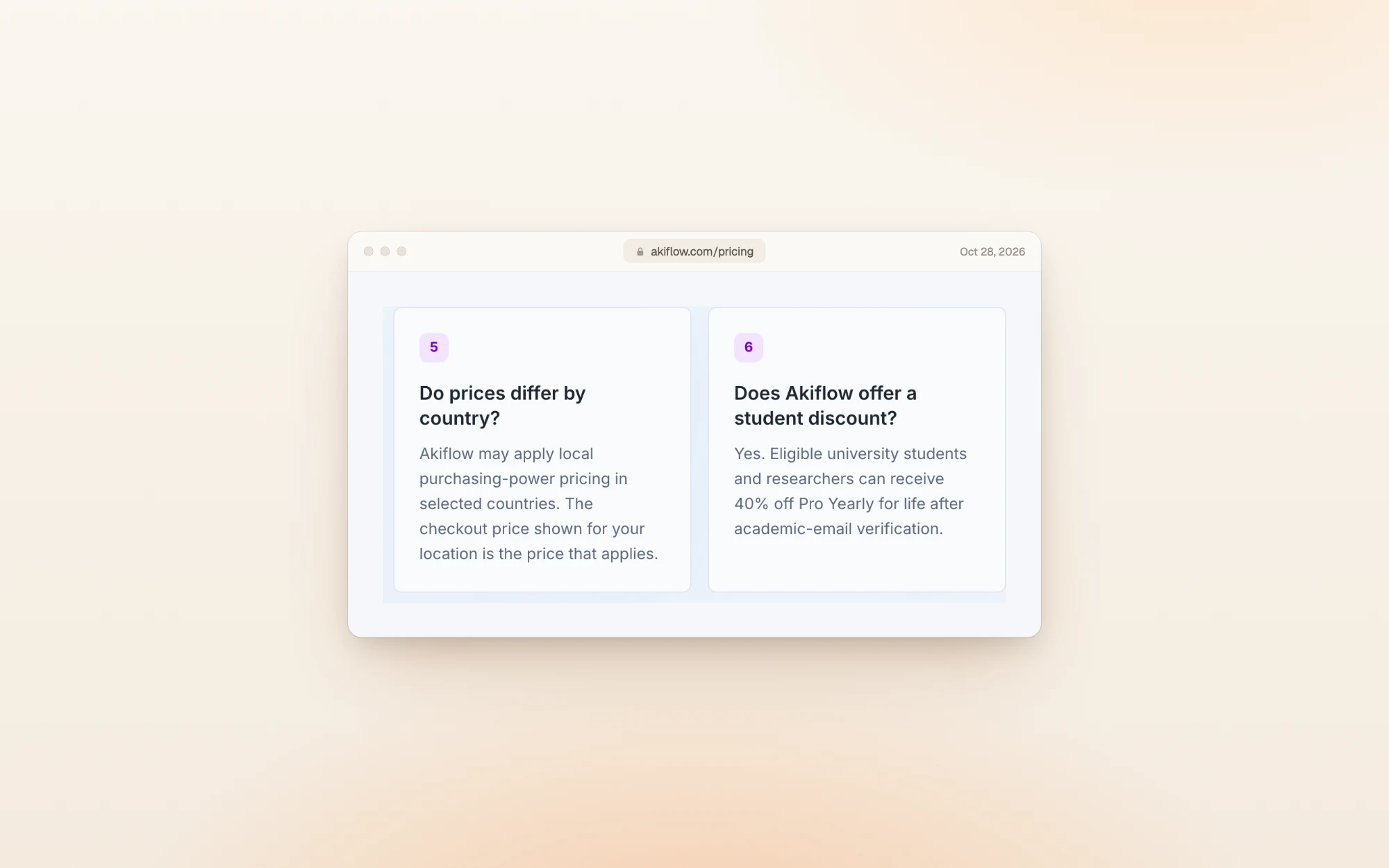
Akiflow doesn't charge everyone the same number. Its pricing FAQ says it "may apply local purchasing-power pricing in selected countries", and the price at checkout for your location is the one that applies.
Akiflow's pricing page loads its prices from a price list that covers four currencies. Here's what it listed on October 28, 2026:
| Currency | Monthly | Yearly | 12 monthly payments | Yearly saves |
|---|---|---|---|---|
| US dollars | $34 | $228 | $408 | $180 (44%) |
| Euros | €27.99 | €184.99 | €335.88 | €150.89 (45%) |
| Canadian dollars | CA$42.99 | CA$289.99 | CA$515.88 | CA$225.89 (44%) |
| Australian dollars | A$49.99 | A$329.99 | A$599.88 | A$269.89 (45%) |
From Europe, the pricing page shows the euro plans instead, rounded to €28 a month and €15 a month on yearly billing:
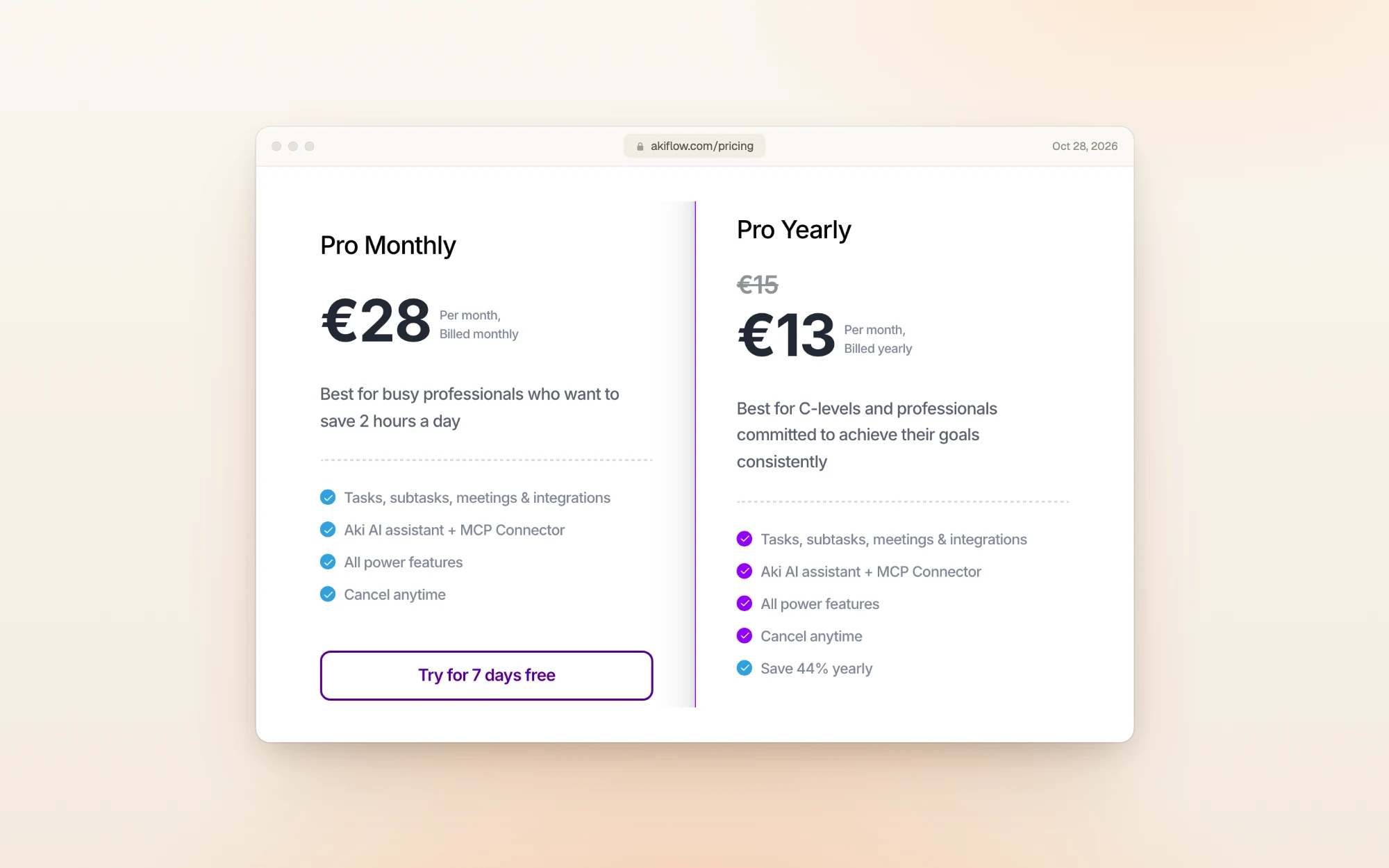
That yearly price was crossed out to €13 during our visit. A banner offered 15% off the yearly plan with the code 1HOUR, under a countdown of about 46 minutes. If you see the same offer, the yearly plan comes to about $194 in the US (15% off $228).
Is there a free plan or a free trial?
There's no free plan. New accounts start on a 7-day trial of the full product, and you need a card to start it.
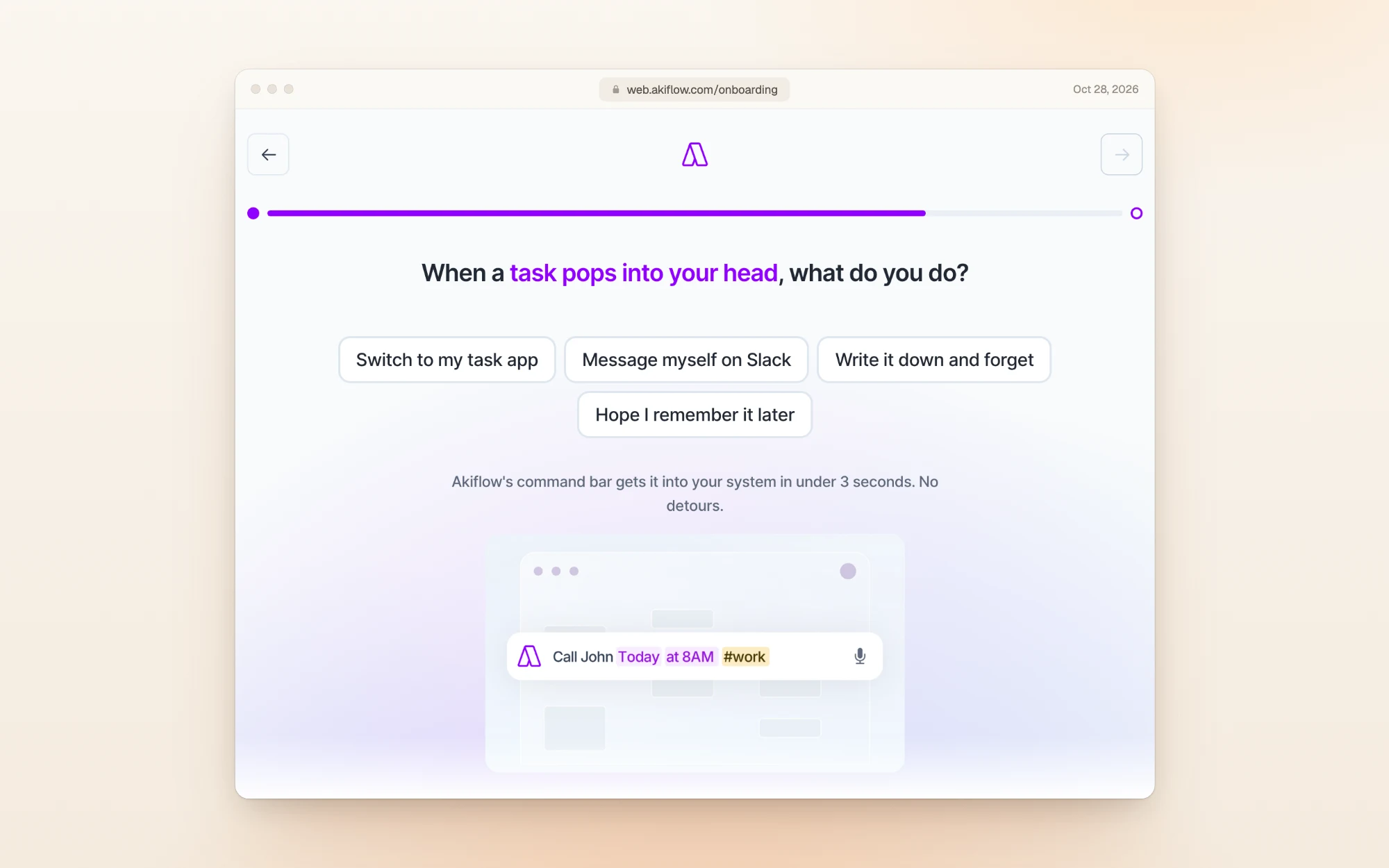
Before the card step, Akiflow asks nine short questions about your role, your tools and your habits:
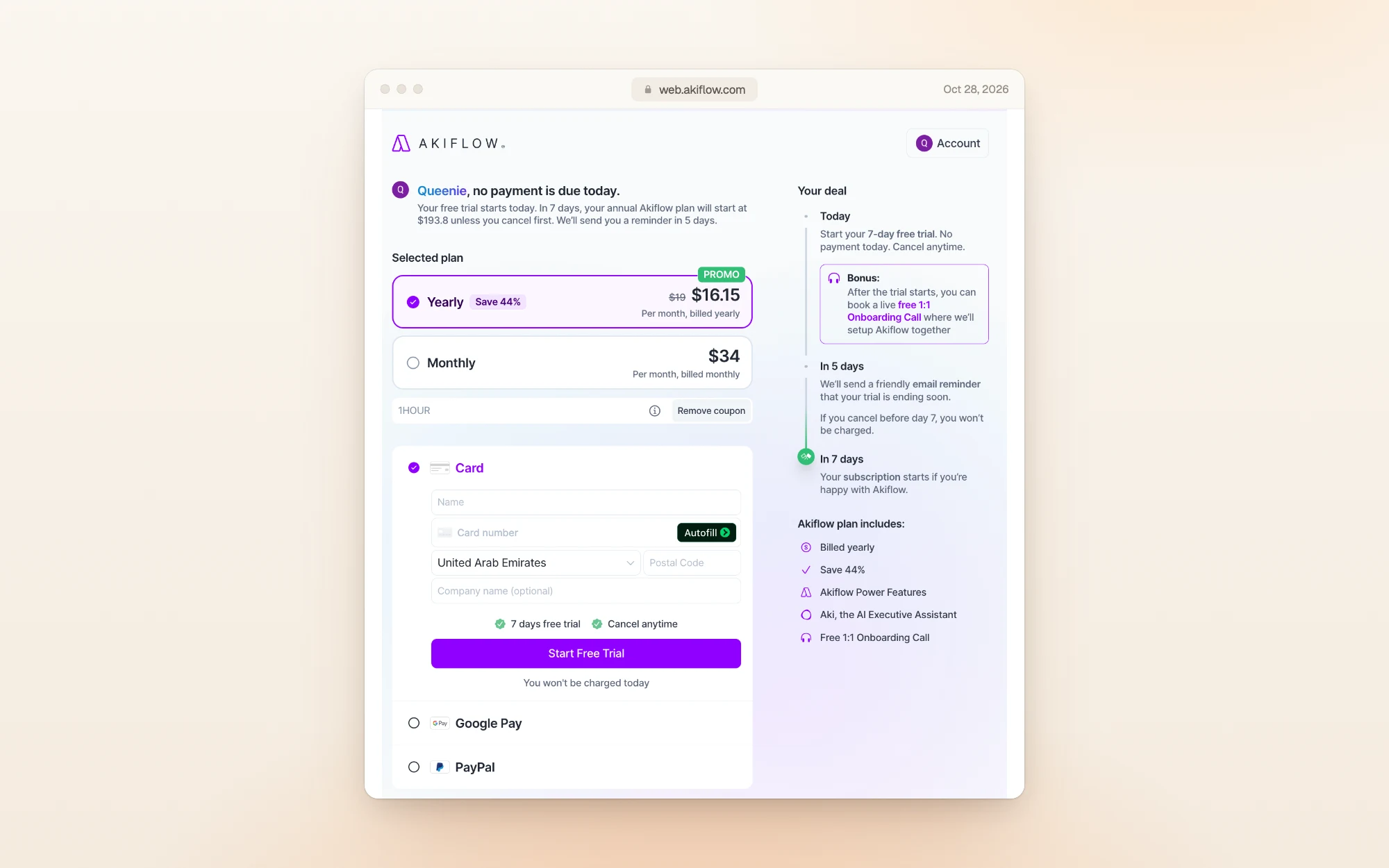
Then comes the checkout. It shows nothing due today, a reminder email on day 5, and the full plan charged on day 7 unless you cancel. With the 1HOUR coupon applied, the yearly plan came to $16.15 a month, or $193.80 for the year:
Two more things we noticed after the card step:
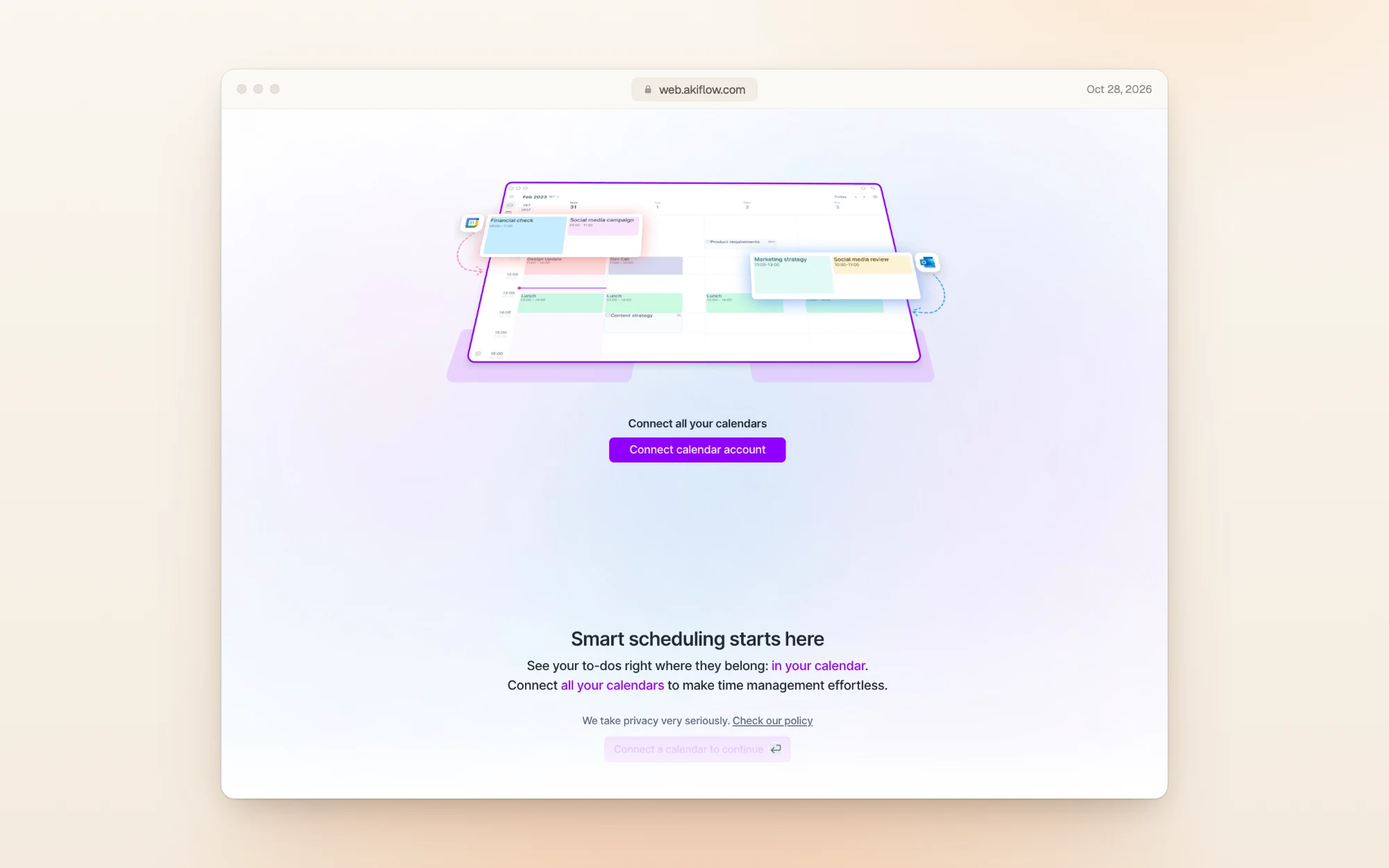
- You have to connect a calendar to continue. Akiflow's onboarding stops on a "Connect a calendar to continue" screen until you link Google or Outlook.
- You can earn a longer trial. Booking Akiflow's free 1:1 onboarding call unlocks 7 extra trial days.
Inside the account: billing during the trial
Once you're in, Settings, then Billing shows your plan, the trial status and the renewal date. Ours was the monthly plan, in trial, renewing at $34 a week after sign-up:
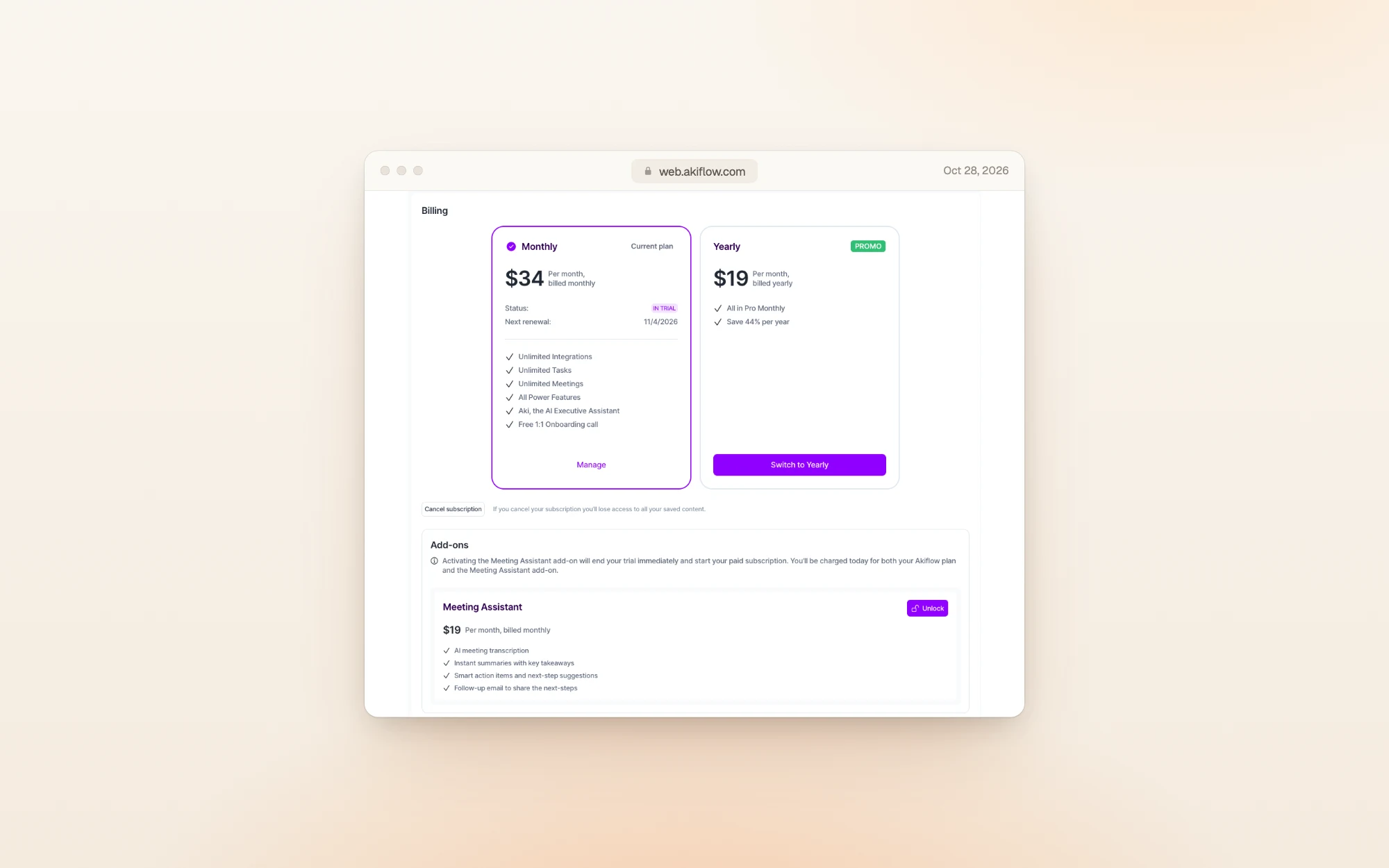
Switching to yearly during the trial shows $228.00, charged after the 7-day trial:
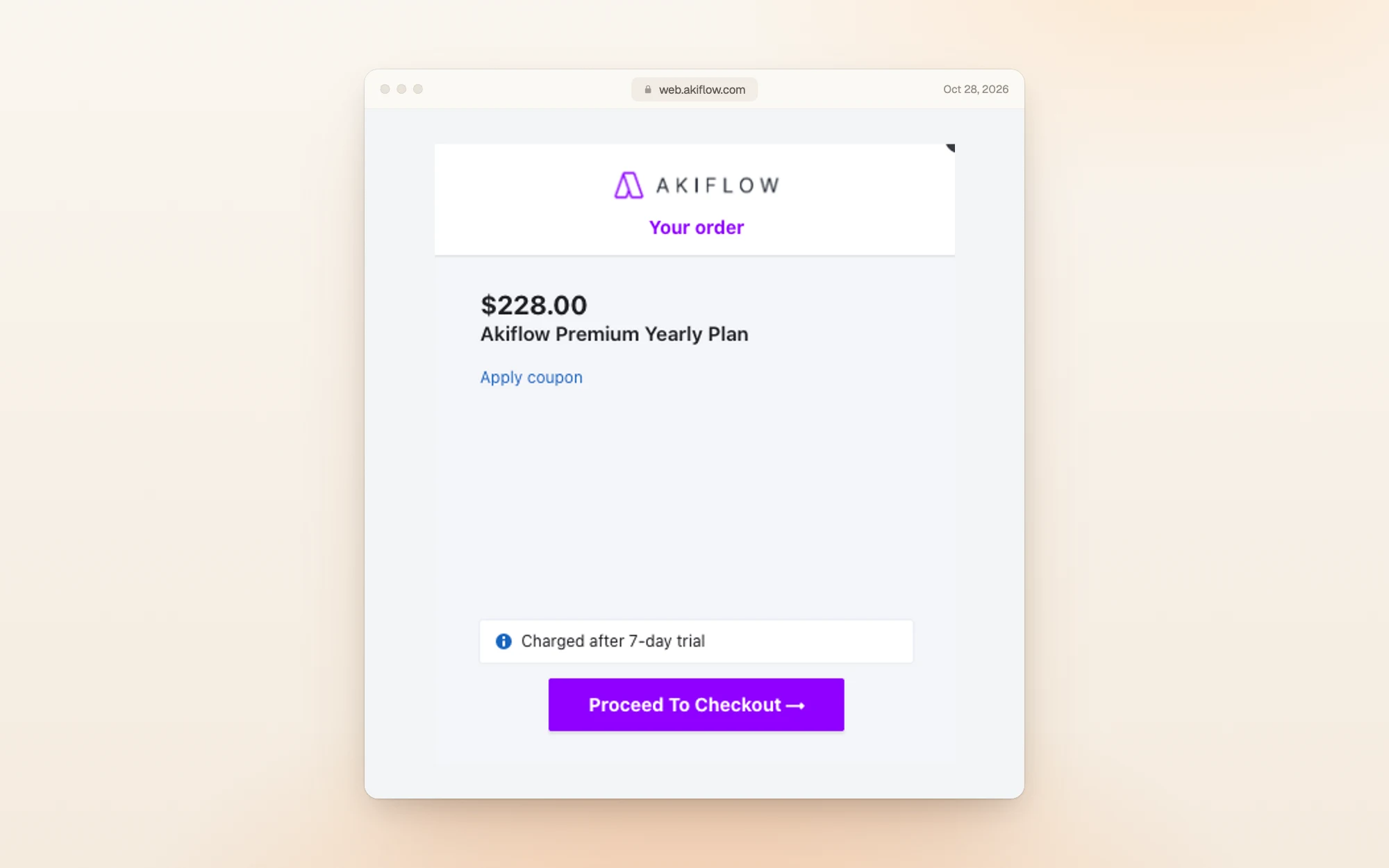
One catch on the same page: turning on the Meeting Assistant add-on ($19 a month) ends your trial immediately, and you're charged that day for both the plan and the add-on.
Akiflow discounts
- Students and researchers: 40% off Pro Yearly, for life. You verify with an academic email. In the US that brings the yearly plan from $228 to about $137.
- Yearly billing is the standing discount: 44% off twelve monthly payments.
- Coupons like 1HOUR appear on the pricing page from time to time, with a countdown.
- The cancel offer: when we cancelled our trial, Akiflow offered 60% off for 12 months before confirming.
- Referrals: give $25, get $25 in credit once the person you invite pays their first invoice.
- Teams get pricing from Akiflow's sales team rather than a public per-seat rate.
What's included, and what costs extra
Every Pro subscriber gets the same features on monthly or yearly billing:
- Tasks and subtasks, with calendar time blocking
- Integrations that pull tasks in from your other apps
- Aki, the AI assistant, and the hosted Akiflow MCP Connector, so AI tools like Claude or ChatGPT can work with your Akiflow data
- A free 1:1 onboarding call
The AI Meeting Assistant is not included. Recording, transcripts, summaries and action items cost an extra $19 a month. With it, Akiflow monthly comes to $53 a month.
Cancelling: four steps and a 60% offer
We cancelled our trial from Settings, then Billing, then Cancel subscription. Akiflow walks you through four screens before the cancellation is confirmed:
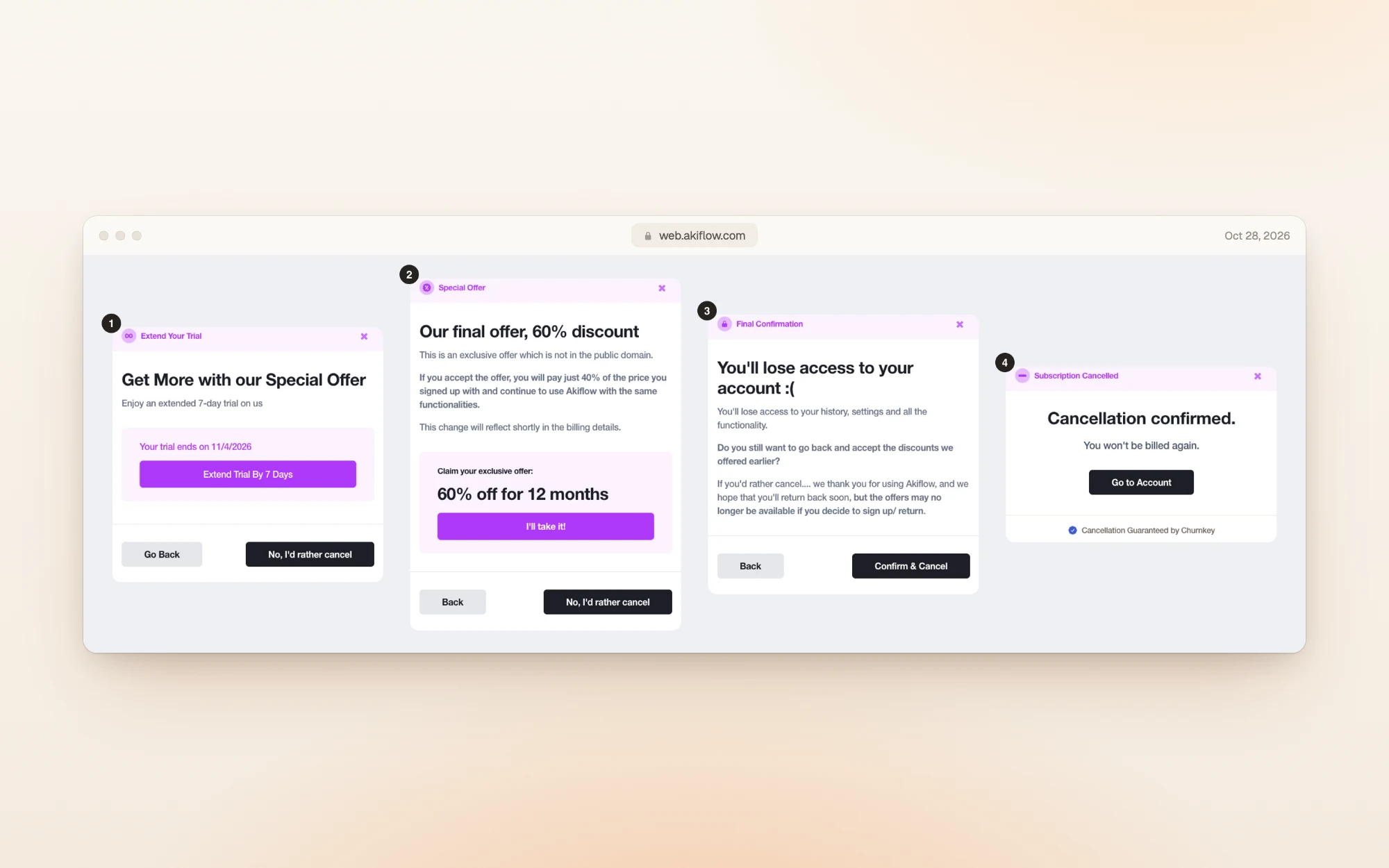
- An offer to extend the trial by 7 days.
- A short survey asking why you're leaving (not pictured), followed by "Our final offer, 60% discount": 60% off for 12 months, which Akiflow describes as "an exclusive offer which is not in the public domain".
- A final confirmation that you'll lose access, and that "the offers may no longer be available" if you come back.
- "Cancellation confirmed. You won't be billed again."
So if you're on the fence about the price, the cancel flow is where Akiflow offers its biggest discount. We saw it during a trial on monthly billing; we can't say whether the same offer appears on every plan. Choose No, I'd rather cancel at each step to finish.
Other things to know:
- Finish the flow. Akiflow's help center says that if you leave halfway, the subscription stays active. When it's done, you get an email like this one:
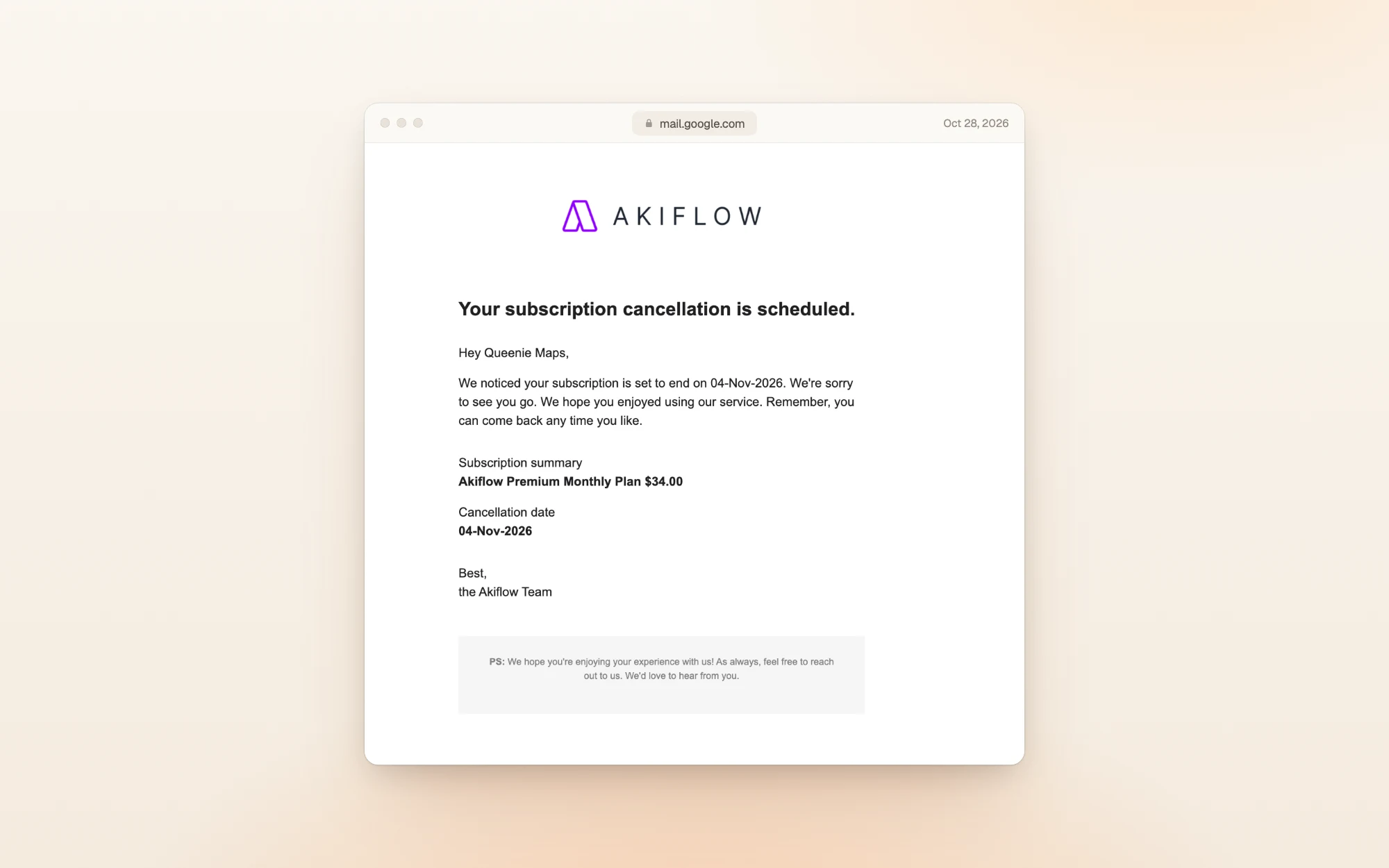
- After cancelling: you keep access until the end of the period you've paid for, and you can reactivate before it runs out.
- Pausing: not possible. Cancelling is the only option.
- Payment methods: Visa, Mastercard, American Express, Maestro, Discover, Apple Pay, Google Pay and PayPal.
What reviewers say
Akiflow's US App Store listing showed 4.2 out of 5 from 190 ratings when we checked.
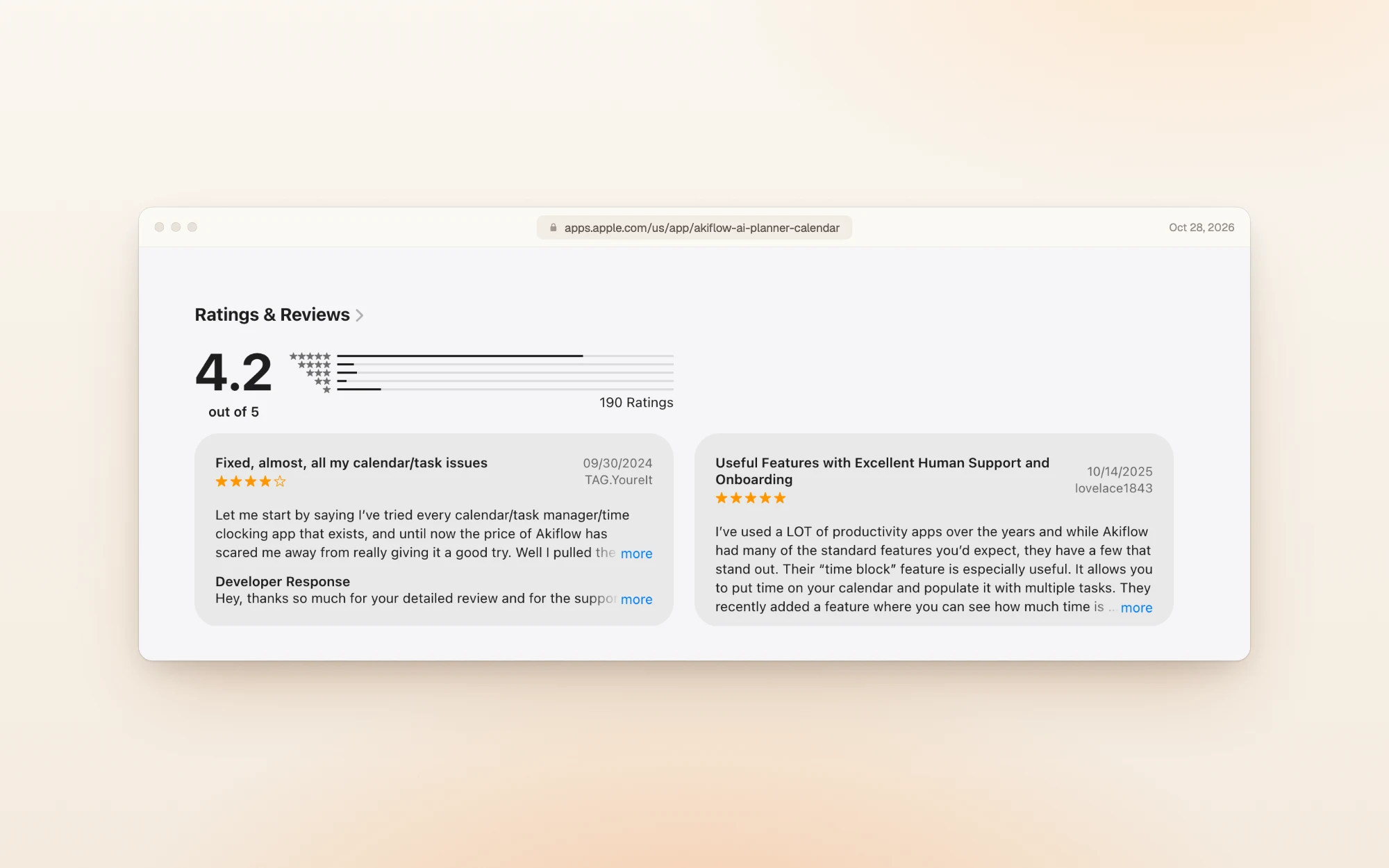
People like the time blocking and the support:
"Their 'time block' feature is especially useful." lovelace1843, App Store, October 2025
"Their customer service is exceptionally good." lovelace1843, App Store, October 2025
The price is what makes people hesitate:
"Until now the price of Akiflow has scared me away from really giving it a good try." TAG.YoureIt, App Store, September 2024
That reviewer did try it, and gave it four stars.
Is Akiflow worth it?
At $228 a year, Akiflow costs more than most planners. It earns that if your tasks are scattered across several apps and you want them in one place, planned onto your calendar.
Pick Akiflow if:
- Your tasks live in Gmail, Slack, Asana, Notion or Todoist, and you want one inbox for all of them
- You time block your day and want tasks and calendar side by side
- You'll use the AI assistant, or connect Akiflow to Claude or ChatGPT through MCP
Skip it if:
- You want a free plan to fall back on, or a trial without a card
- You mostly need a simple to-do list
- You'd need the Meeting Assistant too, which brings monthly billing to $53
Other planners worth a look
| If you want… | Look at | What it does well |
|---|---|---|
| A guided daily planning ritual | Sunsama | Walks you through planning each day, with a 14-day trial that needs no card |
| Tasks, calendar and notes, with a free plan | Routine | Free to start, with paid plans from $8 a month |
| A free task manager | TickTick | A full task manager for free, with Premium at $49.99 a year |
| A day you can actually finish | Dayplan | An AI Coach that plans your day with you, three must-dos, and breaks built into the plan |
Dayplan is our product. Where most planners make room for one more task, Dayplan's Coach helps you plan a day you can finish: three must-dos, a warning when the plan outgrows your hours, and breaks built in. See how the Coach works.
Frequently asked questions
$34 a month in the US on monthly billing, or $19 a month on yearly billing ($228 paid up front). Prices in euros, Canadian dollars and Australian dollars are set separately.
No. There's only the paid Pro plan. You can try it for 7 days, but you need a card, and billing begins once the 7 days are up unless you cancel.
$228 a year in the US, €184.99 in the euro area, CA$289.99 in Canada and A$329.99 in Australia, according to Akiflow's price list on October 28, 2026.
Yes. Students and academic researchers pay 40% less for the yearly plan, for life, once they verify with an academic email. In the US that's about $137 a year.
Aki, the AI assistant, and the MCP Connector are included in Pro. The AI Meeting Assistant for recordings and transcripts costs an extra $19 a month.
When we cancelled during the trial, Akiflow offered 60% off for 12 months as a "final offer" before confirming the cancellation. Earlier in the flow it offered a 7-day trial extension.
No. You can only cancel. You keep access until the end of the period you've paid for, and you can reactivate before it ends.
How we checked
On October 28, 2026 we read Akiflow's pricing page, its pricing FAQ and its account help article, and saved a screenshot and the text of each. The regional prices come from the price list Akiflow's pricing page loads, which covers US dollars, euros, Canadian dollars and Australian dollars; yearly totals and savings are those prices multiplied out. We were browsing from Europe, so the pricing page itself showed euros. We then created an Akiflow account, entered a card to start the 7-day trial, went through onboarding, opened the billing page and the yearly order, and cancelled the trial through every step of the cancel flow. We weren't charged. App Store ratings are from the US listing on the same day. Prices change, so if you spot a difference, email us and we'll update this page.
More guides like this one: Productivity app guides.
Sources