
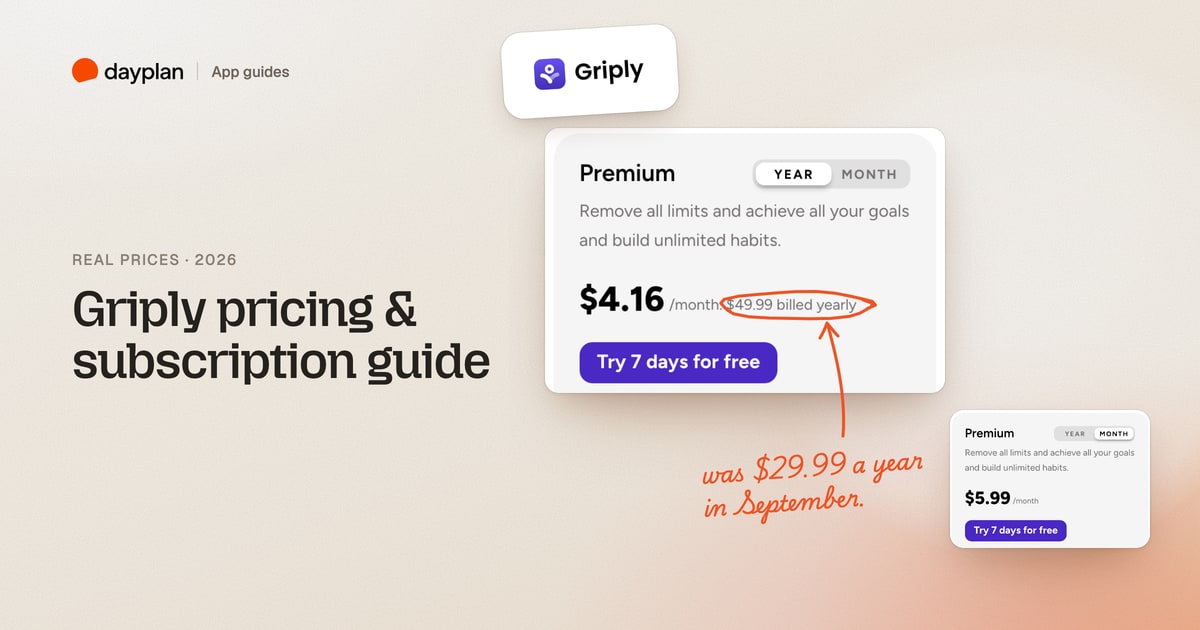
TL;DR: Griply is free for 2 goals, 2 habits and 5 projects, with unlimited tasks. Premium costs $5.99 a month or $49.99 a year ($4.16 a month), and Lifetime is a one-time $149.99. Both paid options come with a 7-day free trial. These are new prices: until mid-October 2026, the yearly plan was $29.99 and Lifetime was $119.99.
Griply (griply.app) is a goal planner: you set goals, break them into steps, and connect your daily tasks and habits to them. It runs on the web, iPhone and Android. We created a Griply account on October 28, 2026, filled it with two goals, two habits and a day of tasks, hit the free limit, and went as far as the checkout screen without paying. Every screenshot is ours.
How much does Griply cost?
| Plan | Price | What you get |
|---|---|---|
| Free | $0 | 2 goals, 2 habits, 5 projects, unlimited tasks, 3 smart lists, reminders, Google and Outlook events, iOS widgets |
| Premium, monthly | $5.99 a month | Everything unlimited, plus calendar time blocking, a goal timeline, subgoals, habit targets and dashboards |
| Premium, yearly | $49.99 a year ($4.16 a month) | The same as monthly |
| Lifetime | $149.99 once | Premium forever, except future AI features and paid third-party integrations |
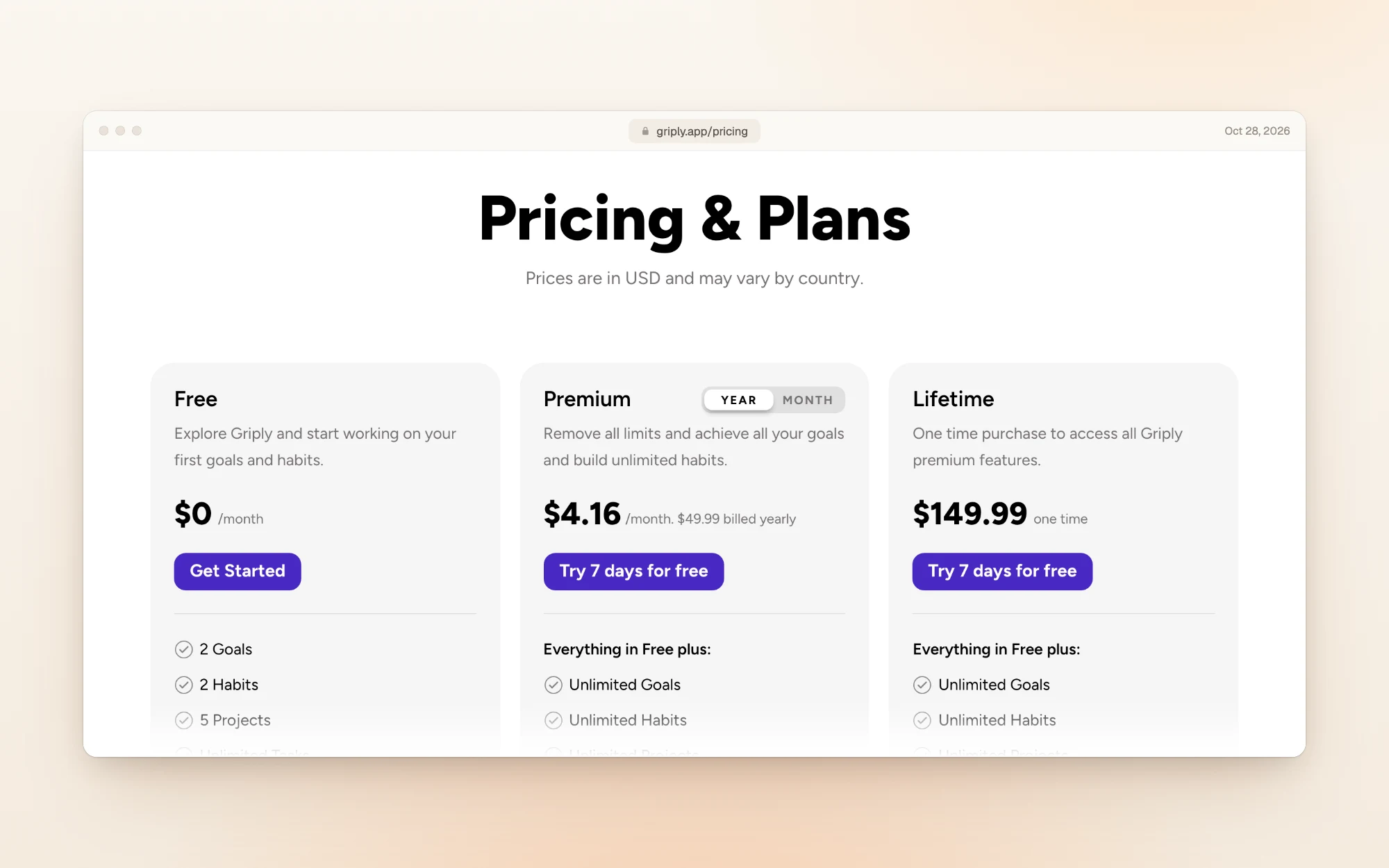
Switch the Premium card to Month and it shows $5.99 a month.
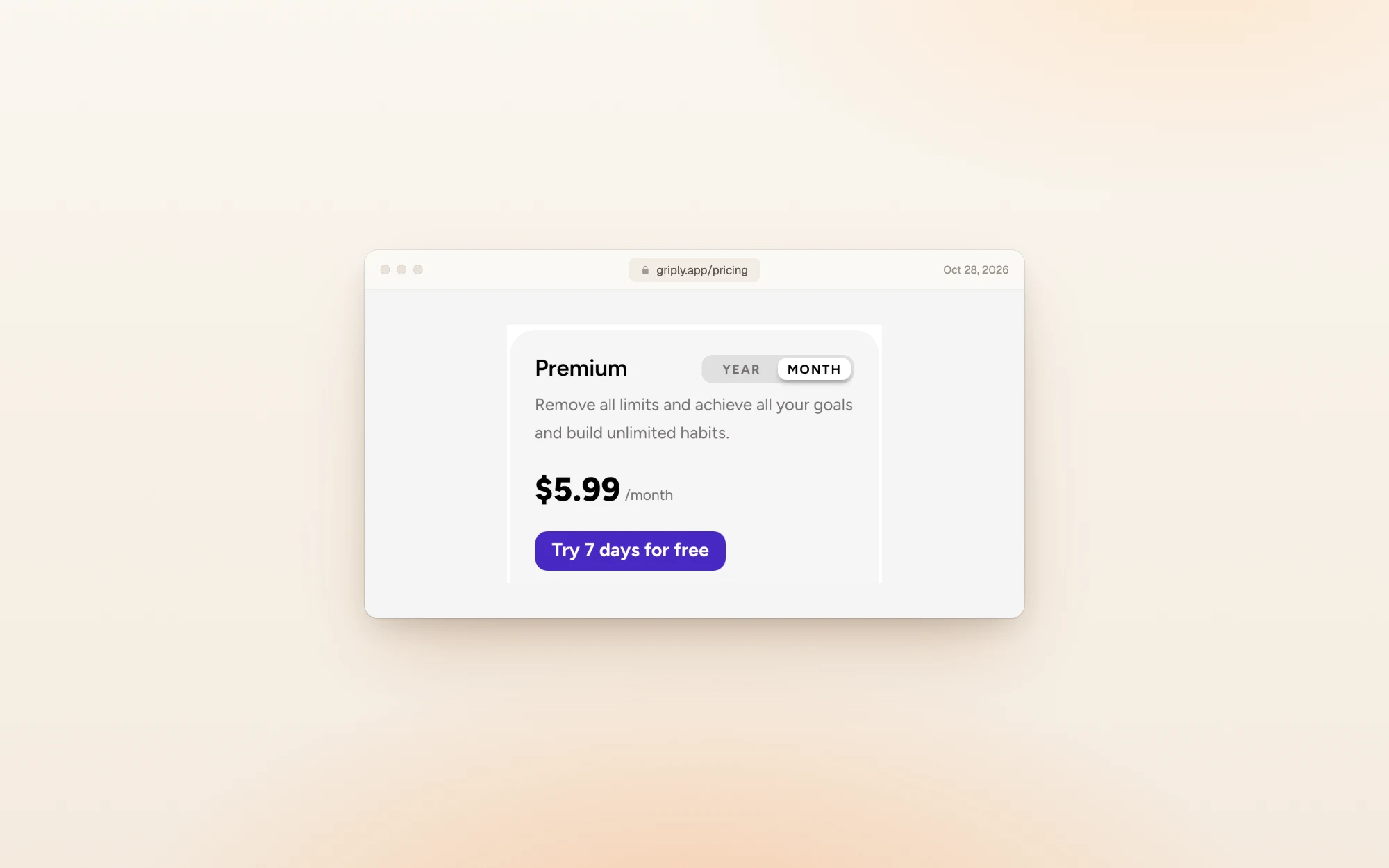
Over a year, paying monthly comes to $71.88. Paying yearly costs $49.99, so you save about $22 (30%).
Griply raised its prices in October 2026
Griply's pricing page looked different a month ago. On September 30, 2026, the Wayback Machine's copy of griply.app/pricing listed Premium at $29.99 a year ($2.49 a month) and Lifetime at $89.99, on sale from $119.99.
| Plan | September 30, 2026 | October 28, 2026 | Change |
|---|---|---|---|
| Premium, yearly | $29.99 | $49.99 | +$20 (67%) |
| Lifetime | $89.99 on sale ($119.99 usual) | $149.99 | +$30 on the usual price |
| Premium, monthly | $4.99 (reported) | $5.99 | +$1 |
ToolGuide, a software review site, reported that the new prices started on October 12, 2026, after a lifetime sale that ended October 11. The old monthly price comes from ToolGuide too; the archived page only shows the yearly view.
Many reviews and comparison pages still quote the old prices, so check the date before you trust a number.
Prices in your currency
Griply's pricing page says prices "are in USD and may vary by country", and the app shows your local currency. Signed in from Romania, we saw 17.99 lei a month, 149.99 lei a year and 449.99 lei for Lifetime, with VAT included.
That screen appeared when we tried to add a third goal on the free plan, which is how most people will meet Griply's paywall:
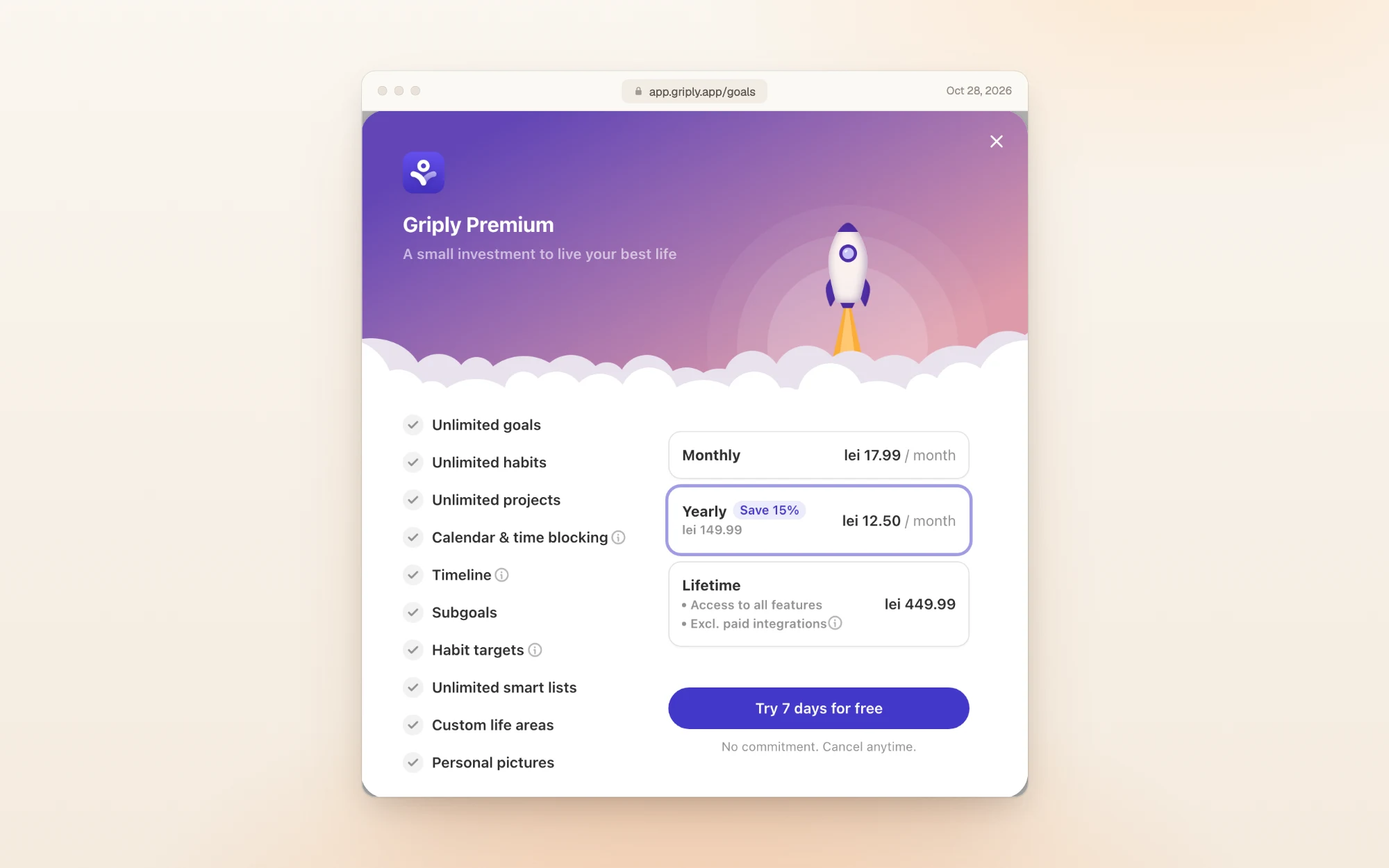
The yearly option carries a "Save 15%" badge. By the prices listed, yearly works out to about 30% less than twelve monthly payments, in lei and in dollars.
Does Griply have a free trial?
Yes. Premium and Lifetime both come with 7 days free. On the web, though, you need a card to start it. The trial opens a Stripe checkout with nothing due today and the yearly price charged when the trial ends:
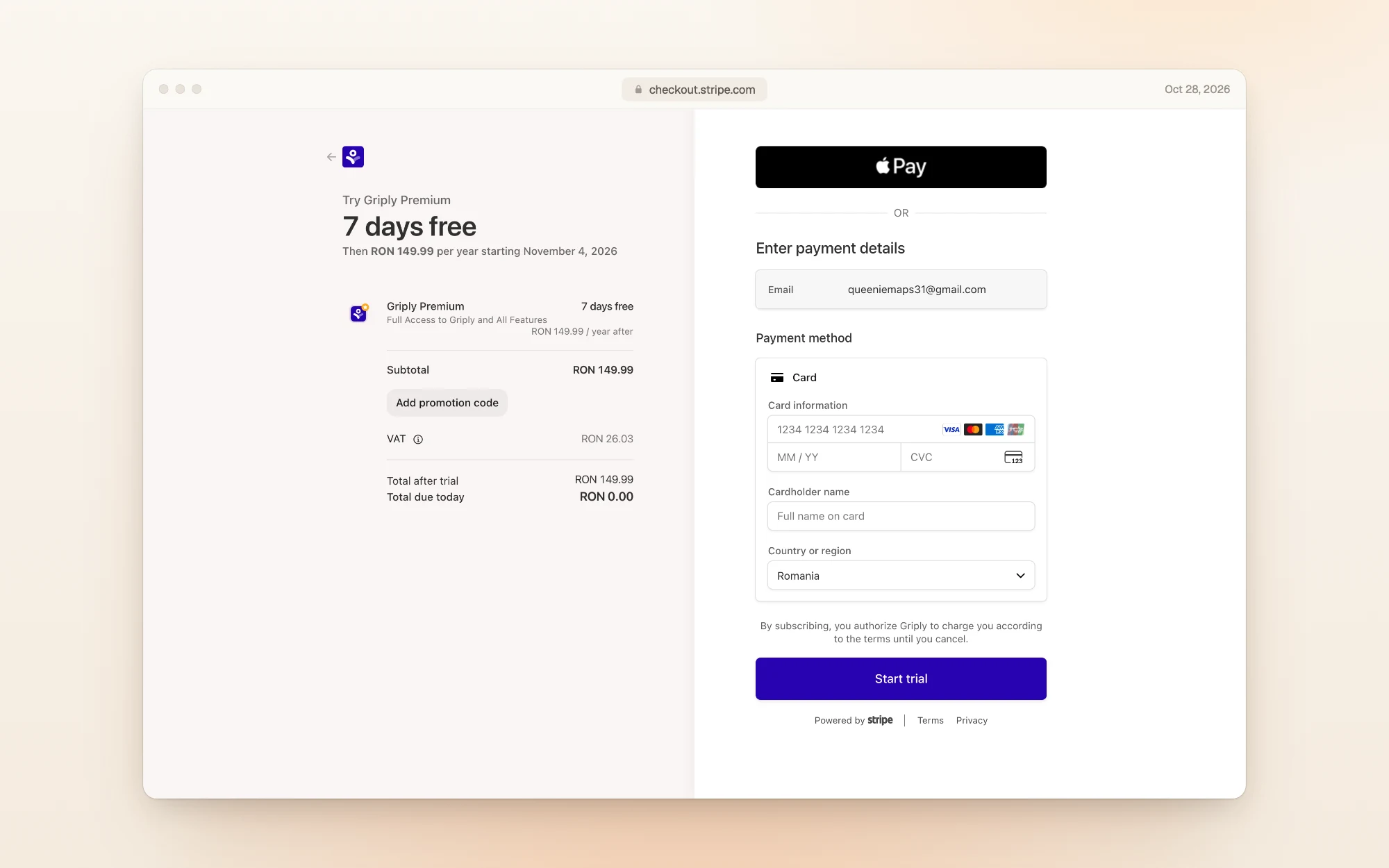
If you'd rather not enter a card, you can skip the trial: the paywall after sign-up has a "Continue with limited free plan" link, and the free plan doesn't expire.
What the free plan is like
The free plan is usable day to day: tasks are unlimited, and you get a Today list, a calendar panel and reminders. Here's our free account after sign-up, with two habits and three tasks for the day:
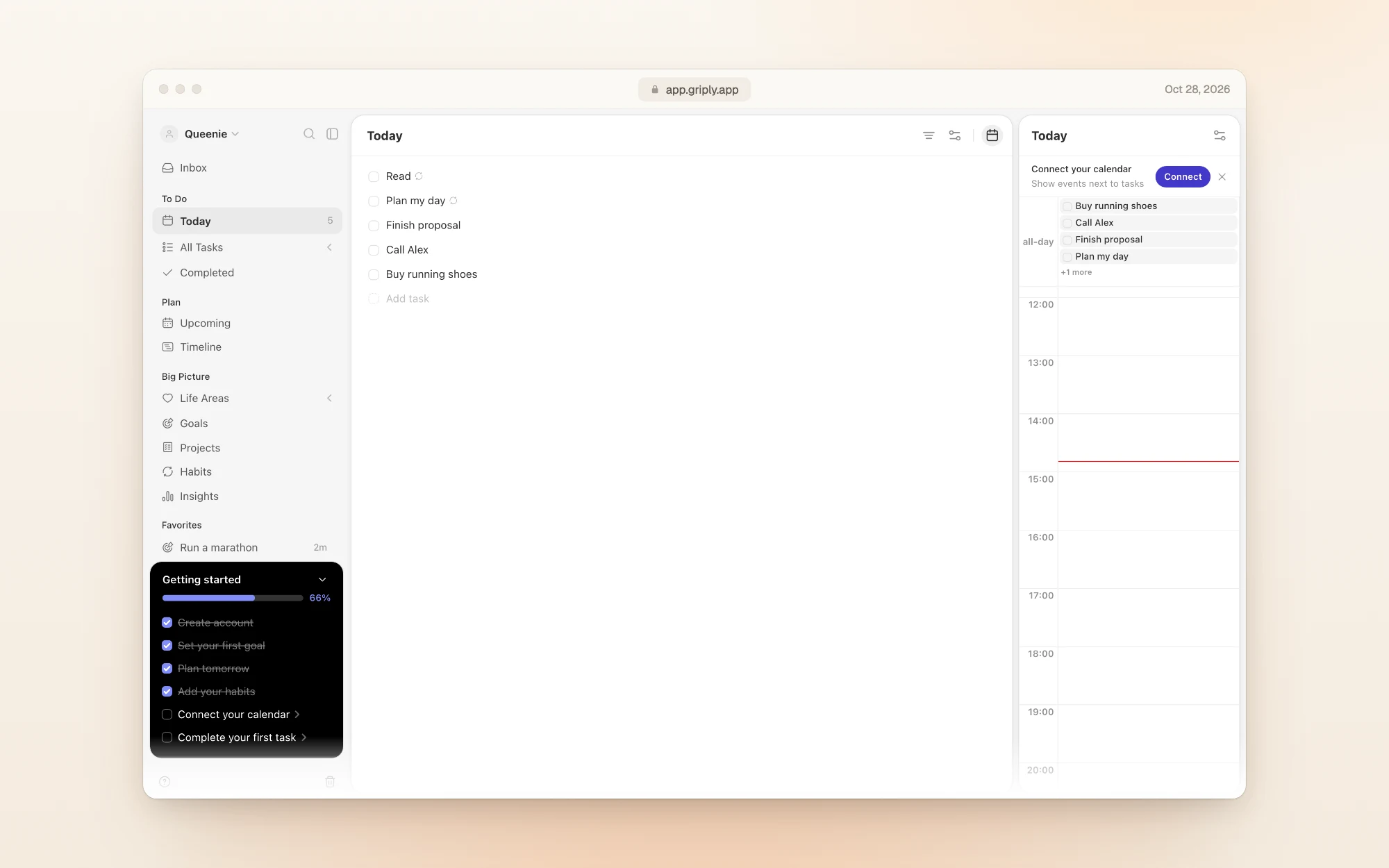
The limits are on the goal side: 2 goals, 2 habits, 5 projects and 3 smart lists. Calendar time blocking, subgoals, the goal timeline and habit targets are Premium only.
Lifetime: what's included and what isn't
Lifetime is $149.99 once, about three years of the yearly plan. It covers every current Premium feature and future updates, with two exceptions Griply spells out:
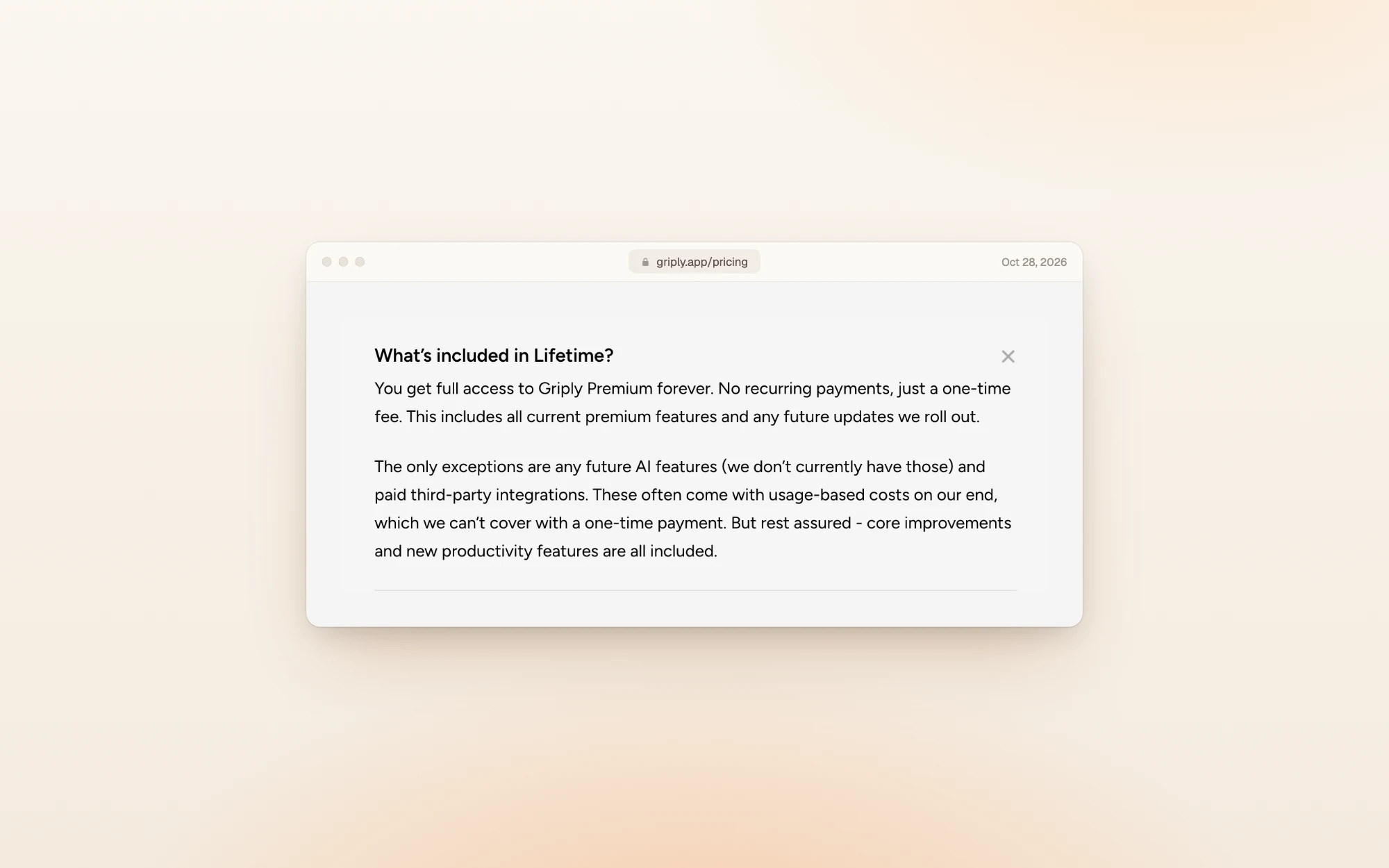
Griply says it has no AI features today, so for now Lifetime covers everything.
Refunds, discounts and cancelling
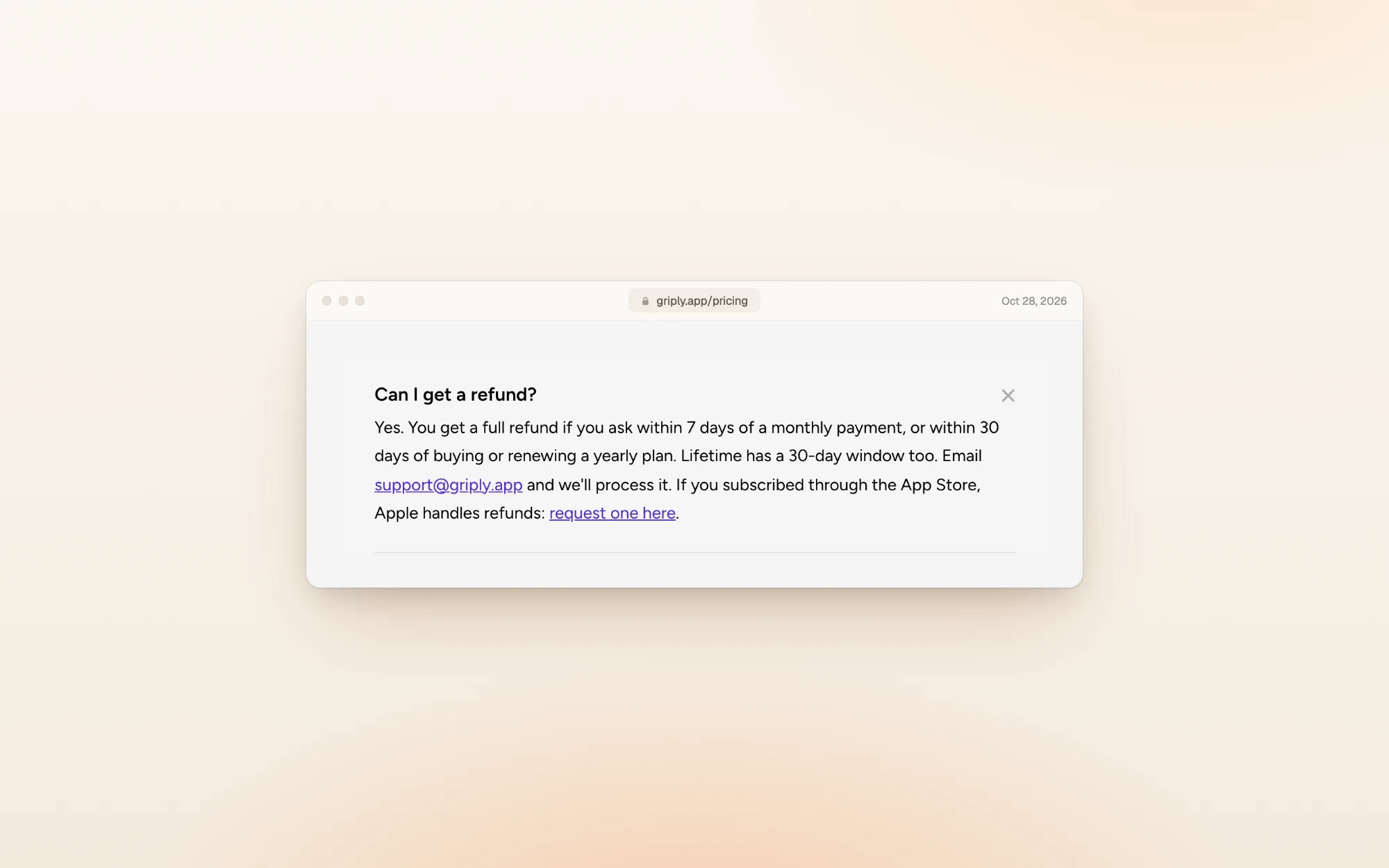
- Refunds: a full refund within 7 days of a monthly payment, or 30 days of buying or renewing a yearly plan. Lifetime has a 30-day window too. Email support@griply.app. If you paid through the App Store, Apple handles the refund.
- Students: email support with your sign-up address and proof that you're a student. Griply doesn't publish the discount.
- Payment: cards through Stripe on the web, or the App Store on iPhone.
- Cancelling: you keep all your data, but Premium features lock again (for example, more than 2 goals).
What reviewers say
Griply's US App Store listing showed 4.7 out of 5 from 208 ratings when we checked.
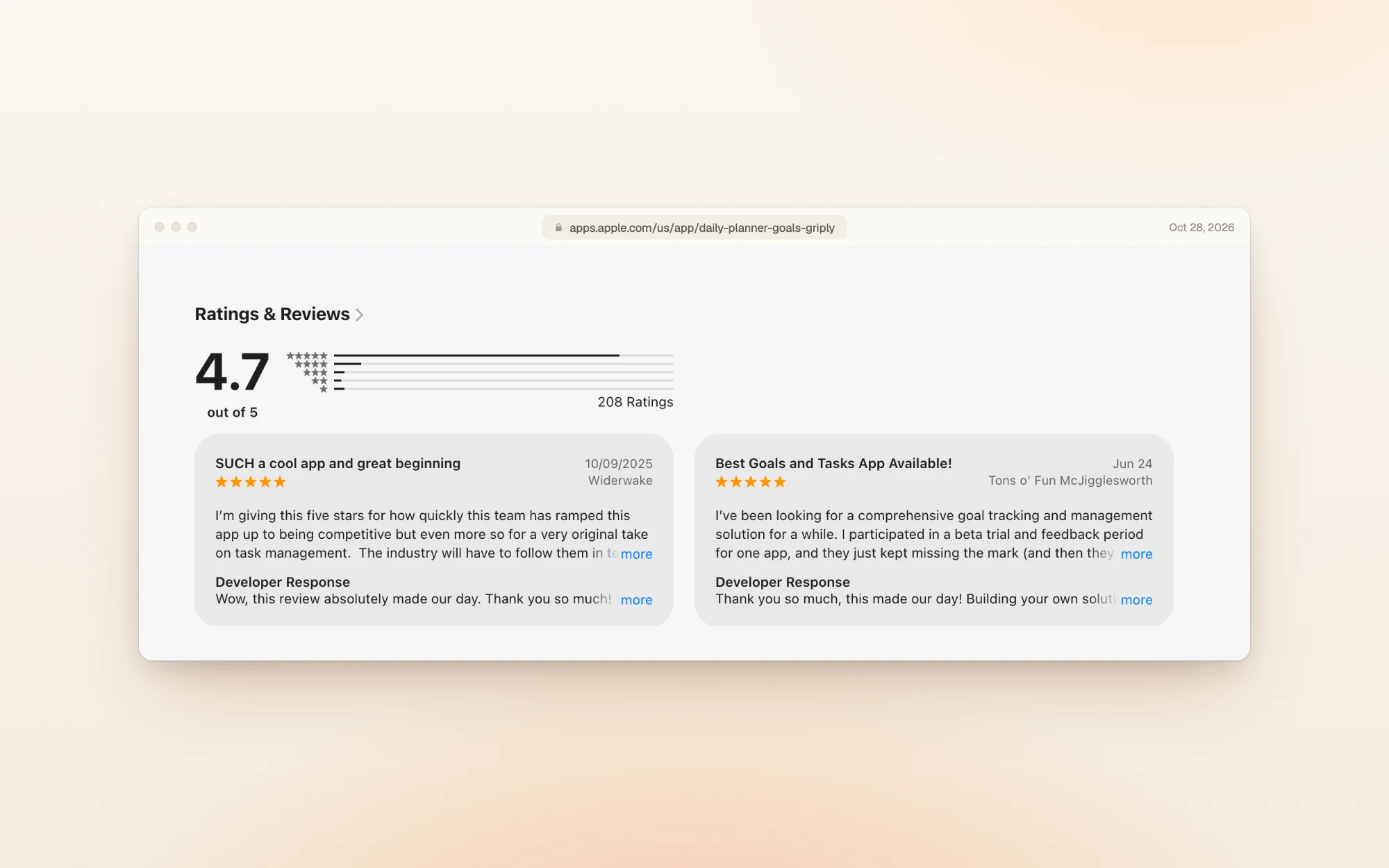
Reviewers like how goals, tasks and habits connect:
"A very original take on task management." Widerwake, App Store, October 2025
"The dev team behind Griply has really thought of everything." Tons o' Fun McJigglesworth, App Store, June 2026
The most useful critical review is about testing before paying:
"I recommend using the app as extensively as possible during the trial, to ensure it's worth the subscription." E. L. Hayes, App Store, July 2025
That reviewer's complaint was about goal progress, and Griply's developer reply says it added cumulative progress a few weeks later.
Is Griply worth it?
At $49.99 a year, Griply is still the cheapest paid planner we've covered, even after the price rise.
Pick Griply if:
- You think in goals first and want your tasks and habits tied to them
- You want a free plan to try the idea properly before paying
- You'd rather pay once: Lifetime pays for itself in about three years
Skip it if:
- You need more than 2 goals or 2 habits and don't want to pay
- Calendar time blocking is your main way to plan: it's Premium only
- You want AI planning help: Griply doesn't have AI features
Other planners worth a look
| If you want… | Look at | What it does well |
|---|---|---|
| Tasks, calendar and notes, with a free plan | Routine | Free to start, with paid plans from $8 a month |
| Tasks from all your apps in one inbox | Akiflow | Time blocking with tasks pulled in from your other tools, from $19 a month yearly |
| A free task manager with habits | TickTick | Tasks and a habit tracker for free, with Premium at $49.99 a year |
| A day you can actually finish | Dayplan | An AI Coach that plans your day with you, three must-dos, and breaks built into the plan |
Dayplan is our product. Where most planners make room for one more task, Dayplan's Coach helps you plan a day you can finish: three must-dos, a warning when the plan outgrows your hours, and breaks built in. See how the Coach works.
Frequently asked questions
Yes. The free plan doesn't expire and covers 2 goals, 2 habits, 5 projects and unlimited tasks. Calendar time blocking, subgoals and unlimited goals need Premium.
$5.99 a month, or $49.99 a year ($4.16 a month). Lifetime access is a one-time $149.99. Prices are in US dollars and may vary by country.
Yes. In October 2026 the yearly plan went from $29.99 to $49.99 and Lifetime from $119.99 to $149.99. ToolGuide reports the change took effect on October 12, 2026.
On the web, yes. The 7-day trial opens a checkout with nothing due today, and the plan you chose is charged when the trial ends unless you cancel.
Yes: within 7 days of a monthly payment, or 30 days of buying or renewing a yearly plan or Lifetime. App Store purchases are refunded through Apple.
Yes. Email Griply's support with your sign-up email and proof that you're a student. The amount isn't published.
How we checked
On October 28, 2026 we read Griply's pricing page and FAQ, and saved a screenshot and the text of each. We then created a Griply account with an email and password, chose two goals, two habits and three tasks in the onboarding, and stayed on the free plan. Trying to add a third goal opened the Premium window shown above, and the trial opened a Stripe checkout; we didn't enter a card. Because we were signed in from Romania, in-app prices were in lei. Earlier prices come from the Wayback Machine's copy of Griply's pricing page from September 30, 2026; the October 12 start date and the old monthly price are from ToolGuide. App Store ratings are from the US listing on the same day. Prices change, so if you spot a difference, email us and we'll update this page.
More guides like this one: Productivity app guides.
Sources