
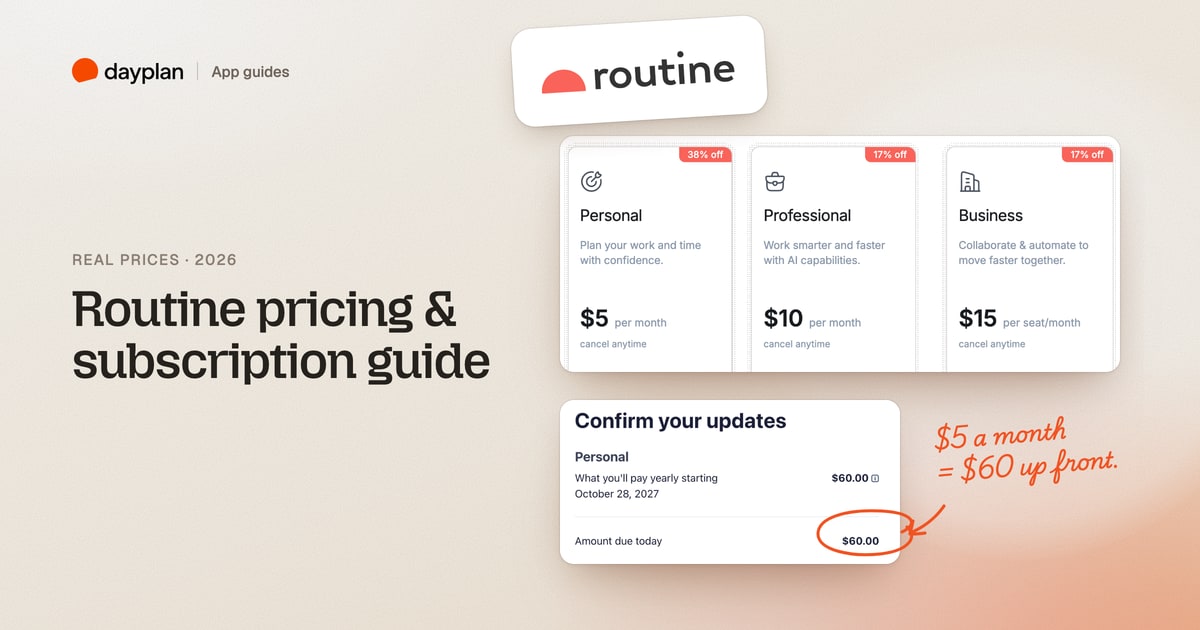
TL;DR: Routine is free to use. Paid plans cost $8 a month for Personal, $12 for Professional and $18 per seat for Business. Paid yearly, Personal comes to $60 a year and Professional to $120 a year at checkout ($5 and $10 a month). Every new account starts with a 14-day Professional trial, and you don't need a card to sign up.
Routine (routine.co) is a planner that puts tasks, calendars, notes and an AI assistant in one app. We created a Routine account, used it for a normal workweek, and went as far as the checkout screen without paying. Prices were checked on routine.co and inside the app on October 27 and 28, 2026. Every screenshot is ours.
How much does Routine cost?
| Plan | Paid monthly | Paid yearly | Made for |
|---|---|---|---|
| Free | $0 | $0 | Trying the app: tasks, calendars and notes, 3 integrations, 250 AI credits |
| Personal | $8 a month | $60 a year ($5 a month) | Time blocking, exports, 10 integrations, 500 AI credits |
| Professional | $12 a month | $120 a year ($10 a month) | AI meeting notes, agents and automations, time tracking, 7,000 AI credits |
| Business | $18 per seat a month | $15 per seat a month | Teams: workspaces, access control, shared billing |
| Enterprise | Talk to sales | Talk to sales | Compliance, audit logs, user provisioning |
The yearly totals for Personal and Professional come from Routine's checkout. We didn't open checkout for Business.
Monthly or yearly: what you actually pay
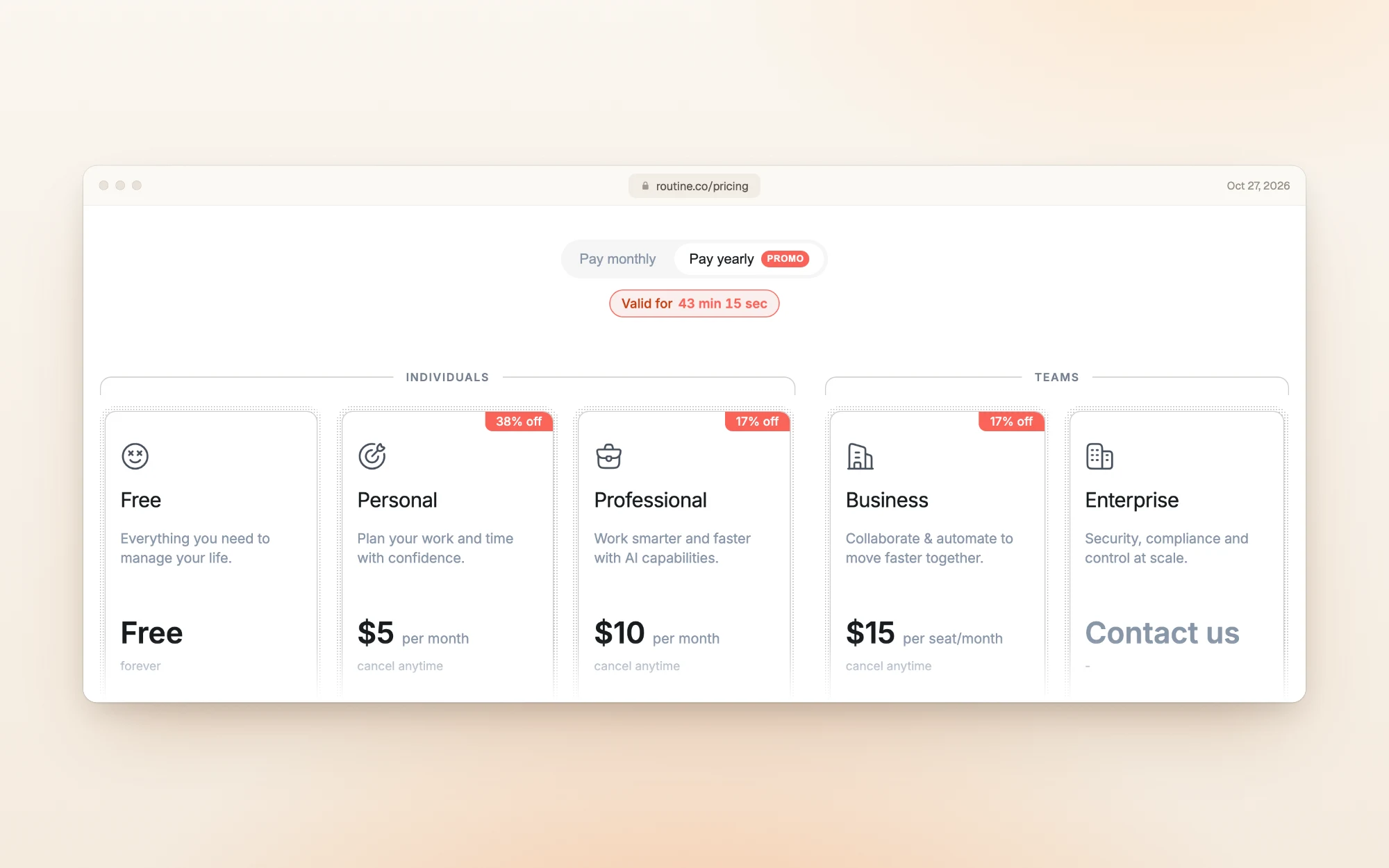
Routine's pricing page loads with Pay yearly selected, so $5, $10 and $15 are the first numbers you see.
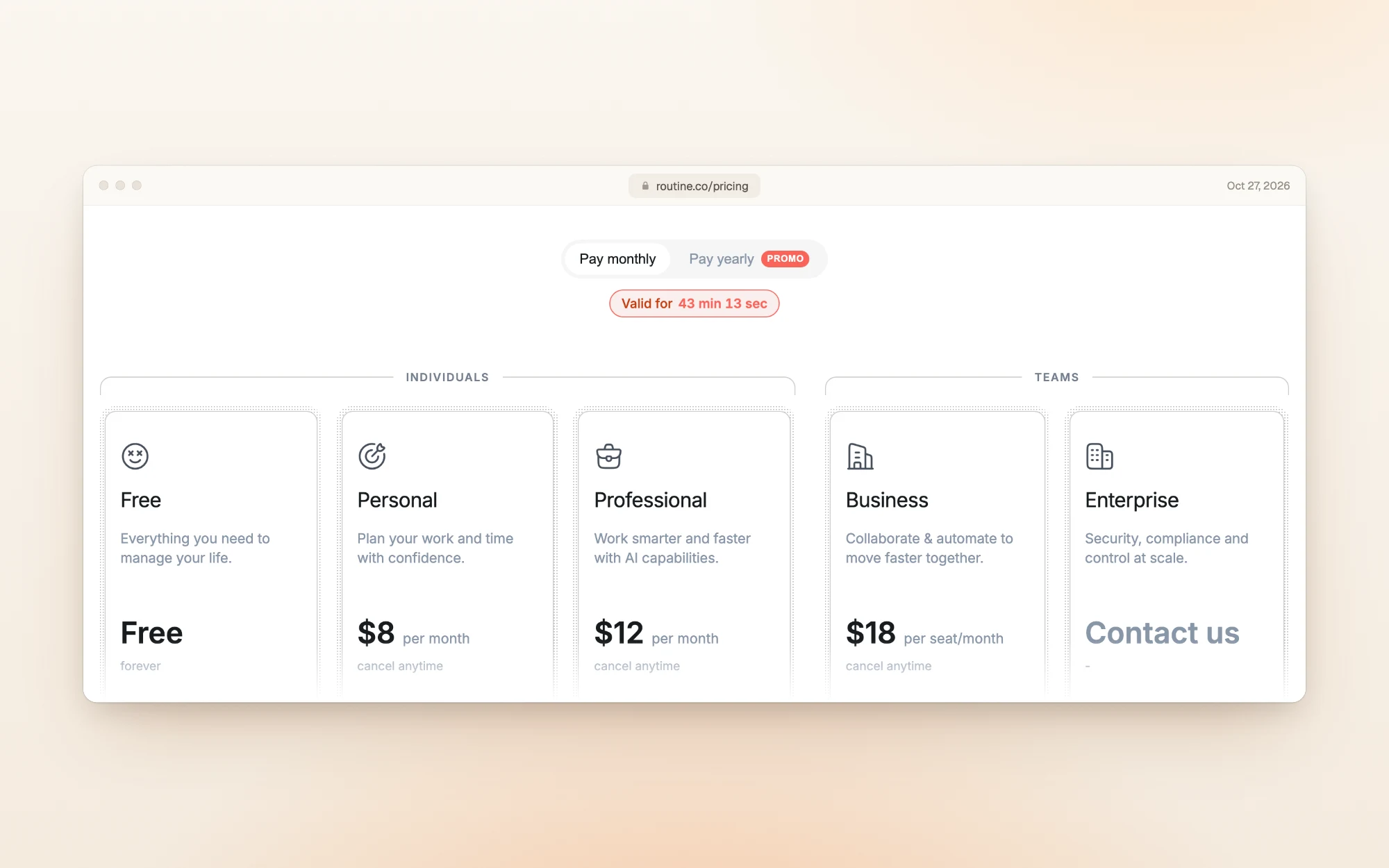
Flip the toggle to Pay monthly and the same plans read $8, $12 and $18.
Over a full year, the difference looks like this:
| Plan | 12 monthly payments | One yearly payment | You save |
|---|---|---|---|
| Personal | $96 | $60 | $36 (38%) |
| Professional | $144 | $120 | $24 (17%) |
| Business, per seat | $216 | $180 | $36 (17%) |
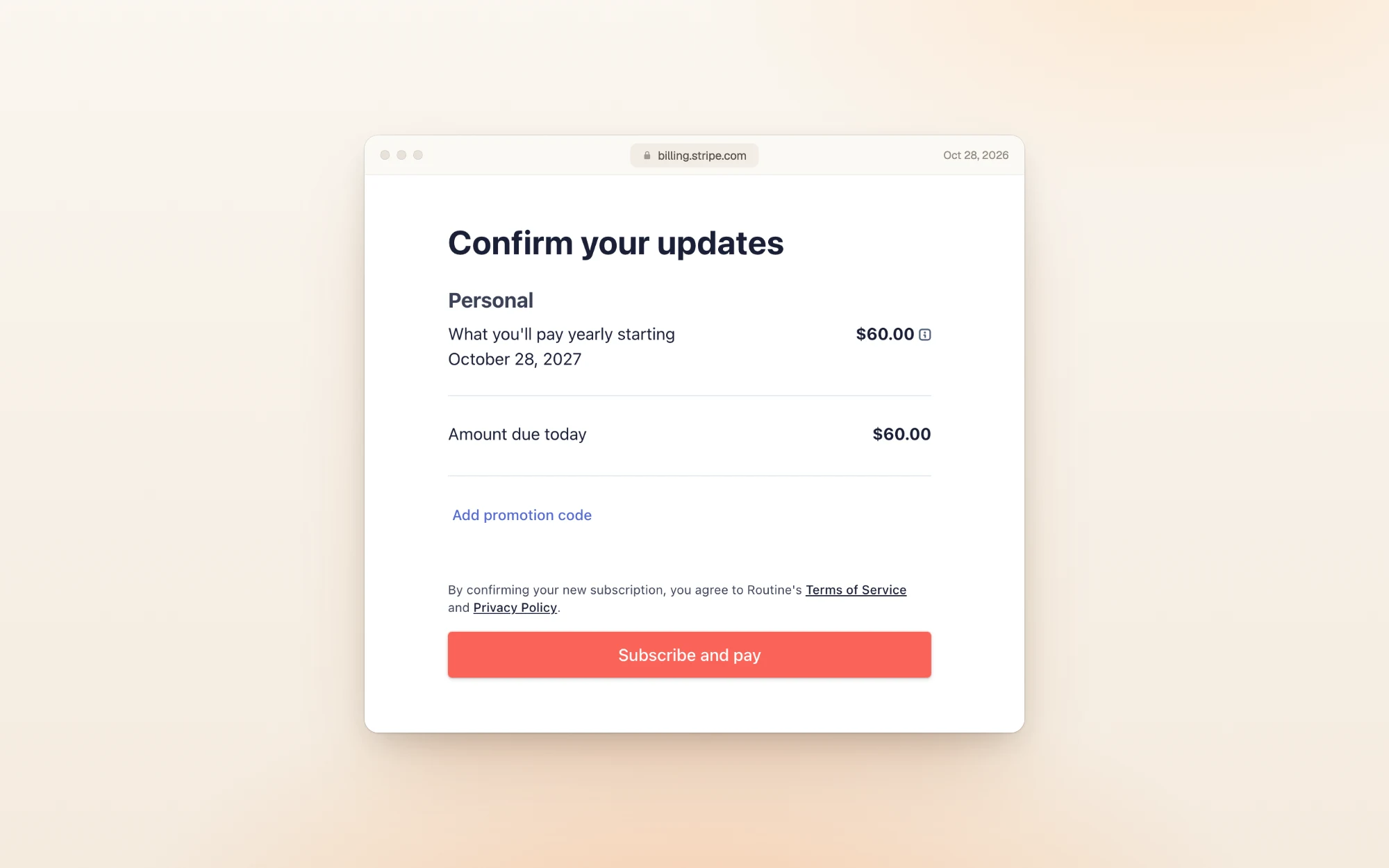
Inside the app, yearly prices are labeled "per month, billed annually". At checkout that's a single payment up front:
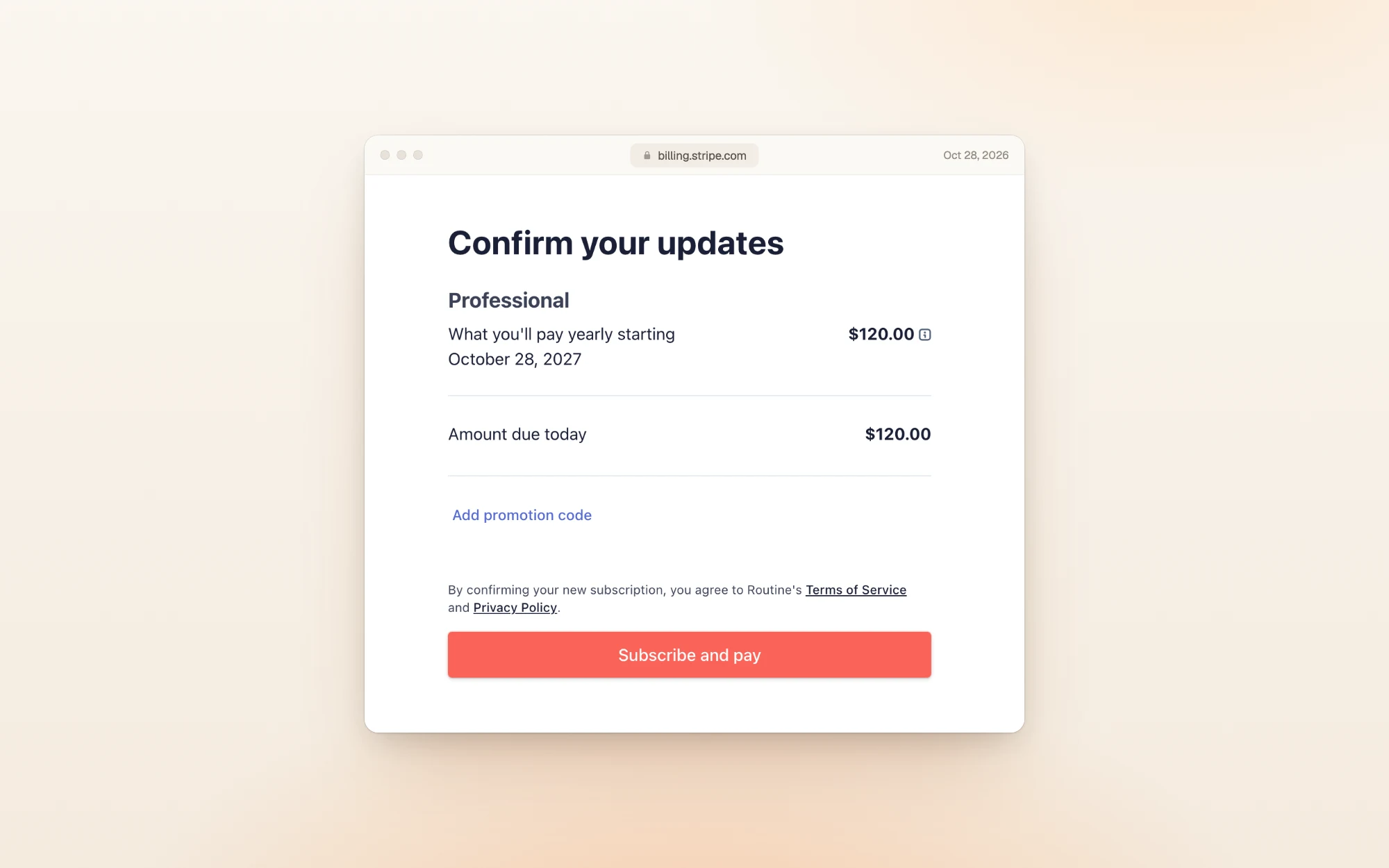
The yearly page carries a "PROMO" tag, so the Personal discount may not stay at 38%. Check the toggle before you buy.
Does Routine have a free trial?
Yes, though the pricing page doesn't say so. Signing up only asks for an email, or a Google, Microsoft or Apple account. There's no card step.
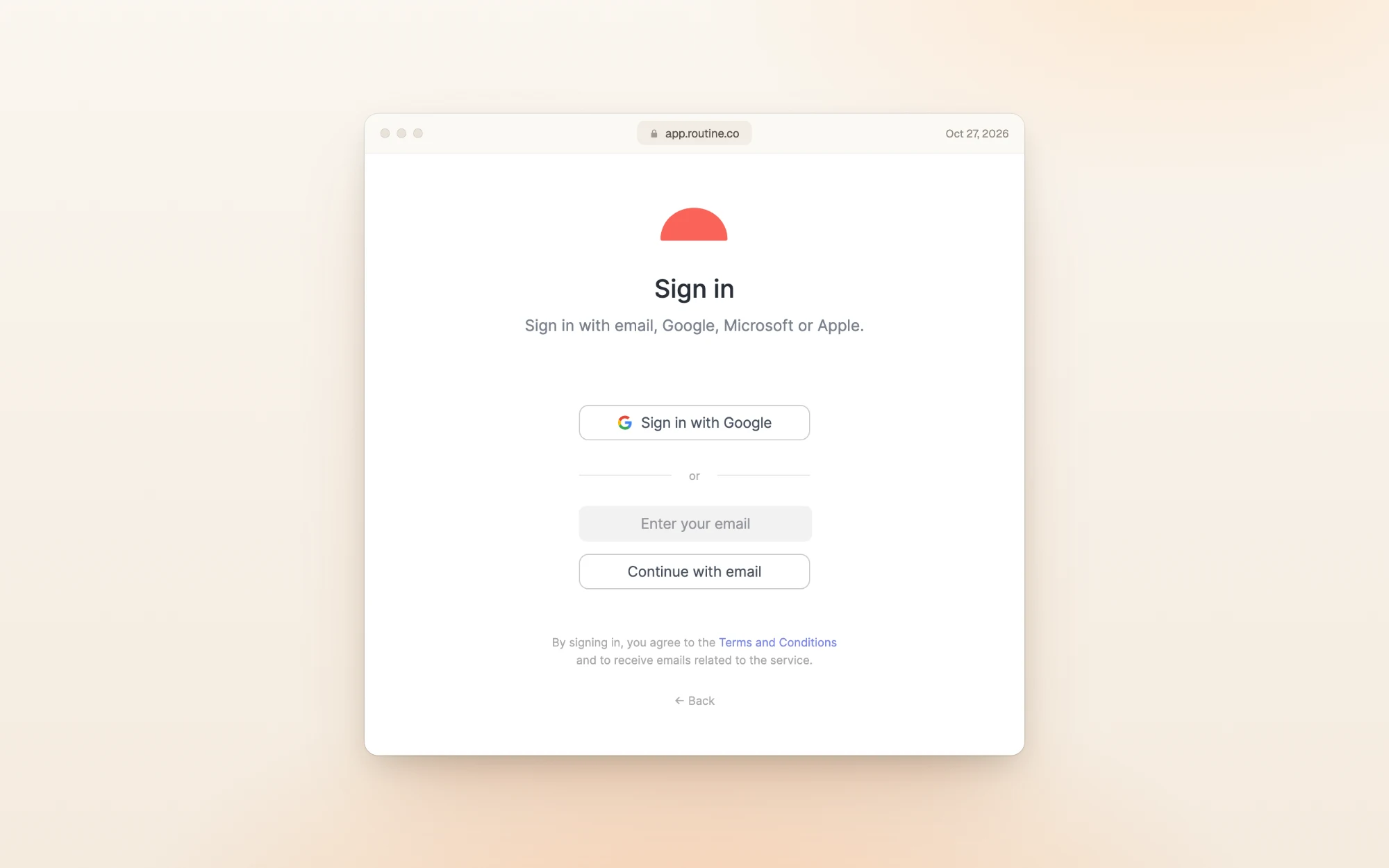
We signed up with an email, and the account opened on Professional, the top plan for individuals. Settings showed the trial ending 14 days after sign-up.
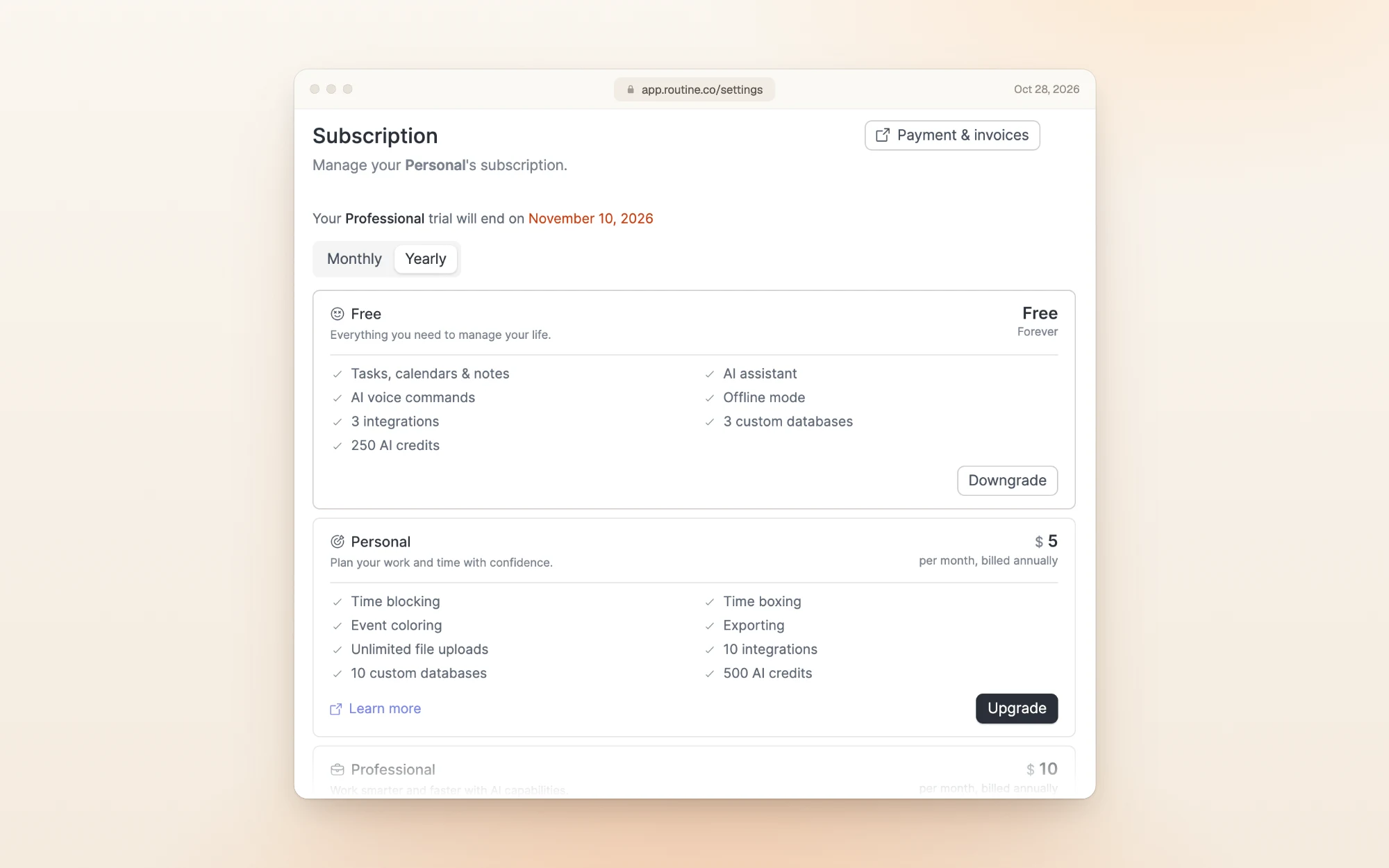
If you upgrade during the trial, you pay that day. Our checkout showed the full $60 due immediately, not when the trial ended.
What using Routine looks like
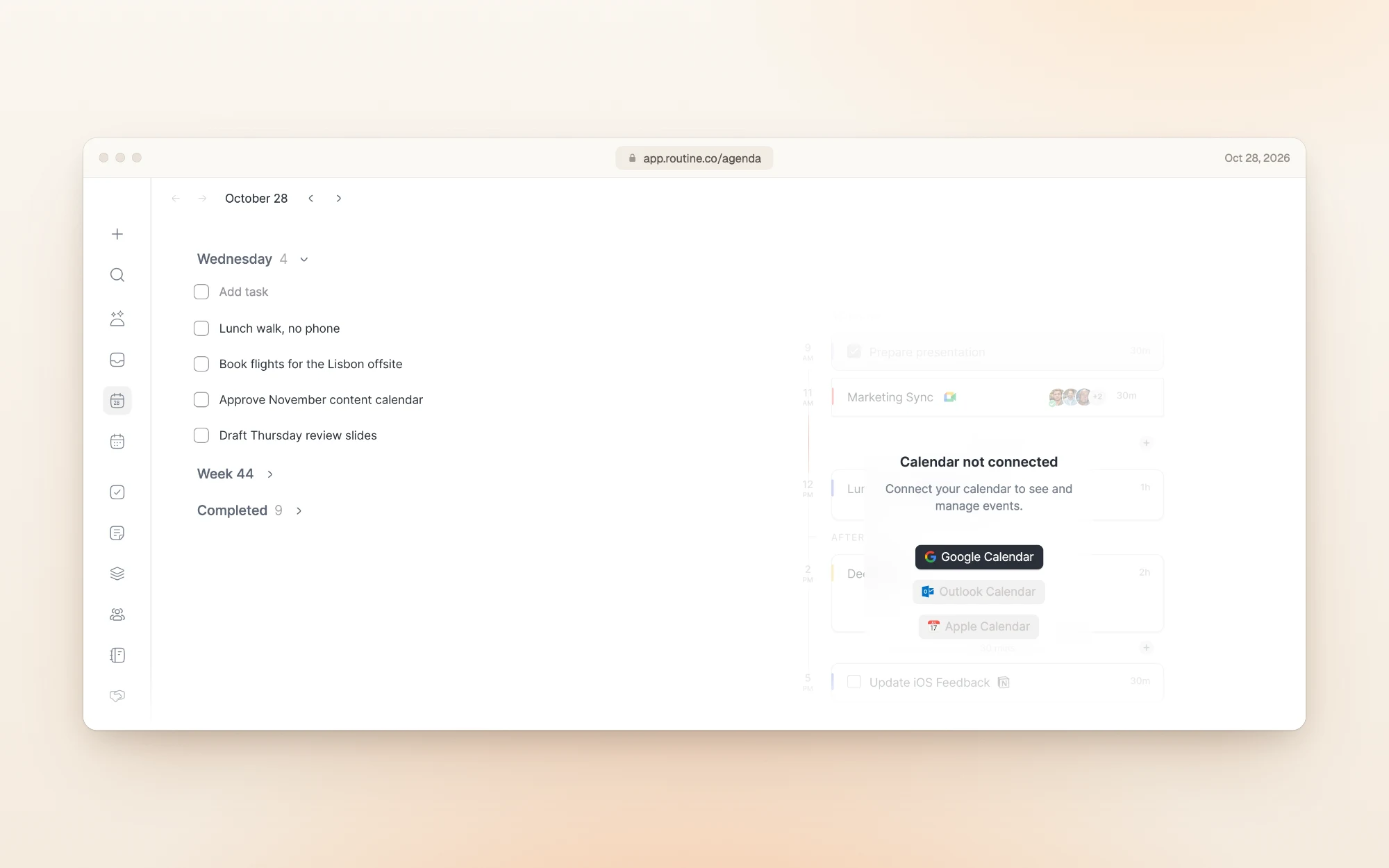
Routine opens on an agenda: today's tasks on the left, your calendar on the right. Here's ours after a day of use. The calendar side stays empty until you connect Google, Outlook or Apple Calendar.
What does Routine's free plan include?
Free doesn't expire. You get tasks, calendars and notes, the AI assistant with voice commands, offline mode, 3 integrations, 3 custom databases and 250 AI credits.
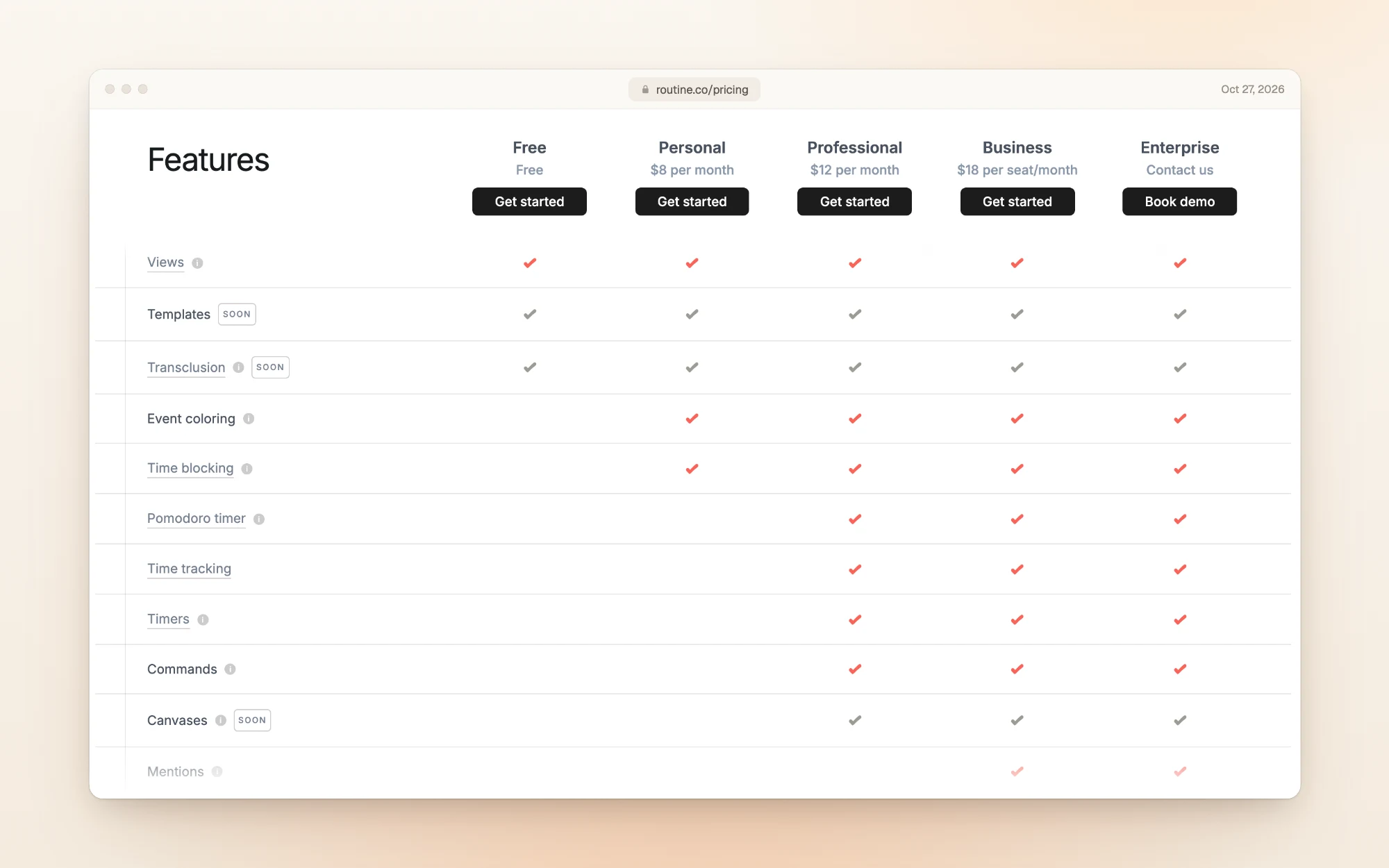
What it leaves out matters if you plan your day on a calendar. Time blocking (dragging tasks onto your calendar) starts at Personal. Pomodoro timers, task timers and time tracking start at Professional.
What each paid plan adds
Personal: time blocking, time boxing, event coloring, exporting, unlimited file uploads, 10 integrations, 10 custom databases and 500 AI credits.
Professional: AI meeting notes, AI agents and automations, a menu bar widget, time tracking, contextual capture, unlimited integrations, unlimited databases and 7,000 AI credits.
Business: organizations, workspaces, access control, versioning, consolidated billing, priority support and 10,000 AI credits per seat.
AI credits are the biggest gap between the two individual plans. Professional comes with 14 times as many as Personal (7,000 vs 500) for $4 more a month. If you'll lean on the AI assistant, choose your plan by credits, not by the price tag.
How much does Routine cost for a team?
Teams need Business, which is priced per seat. Here's a year of Business for a few team sizes:
| Team size | Paid monthly (a year) | Paid yearly |
|---|---|---|
| 3 seats | $648 | $540 |
| 5 seats | $1,080 | $900 |
| 10 seats | $2,160 | $1,800 |
Yearly totals are Routine's $15 per seat a month multiplied out. For compliance, audit logs and user provisioning, talk to sales about Enterprise.
Billing, failed payments and discounts
Routine's own FAQ covers the rest:
- Payment methods: all major credit and debit cards, and Link.
- Failed payments: Routine emails you if a payment fails or your card expires. If it still doesn't go through, the subscription is cancelled and the account drops to the Free plan.
- Cancelling: every paid plan is listed as "cancel anytime". You manage your plan from Settings, then Subscription, which also links to your payments and invoices. Checkout runs through Stripe.
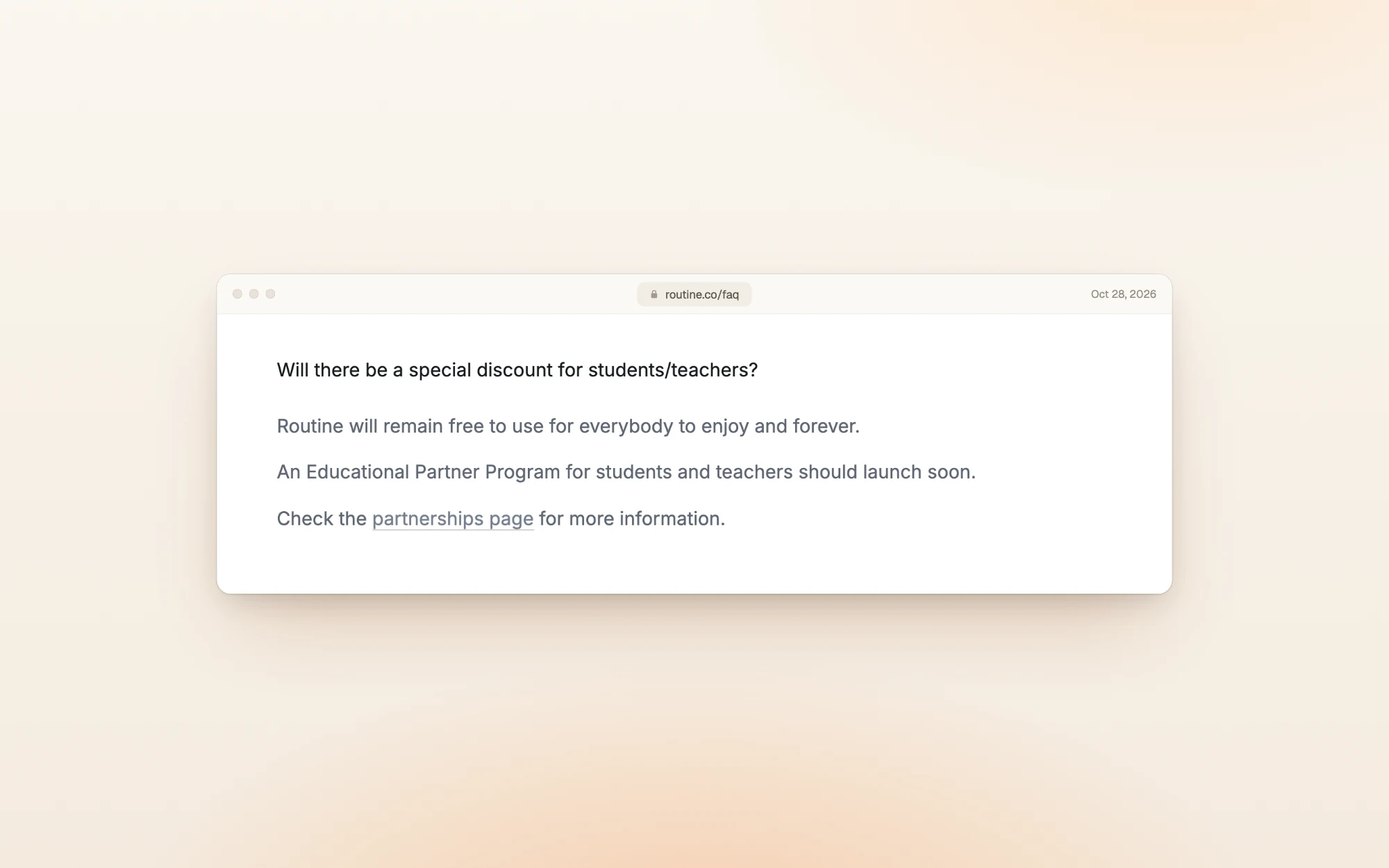
- Students and teachers: there's no student discount yet. Routine says an Educational Partner Program "should launch soon".
What reviewers say
There aren't many reviews of Routine, and a lot of them are old.
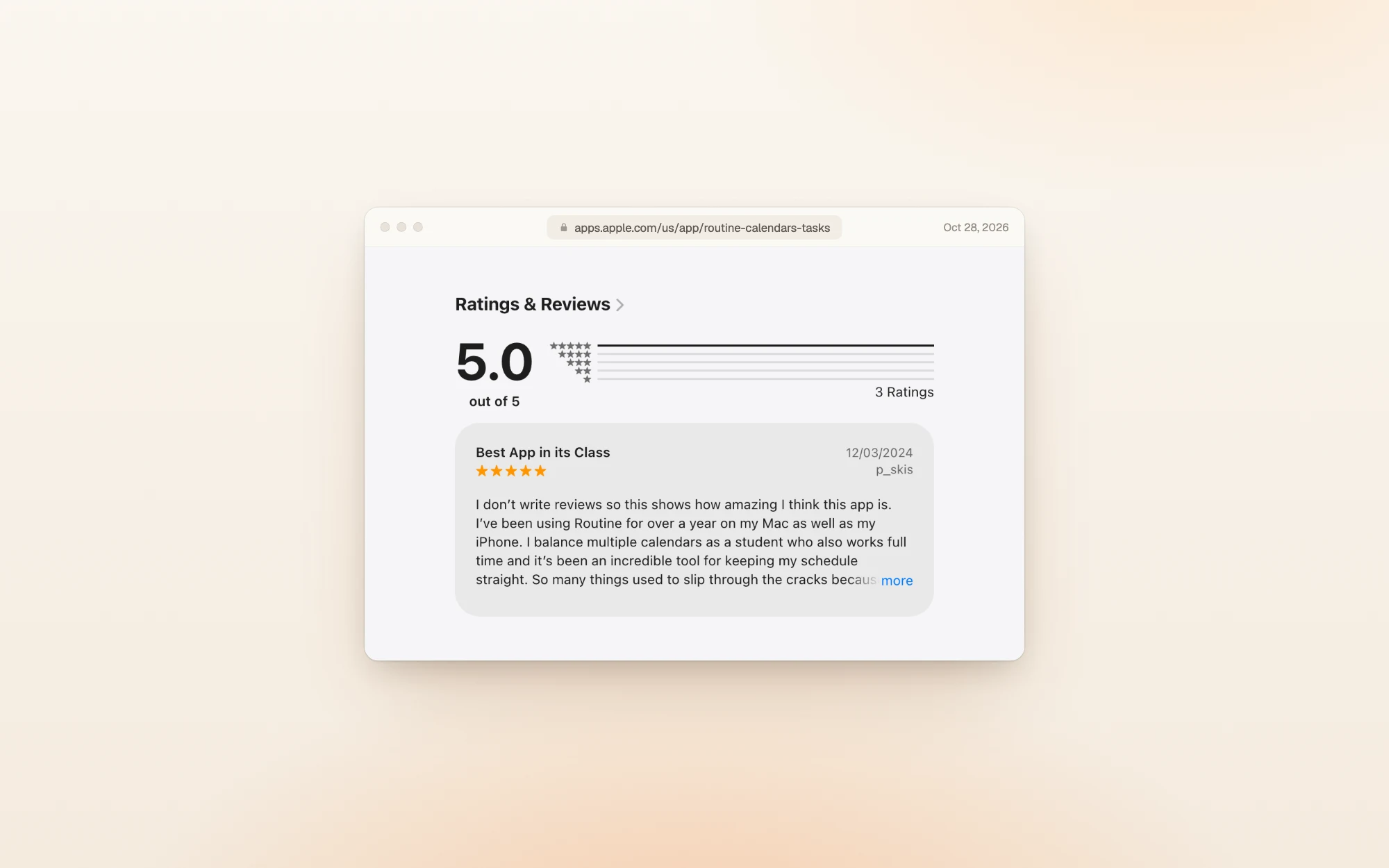
- App Store (US): 5.0 out of 5 from 3 ratings when we checked.
- Product Hunt: 4.8 out of 5 from 27 reviews. The ones we read were posted three or four years ago, while Routine was in beta.
Reviewers like having everything in one place:
"I balance multiple calendars as a student who also works full time and it's been an incredible tool for keeping my schedule straight." p_skis, App Store, December 2024
"Routine is visually SIMPLE with clean LAYOUT." finding adhd friendly apps, App Store, November 2025
The complaints are mostly about the phone app:
"I find that the bugs that it has renders it useless to me on my phone." wowowapps, App Store, March 2024
Routine has since announced new phone, tablet and watch apps, so complaints from before that launch may be out of date.
Is Routine worth it?
For most individuals, Personal at $60 a year is the sweet spot: it unlocks time blocking, which is the main thing Free holds back. Professional is worth the extra only if you'll use the AI features heavily.
Pick Routine if:
- You want tasks, calendar, notes and docs in one app
- You'll use integrations and databases, not just a list
- You want AI that takes meeting notes and runs automations (Professional)
Skip it if:
- You mainly want a daily plan on a calendar: time blocking means paying for Personal
- You want a planner that keeps your day realistic, not one that makes room for more
- You rely on your phone and want a long record of mobile reviews
Other planners worth a look
| If you want… | Look at | What it does well |
|---|---|---|
| A guided daily planning ritual | Sunsama | Walks you through planning each day. No free plan: $22 a month or $204 a year |
| A free plan that stays useful | TickTick | A full task manager for free, with Premium at $49.99 a year |
| Tasks and calendar in one time-blocking planner | Akiflow | Brings tasks, calendars and an AI assistant together for time blocking |
| A day you can actually finish | Dayplan | An AI executive function coach you can text in iMessage, three must-dos, and breaks built into the plan |
Dayplan is our product. Where most planners make room for one more task, Dayplan's Coach helps you plan a day you can finish: three must-dos, a warning when the plan outgrows your hours, and breaks built in. See how the Coach works.
Frequently asked questions
Yes, and it doesn't expire. It covers tasks, calendars and notes, the AI assistant, offline mode, 3 integrations, 3 custom databases and 250 AI credits. Time blocking isn't included.
$60 a year for Personal and $120 a year for Professional, paid up front at checkout. Business works out to $180 per seat a year. Paying monthly instead costs $96, $144 and $216 over a year.
Yes. New accounts start on a 14-day Professional trial, and you don't need a card to sign up. If you upgrade during the trial, you're charged that day.
Not yet. Routine's FAQ says an Educational Partner Program for students and teachers "should launch soon". Until then, students can use the Free plan.
Routine emails you when a payment fails or your card expires. If you don't update your card and the payment still fails, the subscription is cancelled and you're moved to the Free plan.
Personal if you mainly want time blocking and exports. Professional if you want AI meeting notes, AI agents and automations, time tracking and 7,000 AI credits instead of 500.
No. Routine's feature table lists time blocking from Personal up. You can try it during the 14-day trial.
How we checked
We read Routine's public pricing page and FAQ on October 27 and 28, 2026, and captured both billing options, the feature table and the FAQ answers. Then we created a Routine account, added a week of tasks and a notes page, and opened the Subscription settings and the checkout for Personal and Professional on October 28, 2026. We didn't pay. Business totals and the yearly-savings table are Routine's listed prices multiplied out. Review counts are from the App Store and Product Hunt on October 28. Prices change, so if you spot a difference, email us and we'll update this page.
More guides like this one: Productivity app guides.
Sources