
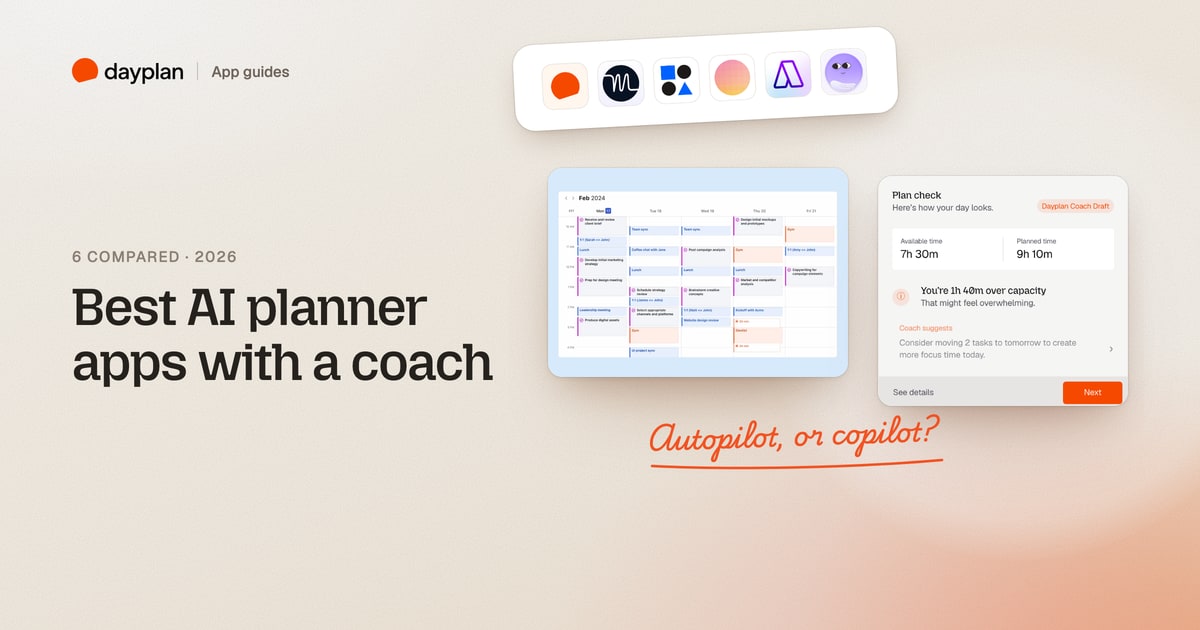
TL;DR: AI planners split into two camps. Autopilots (Motion, Reclaim) build and rebuild your calendar on their own. Copilots (Dayplan, Morgen, Akiflow, Tiimo) suggest a plan or a change and wait for you to say yes. If you want a coach that helps you start and finish, pick a copilot. If you want your calendar handled for you, pick an autopilot. Only one of the six, Dayplan, works as an executive function coach you can text in iMessage.
Dayplan is our product, and it's on this list. We've marked it as such, and described every other app from its own pages and our own sign-ups. Every screenshot is ours, taken October 31, 2026.
The 6 at a glance
| App | Best for | Who decides the plan | Price for one person | Free option |
|---|---|---|---|---|
| Dayplan (ours) | An executive function coach you can text in iMessage | You approve every change | $99.99 a year or $9.99 a month | Free to start |
| Motion | Handing your calendar to an AI completely | The AI, continuously | $348 a year or $49 a month | 7-day trial, yearly only |
| Reclaim | Protecting focus time and habits on Google or Outlook | The AI, continuously | Free, or from $10 a month on yearly billing | Free plan |
| Morgen | Time-blocking tasks from many tools | You approve the AI's draft | $180 a year or $30 a month | 14-day trial, no card |
| Akiflow | An AI assistant on top of a task inbox and calendar | Aki asks before acting | $228 a year or $34 a month | 7-day trial, card required |
| Tiimo | A visual, ADHD-friendly day with an AI co-planner | Shared; it can reshuffle when you're running late | $54 a year or $14 a month | Free version on phones |
Autopilot or copilot: the question that matters
Every app here uses AI to turn a list into a schedule. The difference is what happens next.
- An autopilot keeps moving things. When a meeting runs long, Motion "reshuffles your entire day (and week) in seconds". Reclaim's AI agents keep "rebalancing" your calendar as things change. Great if you trust the machine and hate dragging blocks around.
- A copilot proposes and waits. Morgen says its "suggested plans are only scheduled with your approval". Dayplan's Coach "never books your day behind your back". You keep the steering wheel, and the AI does the heavy lifting of drafting, checking and breaking things down.
Neither is better in general. But if your problem is starting, not scheduling, a copilot that talks you through the day tends to fit better than one that silently rearranges it.
Coach or assistant: what each app calls its AI
Read the six websites side by side and a pattern shows up. Only one of them calls its AI a coach:
| App | What it calls its AI, in its own words |
|---|---|
| Dayplan | "Coach", built for "executive-function coaching, not a lecture" |
| Motion | An "AI Calendar", "like having a personal assistant who never sleeps" |
| Reclaim | "AI agents" and an "AI Planner" |
| Morgen | An "AI Planner"; its separate product Kai is an "AI executive assistant" |
| Akiflow | Aki, "your personal assistant built into Akiflow" |
| Tiimo | A "co-planner" and "planning assistant" |
(Akiflow's Aki page does list "a proactive productivity coach" as coming soon. Tiimo has a page for human coaches who use Tiimo with clients; its AI is the co-planner.)
The words matter, because they describe different jobs:
- An assistant does things for you. It books the dinner, moves the meeting, fills the calendar and re-plans when something slips. You hand over the work. That's what Motion, Reclaim, Akiflow and Morgen's AI are built for, and they're good at it.
- A coach helps you do the hard part yourself. Most planning problems aren't about where a task goes. They're about executive function: starting a task you've been avoiding, switching between tasks, judging what fits in a day, and stopping at the end of it. An assistant can schedule the report for 9:00. It can't help you open it at 9:00.
That's why we call Dayplan's AI a coach. It's built around those executive function moments:
- Starting: tell Coach you're stuck and it breaks the task down and hands you the tiniest first step.
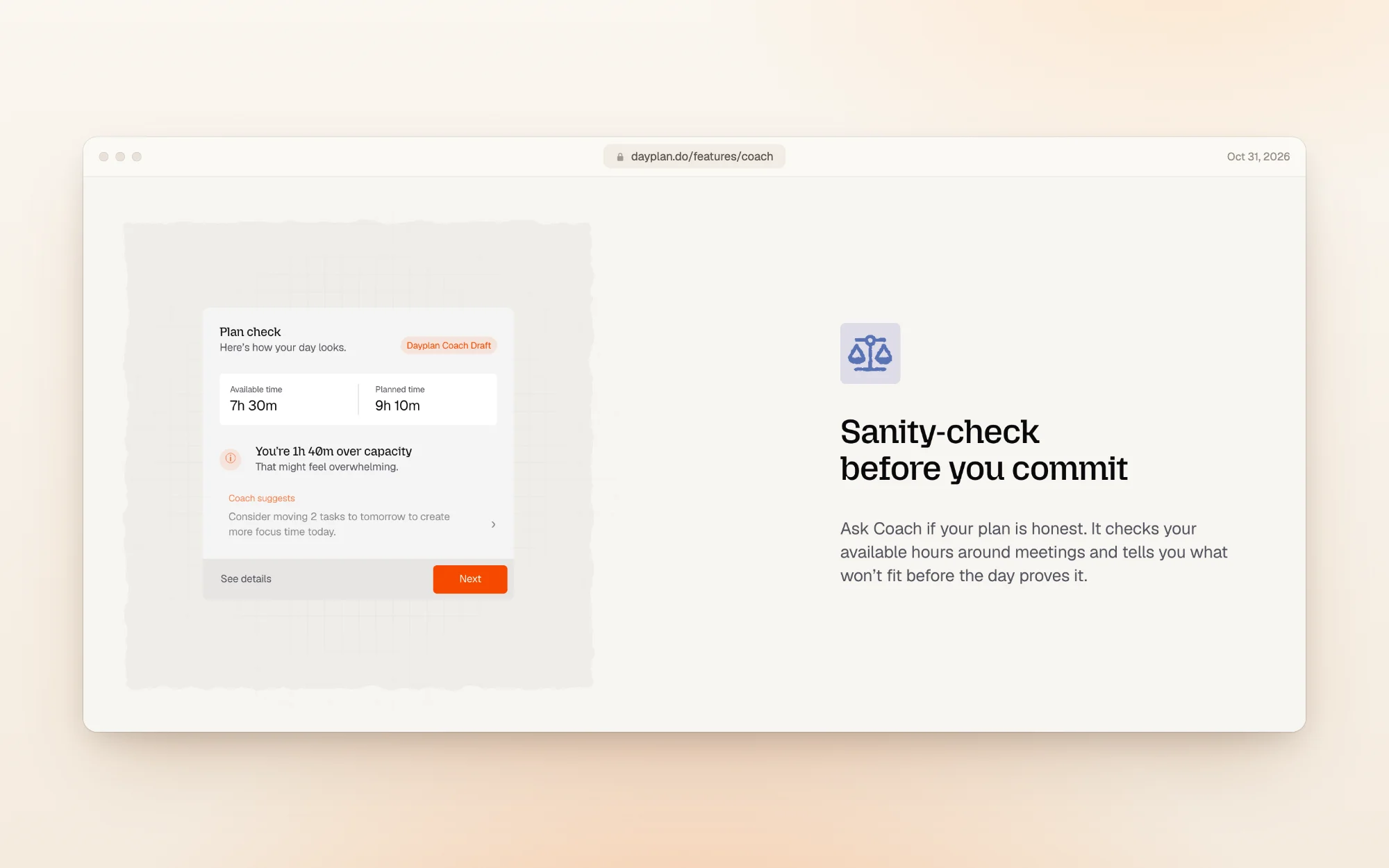
- Judging the day honestly: it checks your plan against your real hours and tells you what won't fit before the day proves it.
- Following through: it checks in each morning and at shutdown, and acknowledges a finished task without streaks or guilt.
- Keeping you in charge: a coach doesn't play the game for you, so Coach proposes and you decide. Nothing in your day moves without your OK.
And because it lives in iMessage, the coach is where you already are, one text away, instead of in another app you have to remember to open.
1. Dayplan: an executive function coach in iMessage (our product)
Best for: people who know what they need to do and struggle to start, switch and stop.
Dayplan is a daily planner with an AI Coach that works like an executive function coach: it helps with the hard parts of a day, getting started, switching tasks and closing out, not just with filling a calendar.
It's also the only app on this list you can text in iMessage. Coach lives in the same Messages app as your friends and family, so there's no new app to remember to open: text "plan my day", "remind me at 4" or "done with the report", and your planner updates. The same Coach, with the same conversation, works in the Dayplan web app.
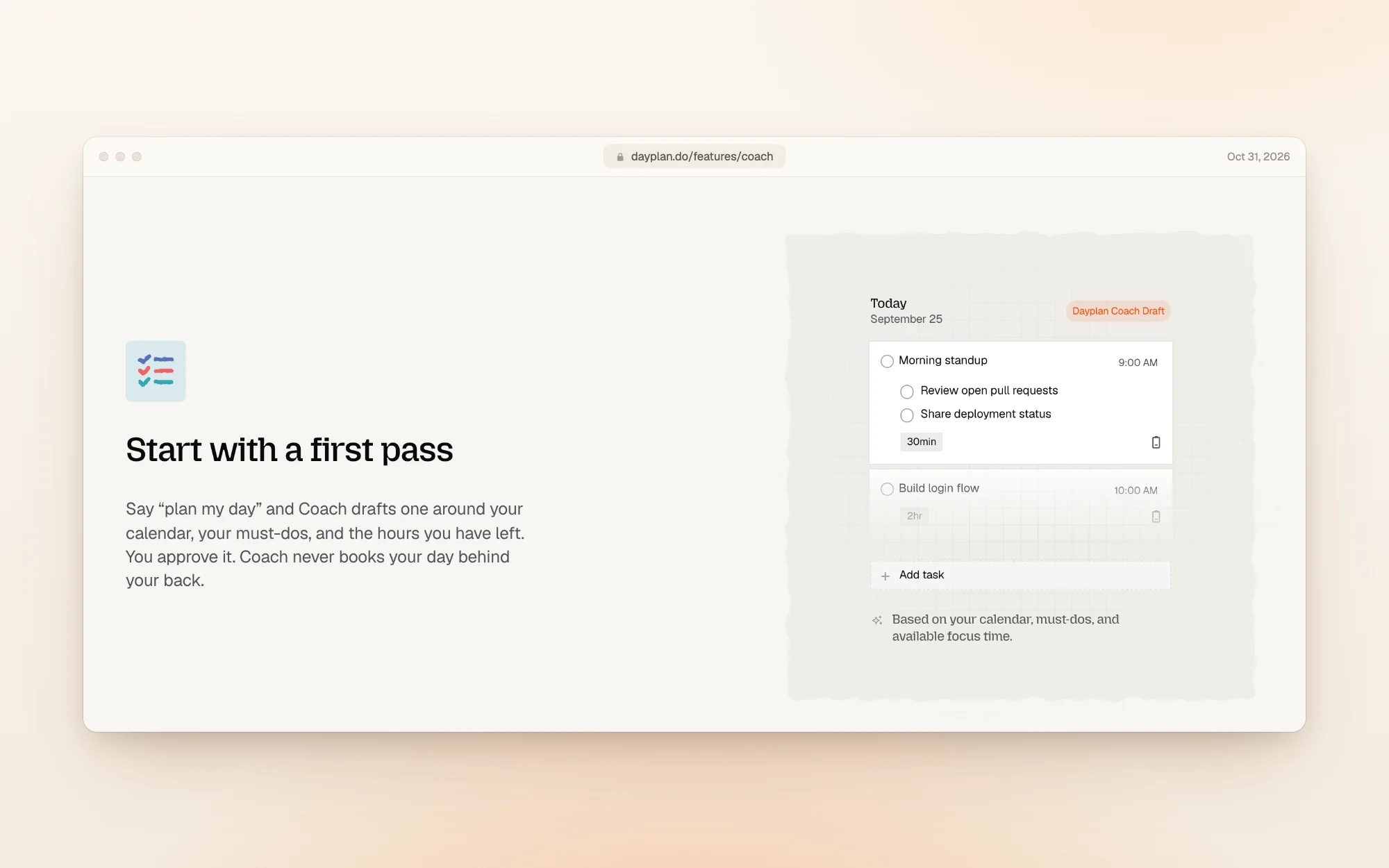
Say "plan my day" and Coach drafts one around your calendar, your three must-dos and the hours you have left. You approve it.
Before you commit, Coach checks whether the plan fits. If you've planned more than your hours allow, it says so and suggests what to move:
- What the AI does: drafts your day, checks it against your real hours, captures tasks from a text, a voice note or a photo of handwritten notes, and checks in at the start and end of the day.
- Executive function coaching: tell Coach "I can't seem to start the launch proposal" and it breaks the task into small steps and hands you the tiniest first one, like "open the draft and write the first sentence". Coaching, not a lecture.
- Who decides: you. Coach proposes; nothing moves without your OK.
- Calendars: Coach plans around your Google and Apple calendars.
- Price: free to start. Pro, which includes Coach, is $99.99 a year or $9.99 a month.
- Good to know: texting Coach needs an iPhone, since it works over iMessage (not SMS). On other devices, the full Coach is in the web app. There are no streaks or guilt metrics.
Dayplan is our product. We built it for days that end with the list done, not a longer list. See how Coach works.
2. Motion: the full autopilot
Best for: busy professionals and teams who want the AI to own their calendar.
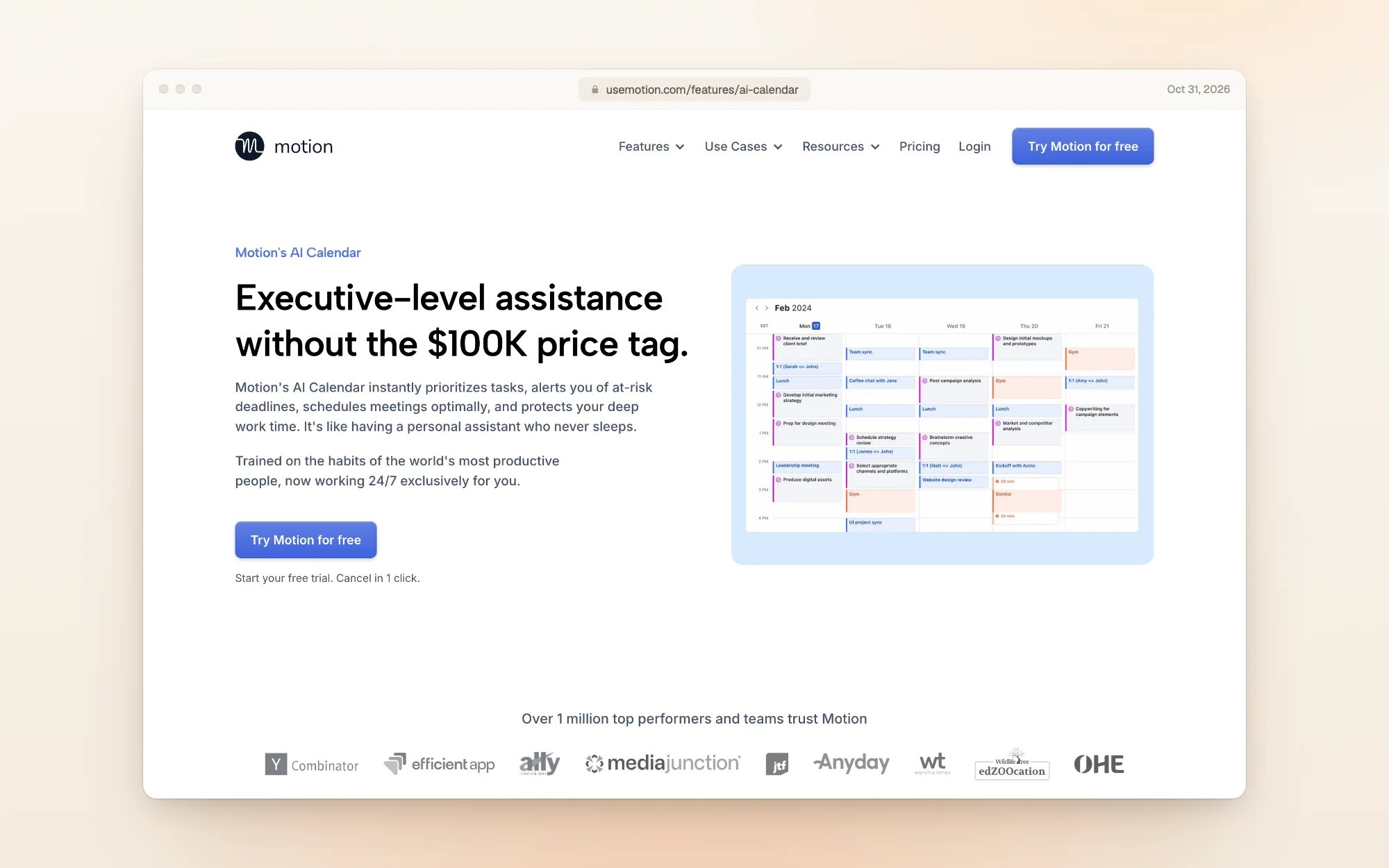
- What the AI does: schedules your tasks by deadline, duration and priority, then "instantly recalculates your schedule when plans change". It flags when you've scheduled more than you can handle, and adds projects, docs and an AI assistant on top.
- Who decides: Motion, continuously.
- Price: for one person, Pro AI is $348 a year ($29 a month) or $49 a month. The $19 on its pricing page is a team price that needs 3 seats.
- Catch: the 7-day free trial is only on yearly plans and needs a card. Monthly starts charging on day one, and Motion's terms say purchases are non-refundable.
3. Reclaim: autopilot for Google Calendar and Outlook
Best for: people who live in Google Calendar or Outlook and want focus time, habits and breaks defended automatically.
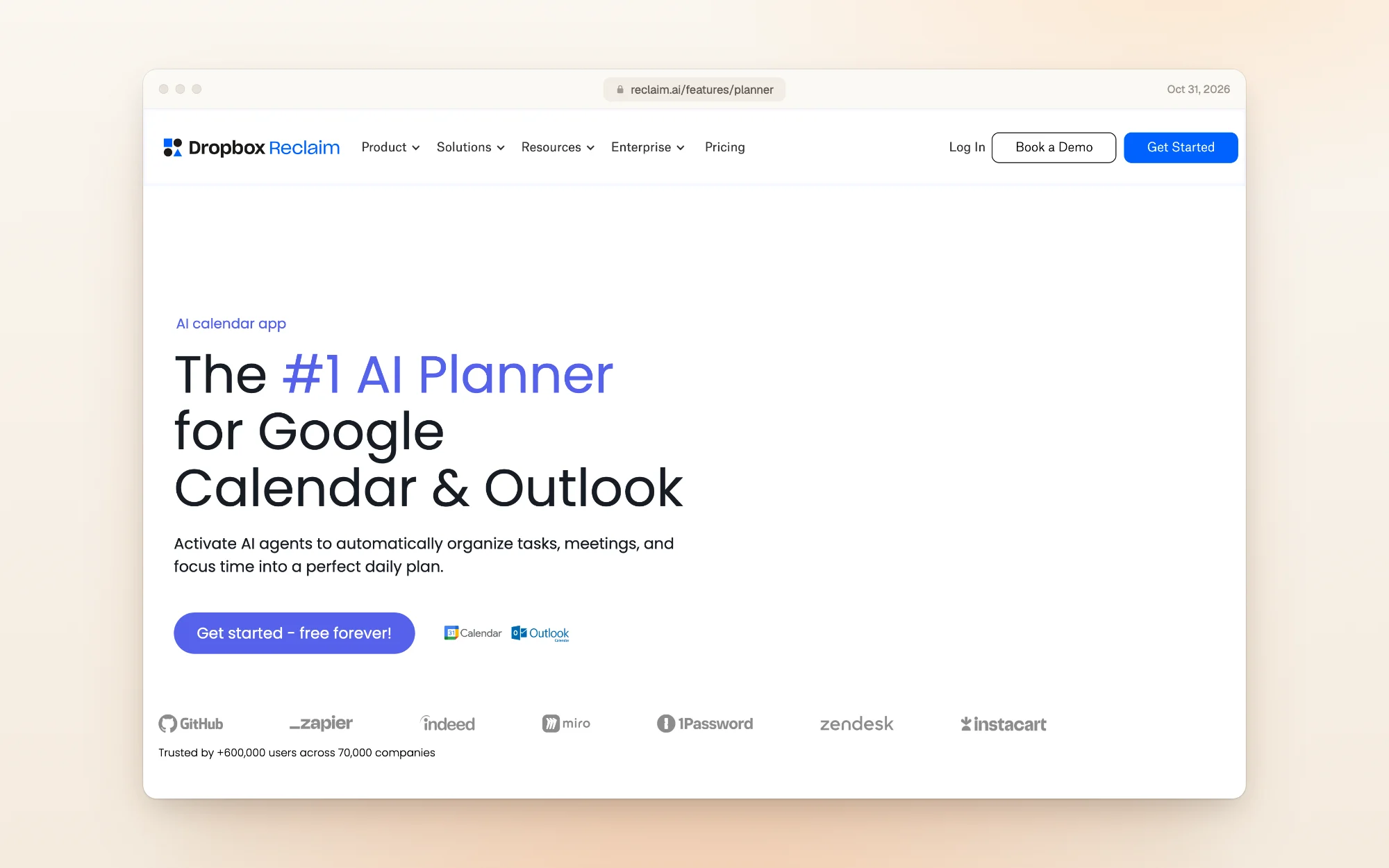
- What the AI does: "AI agents" schedule tasks, habits, focus time and buffers around your meetings, and reschedule flexible items when conflicts appear.
- Who decides: Reclaim, continuously, within the rules you set.
- Price: the Lite plan is free forever, with 5 AI agents, one calendar and a one-week scheduling range. Starter is $10 per seat a month on yearly billing ($12 monthly), and Business is $15 ($18 monthly).
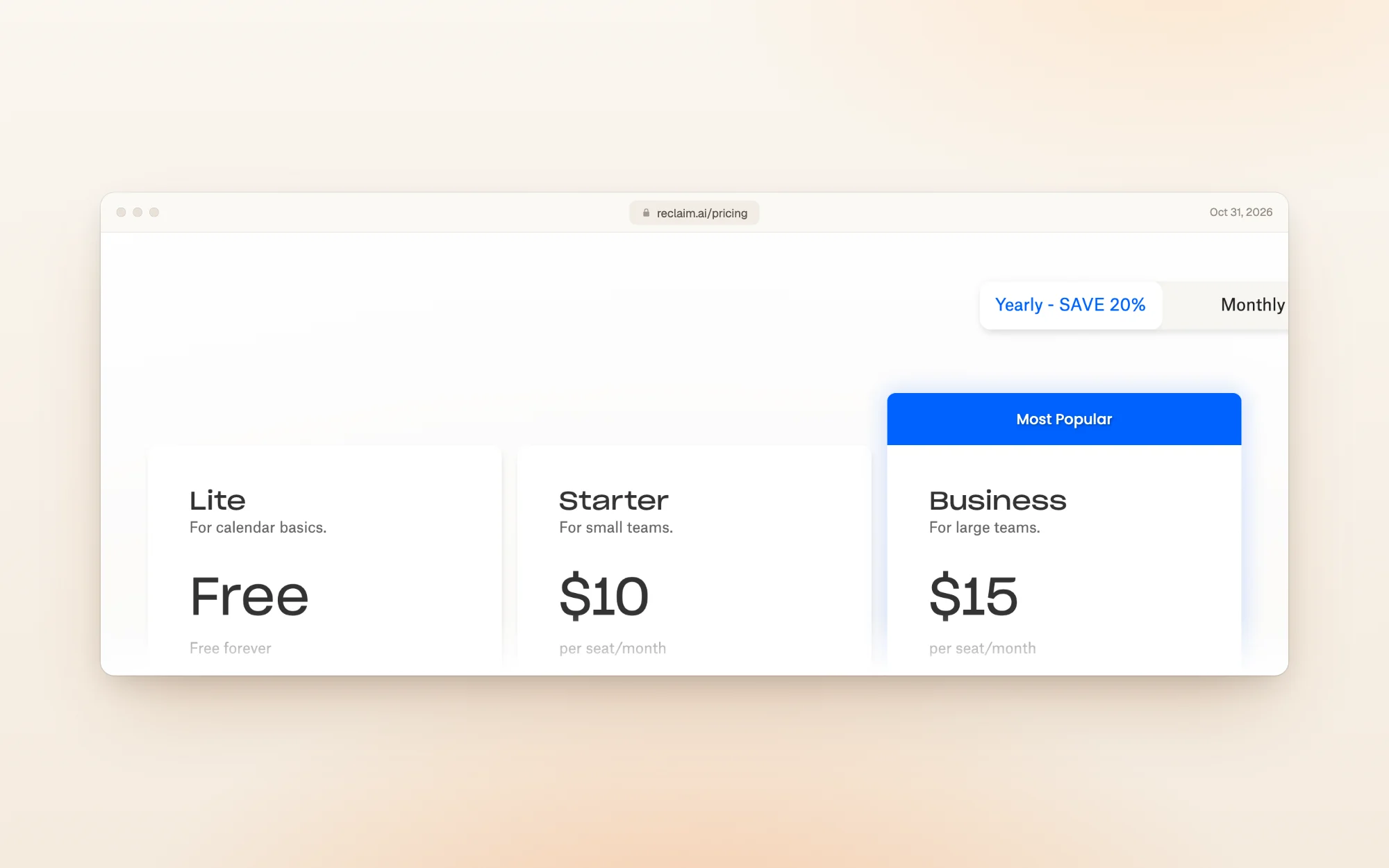
- Catch: Reclaim works on top of Google Calendar or Outlook, and you sign up with a Google, Outlook or Dropbox account. It's a scheduling layer on your existing calendar, not a separate planner with its own task list.
4. Morgen: an AI draft you approve
Best for: people who keep tasks in several tools and want them time-blocked in one calendar.

- What the AI does: builds a time-blocked plan from your tasks, using "Frames" (blocks for deep work, quick wins and so on). It pulls tasks from tools like Notion, ClickUp and Todoist, and flags tasks at risk of being late.
- Who decides: you. Morgen previews the plan and only schedules it "with your approval".
- Price: $180 a year or $30 a month, with a 14-day trial that needs no card and a 30-day refund. Full Morgen pricing guide.
- Catch: teams need at least 2 seats, and Morgen's separate AI assistant, Kai, is its own product.
5. Akiflow: an assistant that asks first
Best for: people drowning in inputs (email, Slack, meetings) who want one inbox and a time-blocking calendar.
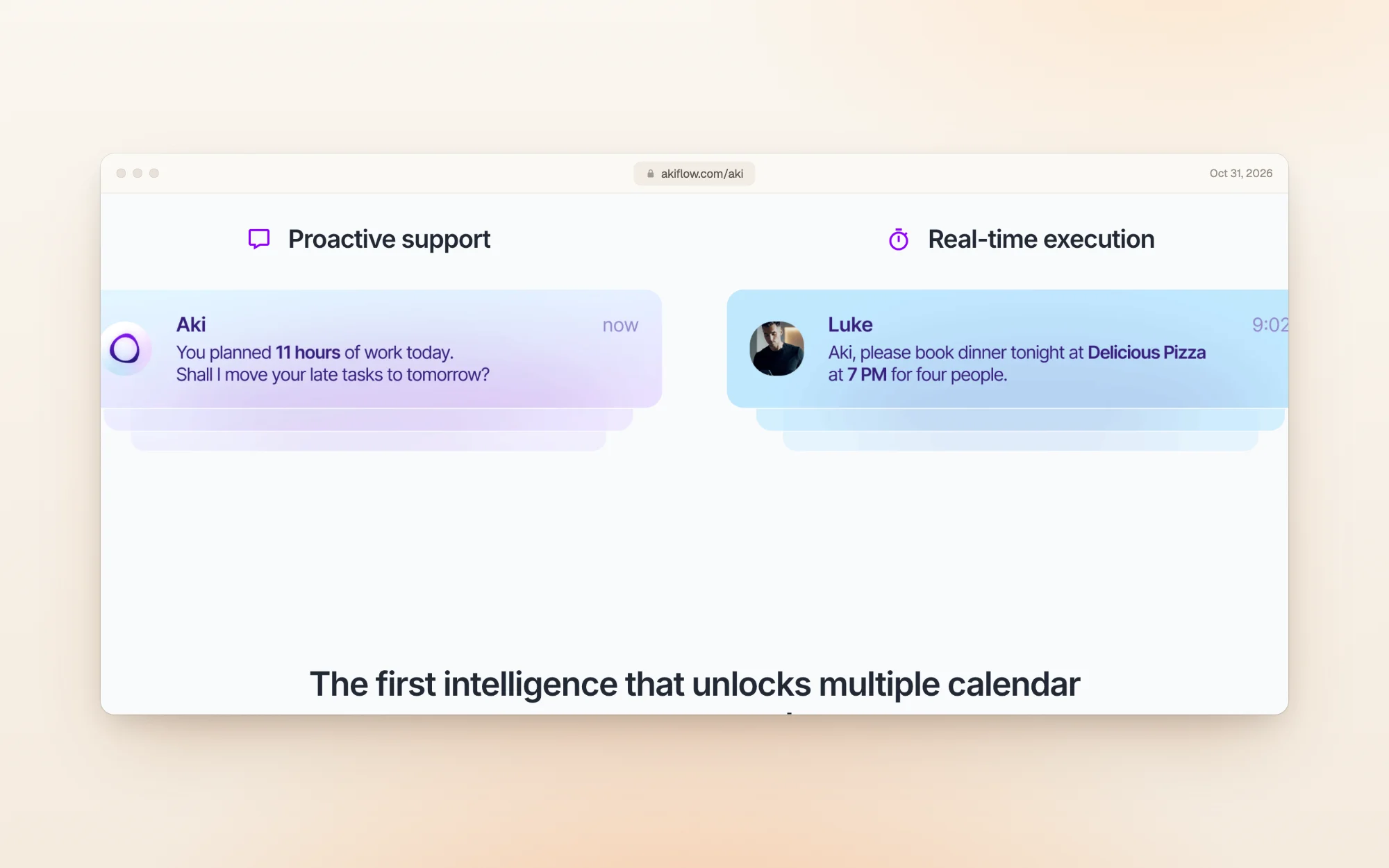
- What the AI does: Aki, the assistant built into Akiflow, manages tasks, calendar and routines from a prompt. Its own example: "You planned 11 hours of work today. Shall I move your late tasks to tomorrow?"
- Who decides: you, when Aki asks; it also acts on direct requests.
- Price: one plan, $228 a year or $34 a month in the US, with lower prices in some countries. Full Akiflow pricing guide.
- Catch: the 7-day trial needs a card, and when we signed up, the setup required connecting a calendar.
6. Tiimo: a visual co-planner built for ADHD
Best for: people with ADHD or autism, or anyone who thinks better in pictures and timers.
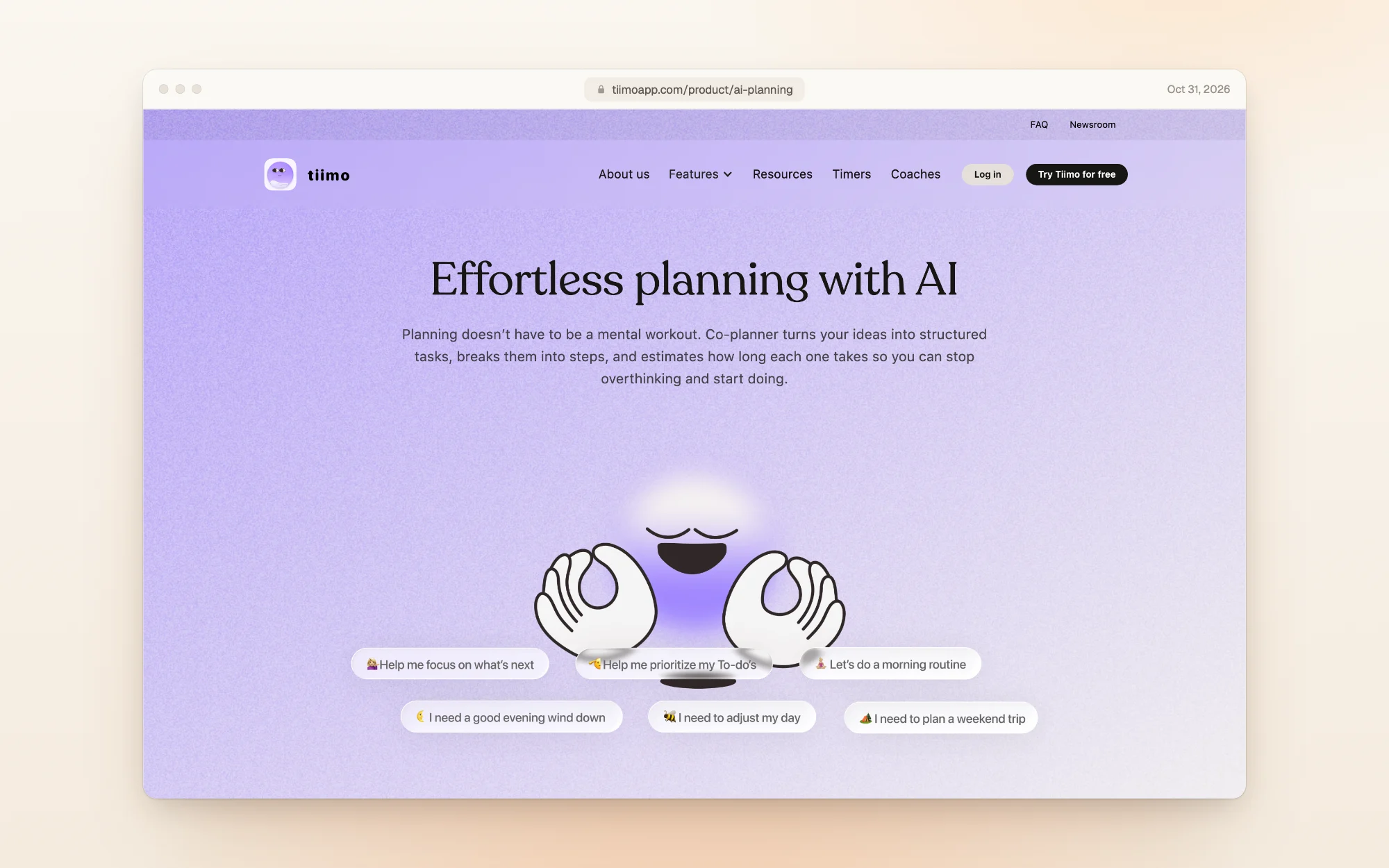
- What the AI does: turns a messy brain dump into tasks, breaks them into steps and estimates how long each takes. When you're running late or low on energy, Tiimo says the co-planner "reshuffles the day for you".
- Who decides: shared. You chat with it, and it can rearrange the day when you fall behind.
- Price: $54 a year or $14 a month on the web. Tiimo doesn't list prices on its site; we found them at checkout. Full Tiimo pricing guide.
- Catch: the free version is phone-only with limited AI chats, and the 7-day trial is on the yearly plan only, with a card.
How to choose
- "I can't get started." Pick a copilot that breaks tasks down: Dayplan, an executive function coach you can text, or Tiimo, if you think in pictures.
- "My calendar is chaos and I want it handled." Pick an autopilot: Motion, or Reclaim if you're on Google Calendar or Outlook and want a free start.
- "My tasks live in five tools." Morgen or Akiflow pull them into one plan.
- "I don't want to pay yet." Reclaim has a free plan, Dayplan is free to start, and Tiimo has a free phone version. Morgen's trial needs no card.
A good test for any of them: plan tomorrow with it tonight, then see whether you still trust the plan at 3 p.m.
Frequently asked questions
It depends on how much control you want. Motion and Reclaim schedule and re-plan your day on their own. Dayplan, Morgen and Akiflow draft or suggest changes and wait for your approval. Tiimo is the most visual and is built for ADHD.
Yes. Dayplan's Coach works as an executive function coach: it drafts your day with you, checks it against your hours, breaks stuck tasks into a tiny first step and checks in morning and evening. You can text it in iMessage or use it in the web app, and it never moves your day without asking. Dayplan is our product.
Of the six apps here, Dayplan is the only one that calls its AI a coach. The others call theirs an assistant, AI agents, an AI planner or a co-planner. Dayplan's Coach focuses on executive function: helping you start, judge what fits and close out the day, rather than doing the scheduling for you. Dayplan is our product.
Of the six apps here, only Dayplan. Its Coach works in iMessage on your iPhone, so you can plan your day, add a reminder or mark a task done by texting, and the same Coach is in the Dayplan web app. Dayplan is our product.
Tiimo is designed for ADHD and autism, with visual timelines and an AI co-planner that breaks tasks into steps. Dayplan is also built to be ADHD-friendly, with small first steps and no streaks.
Reclaim has a free Lite plan with 5 AI agents, Dayplan is free to start, and Tiimo's free version on iPhone and Android includes limited AI chats.
All six read Google Calendar. Reclaim is built entirely around Google Calendar and Outlook, while the others are planners that show your calendar next to your tasks.
Motion and Reclaim do, by design: they keep rebuilding your schedule as things change. Morgen, Akiflow and Dayplan ask first. Tiimo can reshuffle the day when you're running late.
How we checked
We compared each app's own description of its AI, quoted where we could, with what we saw in our accounts. For Motion, Morgen, Akiflow and Tiimo, we created accounts in October 2026 and opened their checkouts without paying; the prices come from those checkouts and are in our full pricing guides. Reclaim's sign-up only offers Google, Outlook or Dropbox accounts, so its section is based on its feature and pricing pages, which we captured on October 31, 2026. Dayplan is our product; its section describes features shown on its Coach page. Prices change, so if you spot a difference, email us and we'll update this page.
More guides like this one: Productivity app guides.
Sources