
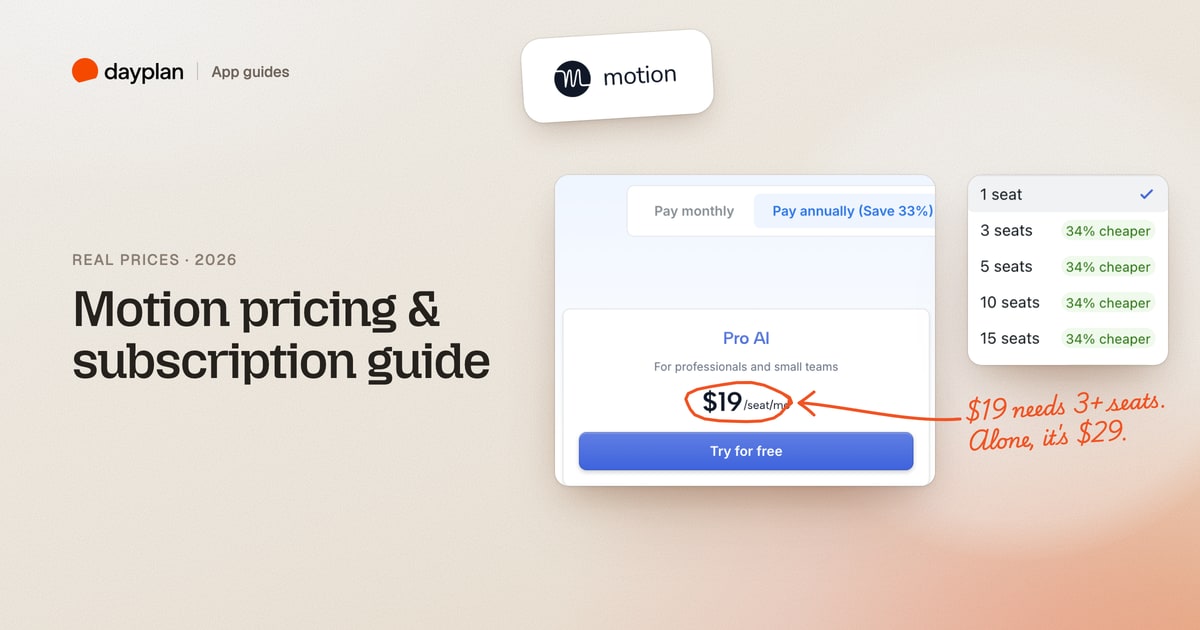
TL;DR: The $19 a month on Motion's pricing page is a team price that needs at least 3 seats. On your own, Pro AI comes to $348 a year ($29 a month, paid yearly) or $49 a month on monthly billing. Business AI is $39 or $69. Only the yearly plans come with the 7-day free trial, and it needs a card. Monthly billing starts charging the day you sign up.
Motion (usemotion.com) is an AI planner that schedules your tasks into your calendar for you, with projects, docs and an AI assistant on top. We created a Motion account on October 28, 2026 and went through its plan picker and three different checkouts, stopping before paying. Every screenshot is ours.
How much does Motion cost?
| Plan | Alone, yearly | Alone, monthly | Team of 3+, yearly | Team of 3+, monthly |
|---|---|---|---|---|
| Pro AI | $29 a month ($348 a year) | $49 a month | $19 per seat a month | $29 per seat a month |
| Business AI | $39 a month ($468 a year) | $69 a month | $29 per seat a month | $49 per seat a month |
There's no free plan. Every plan includes the AI task planner, projects, calendar and meetings, docs, notes and the AI writer. Business AI adds team capacity planning, dashboards, Gantt charts, time tracking, permissions and priority support.
The $19 price is for teams of 3 or more
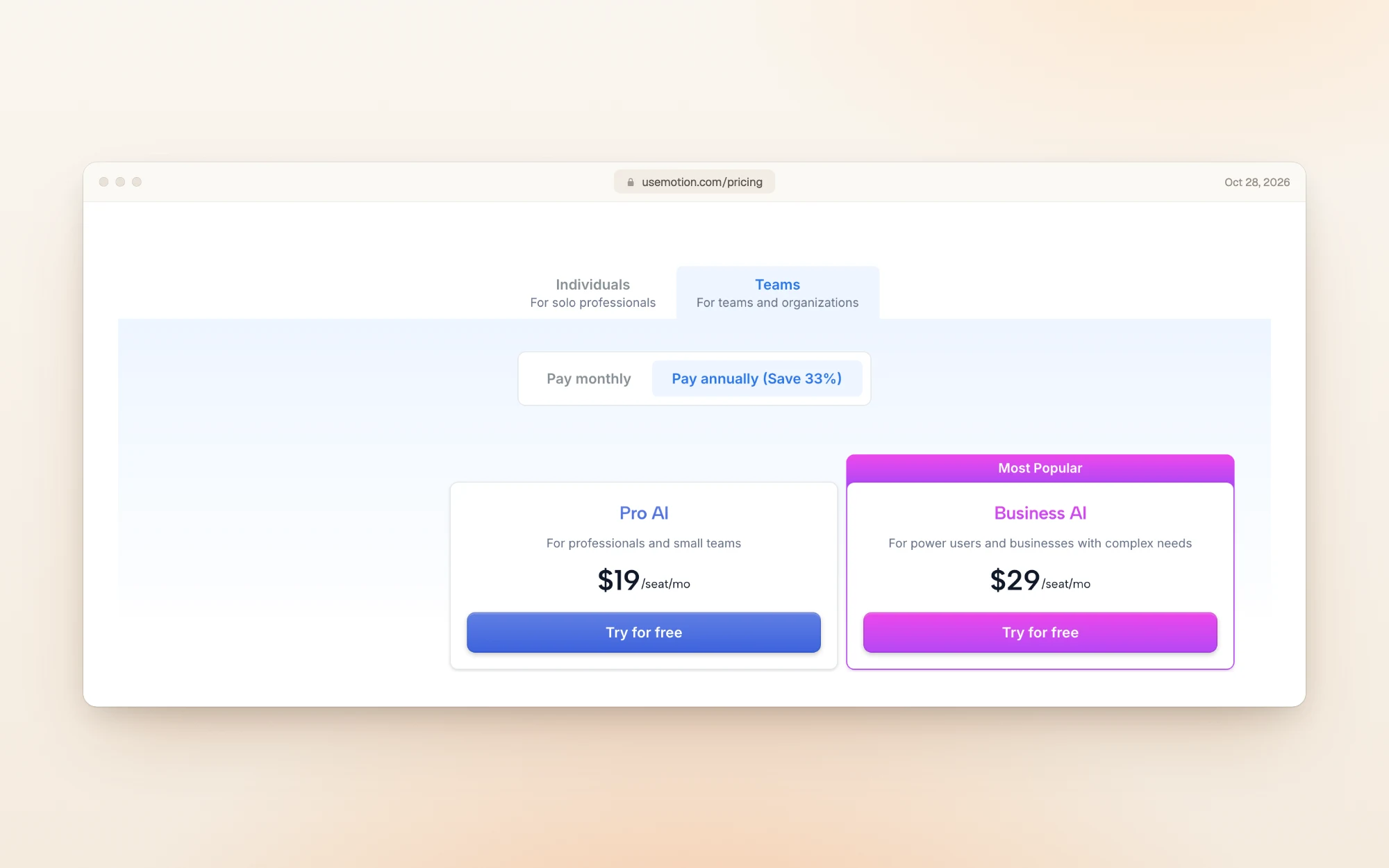
Motion's pricing page opens on the Teams tab with yearly billing selected, so it leads with $19 and $29 for each seat:
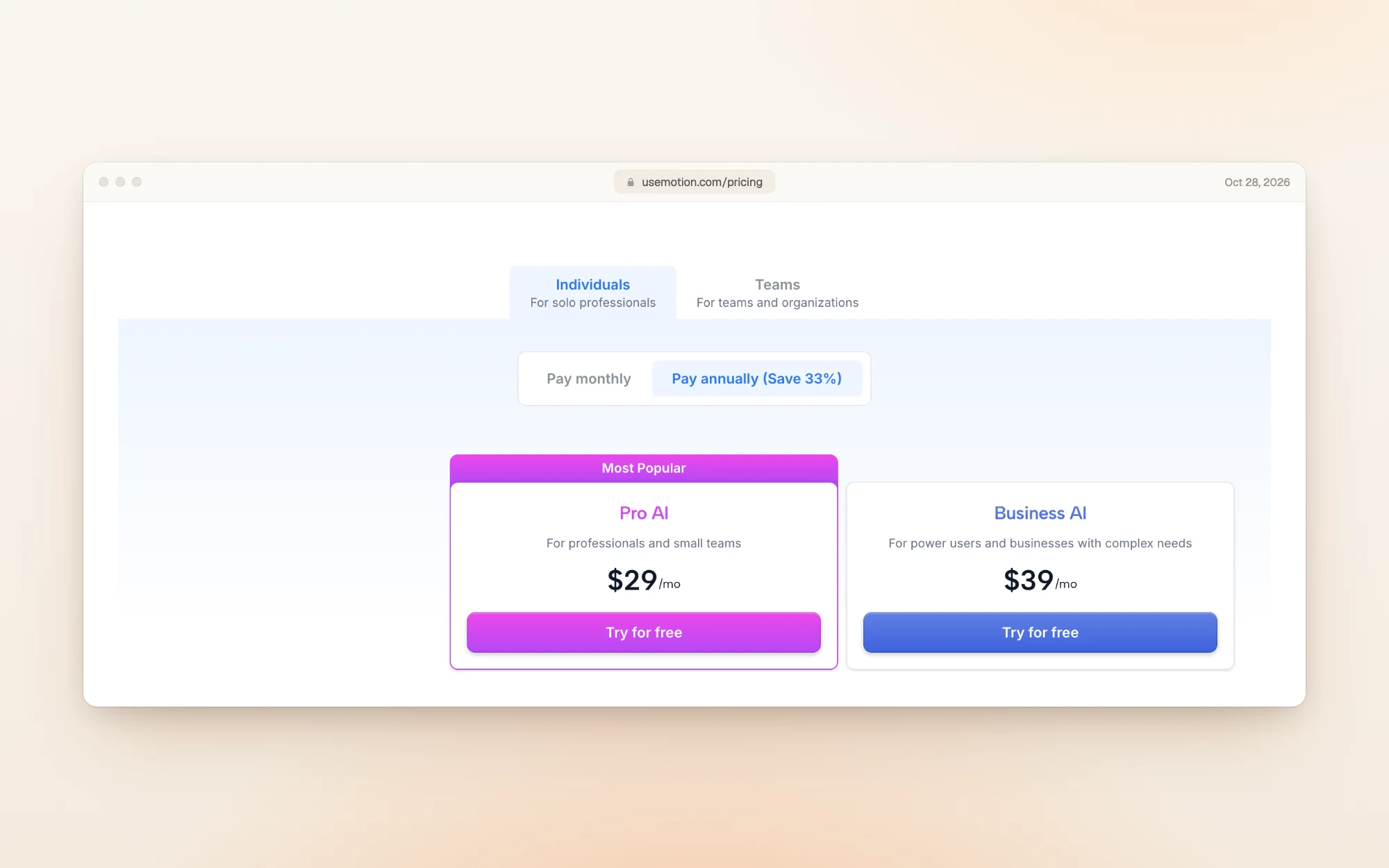
Switch to the Individuals tab and the same plans cost more:
Could one person buy a team plan to get the lower price? Inside the app, the plan picker asks for a team size, and it jumps straight from 1 seat to 3 seats, the first size marked "34% cheaper". There's no 2-seat option:
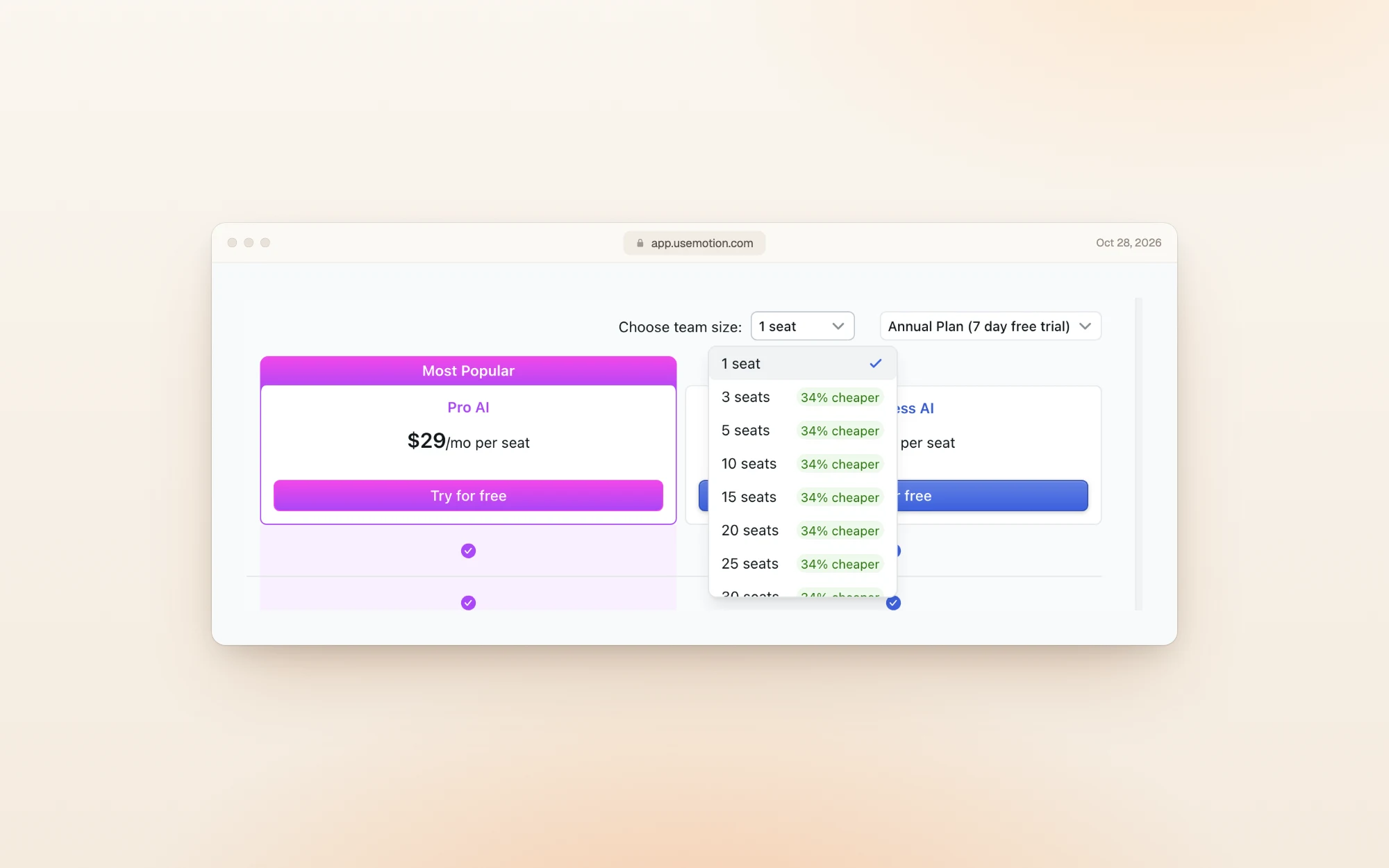
So the cheapest way into Pro AI as a team is 3 seats at $19: $684 a year. Alone, it's $348 a year. The lower rate only makes sense if three people will use it.
Only yearly plans get the free trial
The billing menu in the app has three options, and only one is free to start:
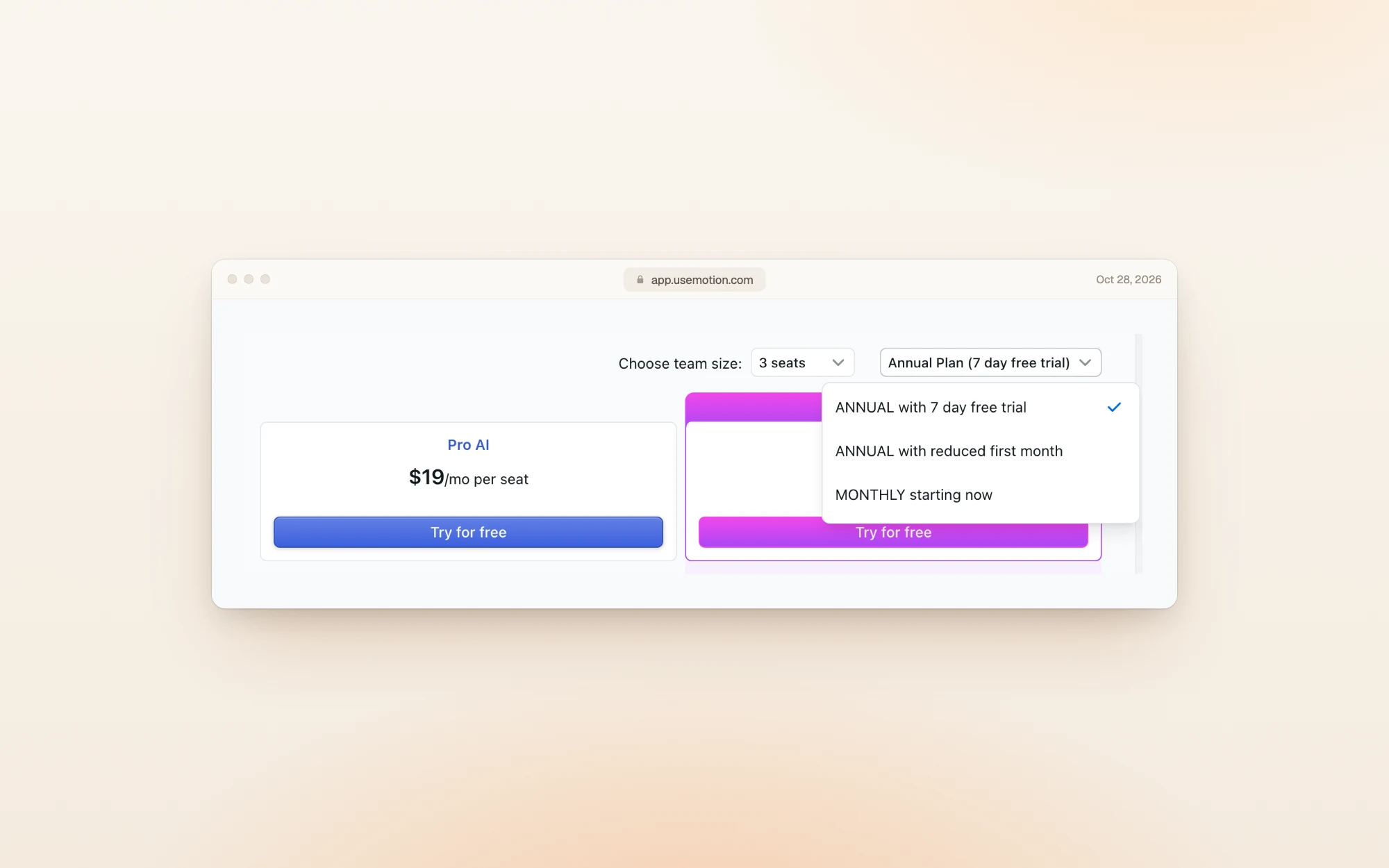
| Billing option | Today | After that |
|---|---|---|
| Yearly with 7-day free trial | $0 | $348 a year for Pro AI, alone |
| Yearly with reduced first month | $9.95 for the first month | $348 a year |
| Monthly | $49 today | $49 every month |
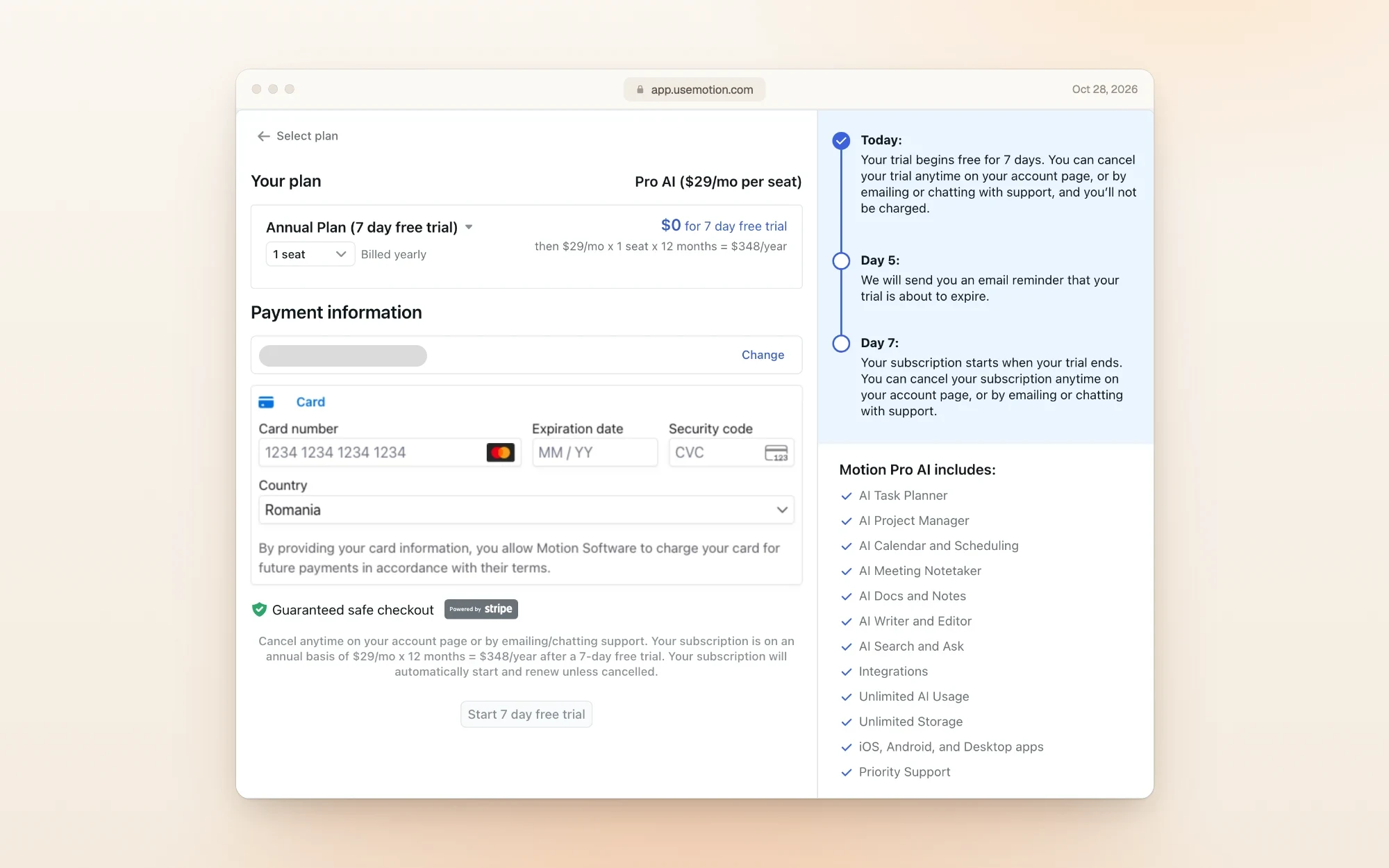
The trial checkout spells out the terms. You need a card to start, Motion emails a reminder on day 5, and on day 7 the full year is charged unless you cancel:
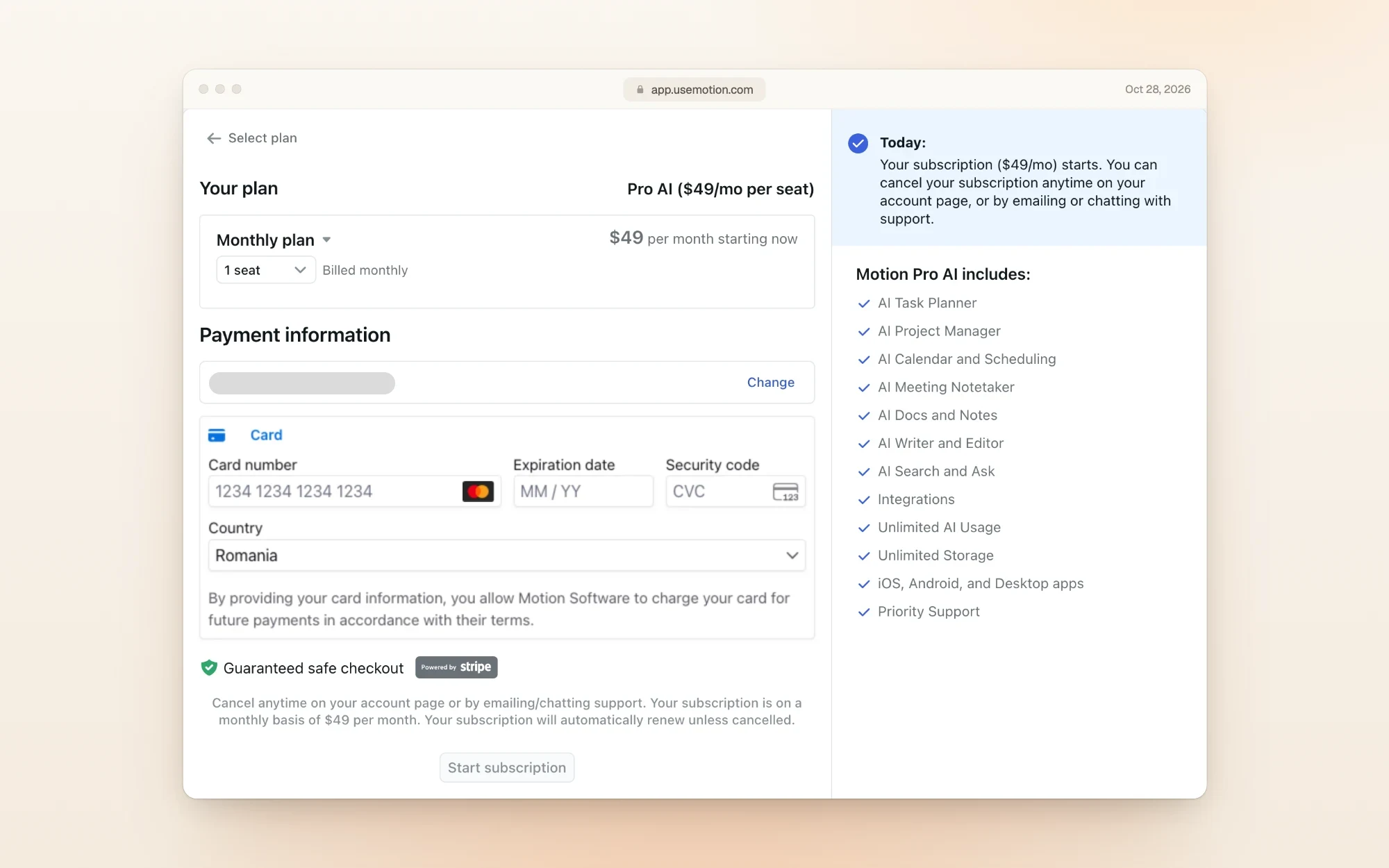
Choose monthly and there's no trial at all. The checkout says "$49 per month starting now":
If you want to try Motion before paying, pick the yearly trial and set a reminder to cancel before day 7. Once it charges, the year is paid.
Refunds and cancelling
- Refunds: Motion's terms say purchases are non-refundable, though Motion "may do so at its sole discretion". Its help center adds that cancelling "does not automatically trigger a refund".
- Cancelling: on the web app, open settings (the gear icon), then Manage Plan, then Cancel Plan. Team admins go through Billing. If you subscribed on iPhone, cancel in your Apple ID subscriptions.
- Timing: cancel before your next billing period starts. On a yearly plan, that means before the trial's day 7, or before the renewal date.
AI credits
Each plan comes with monthly AI credits per seat: 7,500 on Pro AI and 15,000 on Business AI. A 3-seat Pro AI team gets 22,500 a month. Extra credits cost 39 cents per 100 on Pro AI alone, and less on team and Business plans.
What reviewers say
On the US App Store, Motion was rated 4.1 out of 5 from 1,900 ratings when we checked. The iPhone app needs a Motion subscription to use.
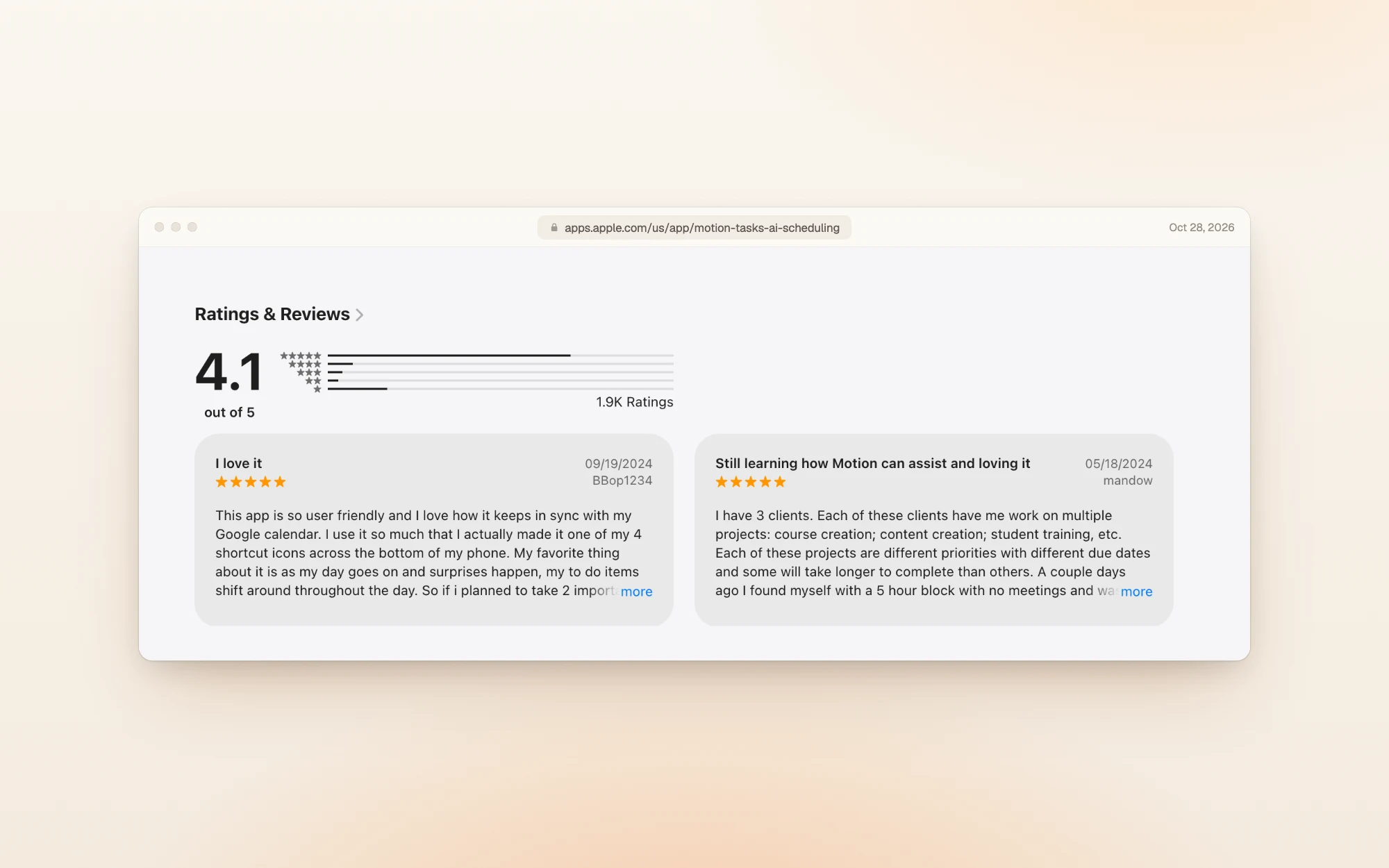
People who like it like the automatic rescheduling:
"As my day goes on and surprises happen, my to do items shift around throughout the day." BBop1234, App Store, September 2024
The criticism is about the phone app for the price:
"An unforgivable experience for the exorbitant price they charge." Ljackson7, App Store, June 2024
Is Motion worth the money?
For one person, Motion is one of the most expensive planners we've covered: $348 a year, against $204 for Sunsama and $228 for Akiflow.
Pick Motion if:
- You want software to schedule your tasks for you and rebuild the plan when things change
- You run projects with deadlines and want them planned automatically
- You'll commit to a year, or have a team of 3 or more for the $19 rate
Skip it if:
- You want to try it monthly first: monthly has no trial and costs $49
- You'd rather decide your own day than have an AI reshuffle it
- You need a refund safety net: purchases are non-refundable
Other planners worth a look
| If you want… | Look at | What it does well |
|---|---|---|
| A guided daily plan you control | Sunsama | $204 a year, with a 14-day trial that needs no card |
| Tasks and calendar in one time-blocking planner | Akiflow | $228 a year, with an AI assistant included |
| Goals and long-range planning | Timestripe | Free to start, with Pro at $108 a year |
| A day you can actually finish | Dayplan | An AI executive function coach you can text in iMessage, three must-dos, and breaks built into the plan |
Dayplan is our product. Where most planners make room for one more task, Dayplan's Coach helps you plan a day you can finish: three must-dos, a warning when the plan outgrows your hours, and breaks built in. See how the Coach works.
Frequently asked questions
Pro AI is $348 a year paid up front ($29 a month), or $49 a month on monthly billing. Business AI is $39 a month yearly or $69 monthly.
$19 per seat is the Teams price for Pro AI on yearly billing. In the app, the team discount starts at 3 seats, so it's $684 a year at minimum.
Yes, 7 days, but only on yearly plans, and you need a card. The full year is charged on day 7 unless you cancel. Monthly plans start charging the day you sign up.
Only during the 7-day trial on a yearly plan. Every Motion plan is paid.
Motion's terms say purchases are non-refundable, though it may refund at its discretion. Cancel before the trial ends or before your renewal date to avoid the next charge.
Both include the AI planner, projects, calendar, docs and notes. Business AI adds twice the AI credits, team capacity planning, dashboards, Gantt charts, time tracking, permissions and priority support.
How we checked
On October 28, 2026 we read Motion's pricing page in all four combinations (Individuals and Teams, monthly and yearly), its cancellation help article and its terms of service, and saved a screenshot and the text of each. We then created a Motion account with an email and password and opened the in-app plan picker at 1 and 3 seats, its billing menu, and the checkout for Pro AI on the yearly trial, the reduced first month and monthly billing. We didn't enter a card. App Store ratings are from the US listing the same day. Prices change, so if you spot a difference, email us and we'll update this page.
More guides like this one: Productivity app guides.
Sources