
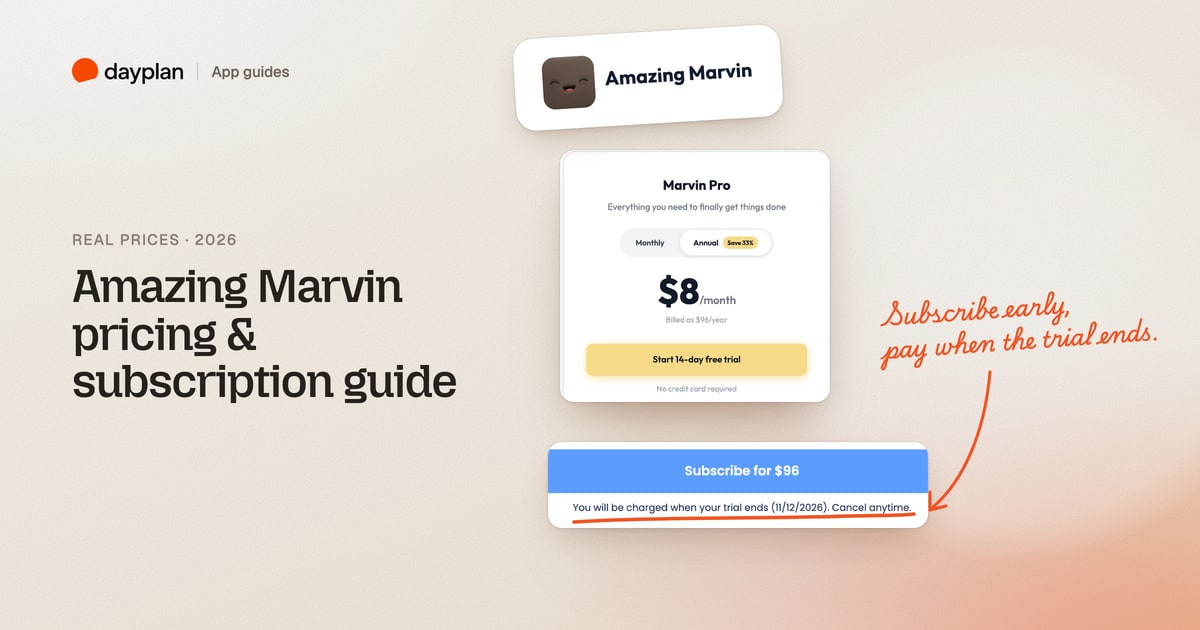
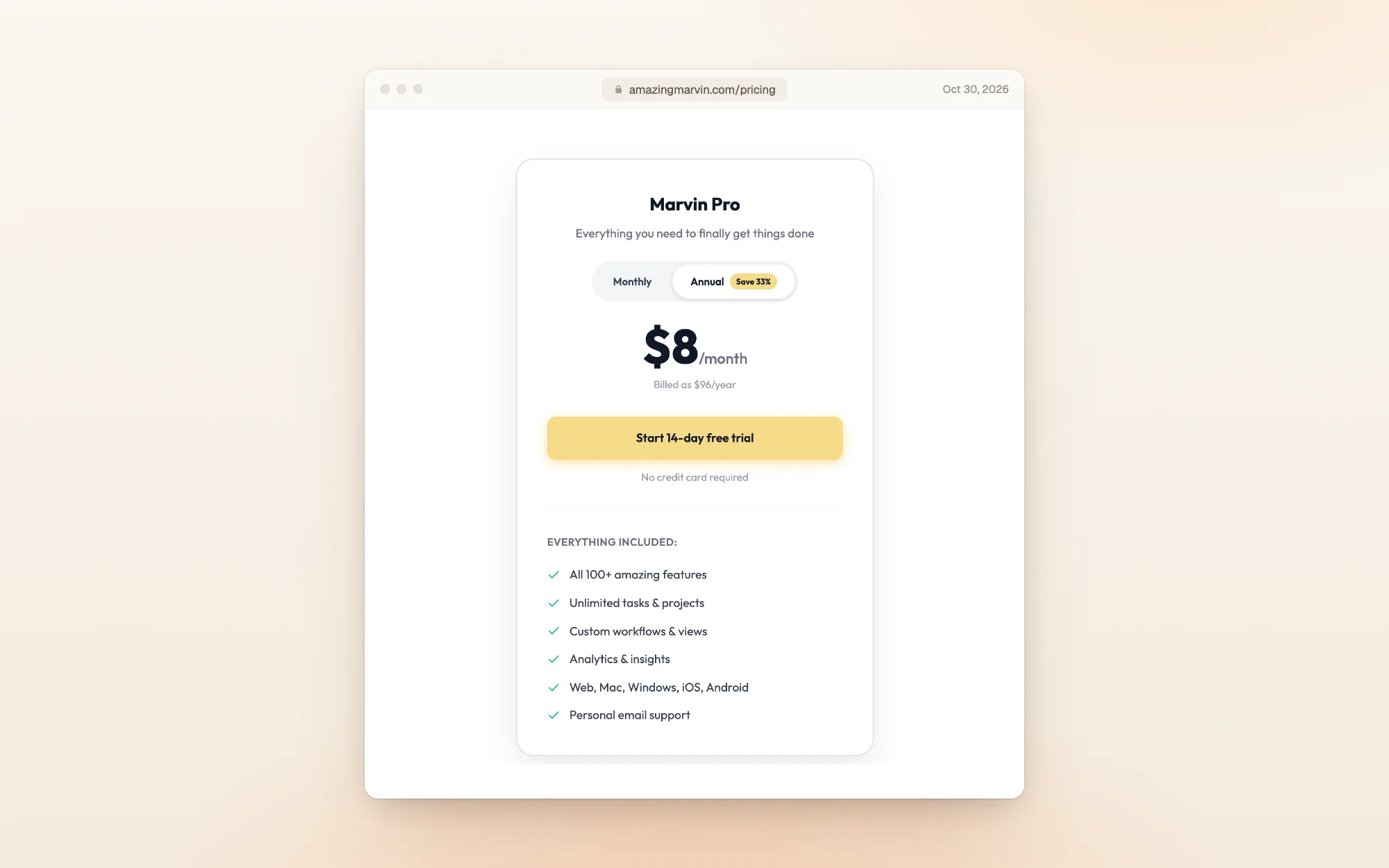
TL;DR: Amazing Marvin has one plan, Marvin Pro: $12 a month, or $96 a year ($8 a month). There's no free plan. The 14-day free trial needs no card, and if you subscribe during the trial, you're only charged when it ends. Marvin doesn't offer refunds; it offers to extend your trial instead. Students get 50% off, and Marvin says anyone who can't afford it should get in touch.
Amazing Marvin (amazingmarvin.com) is a to-do list and daily planner you build up one feature at a time, from more than 50 "strategies" such as time blocking, the Eisenhower Matrix, time estimates and gamification. Many of them are aimed at people with ADHD. We created an Amazing Marvin account, went through its setup, and opened the checkout for both billing options, stopping before paying. Every screenshot is ours, taken October 30, 2026.
How much does Amazing Marvin cost?
| Billing | Price | Over a year | Free trial |
|---|---|---|---|
| Monthly | $12 a month | $144 | 14 days, no card |
| Yearly | $96 a year ($8 a month) | $96 | 14 days, no card |
| Students | 50% off either plan | $48 a year | 14 days, no card |
Paying yearly saves $48, the "Save 33%" on the pricing page. Every feature is in the one plan, and it works on the web, Mac, Windows, iPhone and Android.
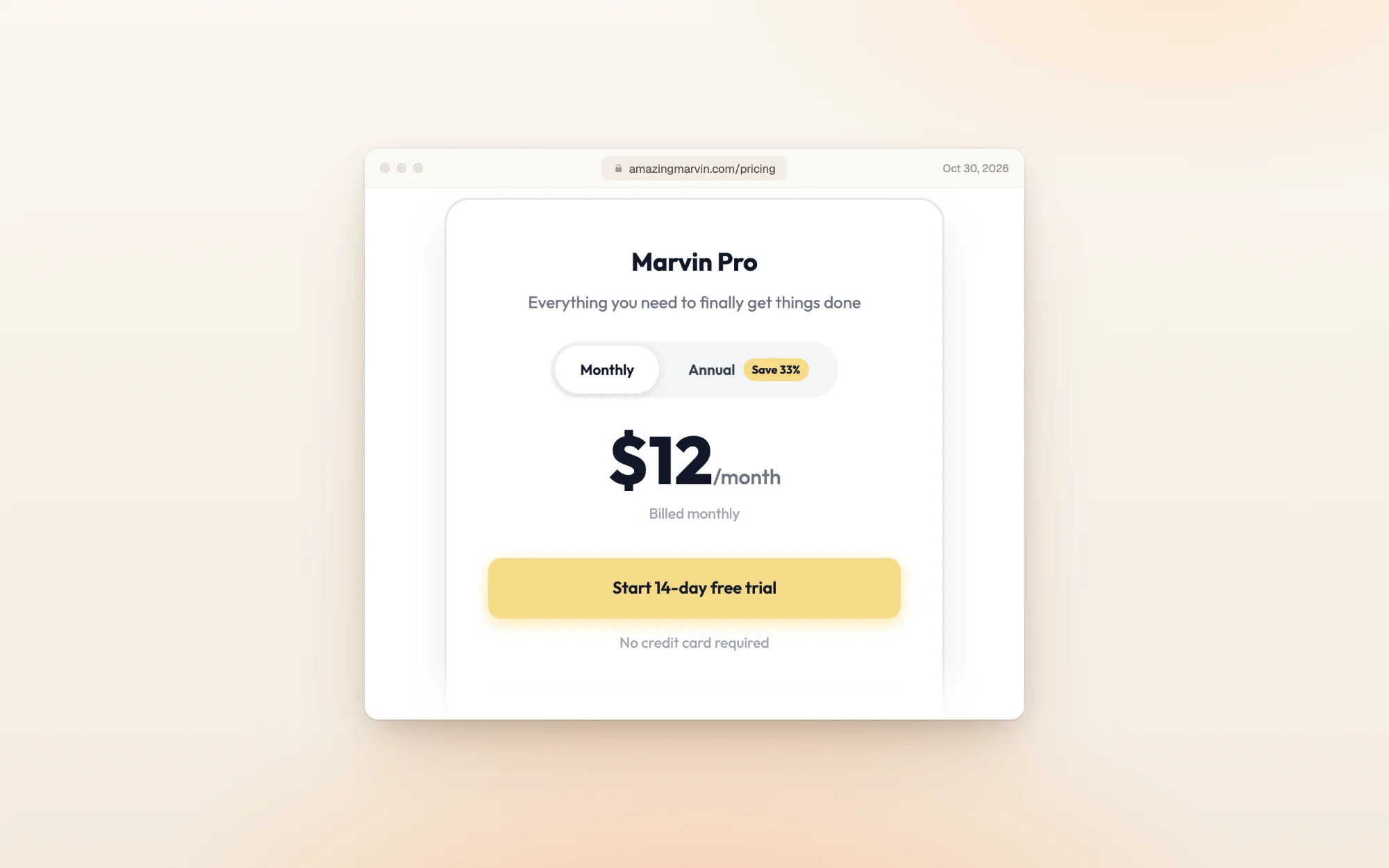
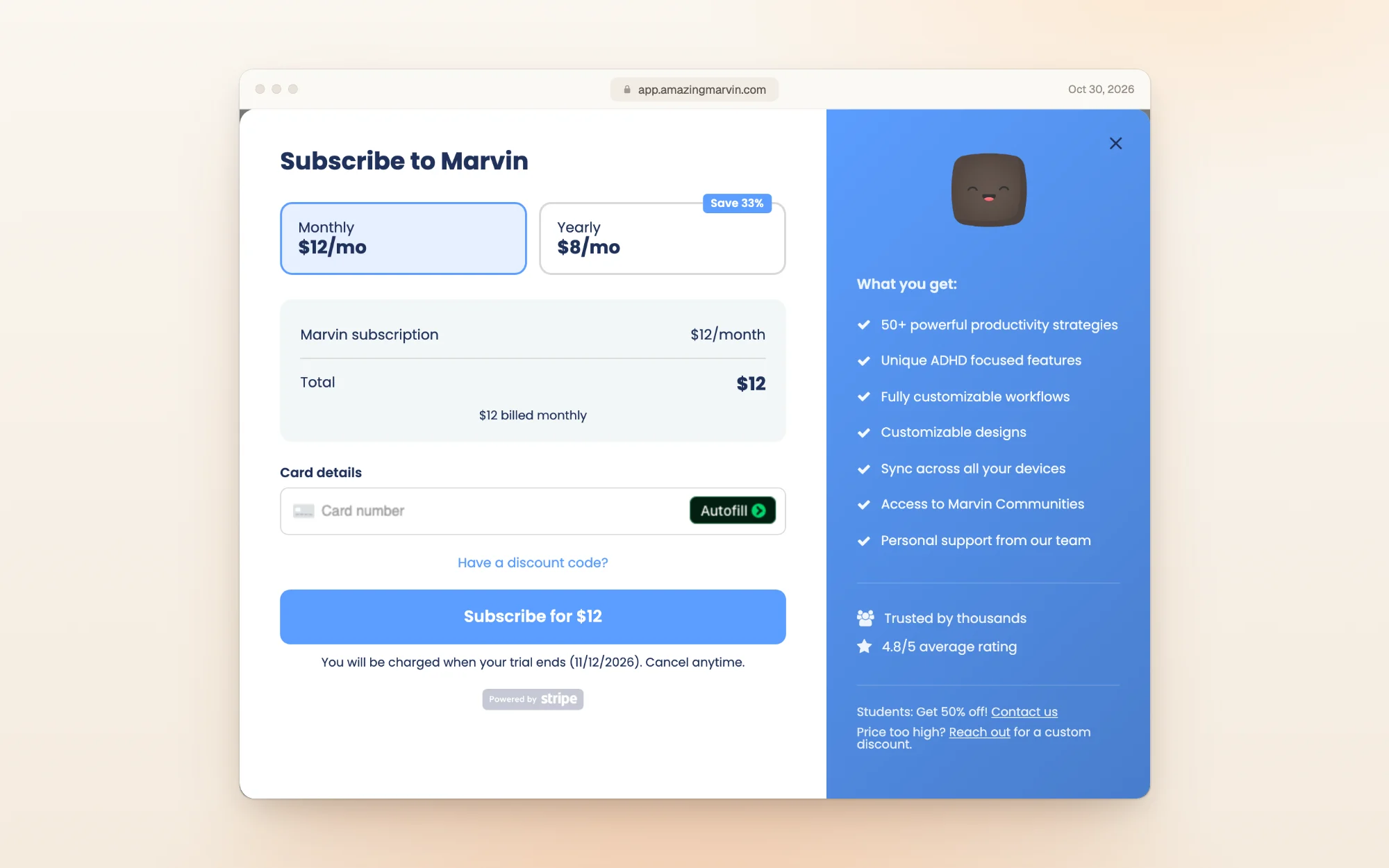
Switch the toggle to Monthly and the price goes to $12:
The price hasn't changed in a while. The Wayback Machine's copy of the pricing page from July 2024 already shows $8 a month on yearly billing, and the page said then that Marvin cost "$8-12/month".
The free trial got shorter
The trial is 14 days, with full access and no card. It used to be longer: Marvin's pricing page offered a 30-day trial until at least March 26, 2025, and by May 20, 2025 it said 14 days. Older reviews that mention "a one month free trial" date from before that change.
When the trial ends, Marvin keeps your data, but you can't add or complete tasks until you subscribe. Its pricing FAQ adds that it can extend the trial if you need more time.
What setup looks like
Marvin's setup asks what you're like before it shows you anything. "I just need something that works" switches on a simpler set of features; "I'm into systems & productivity" gives you more to configure:
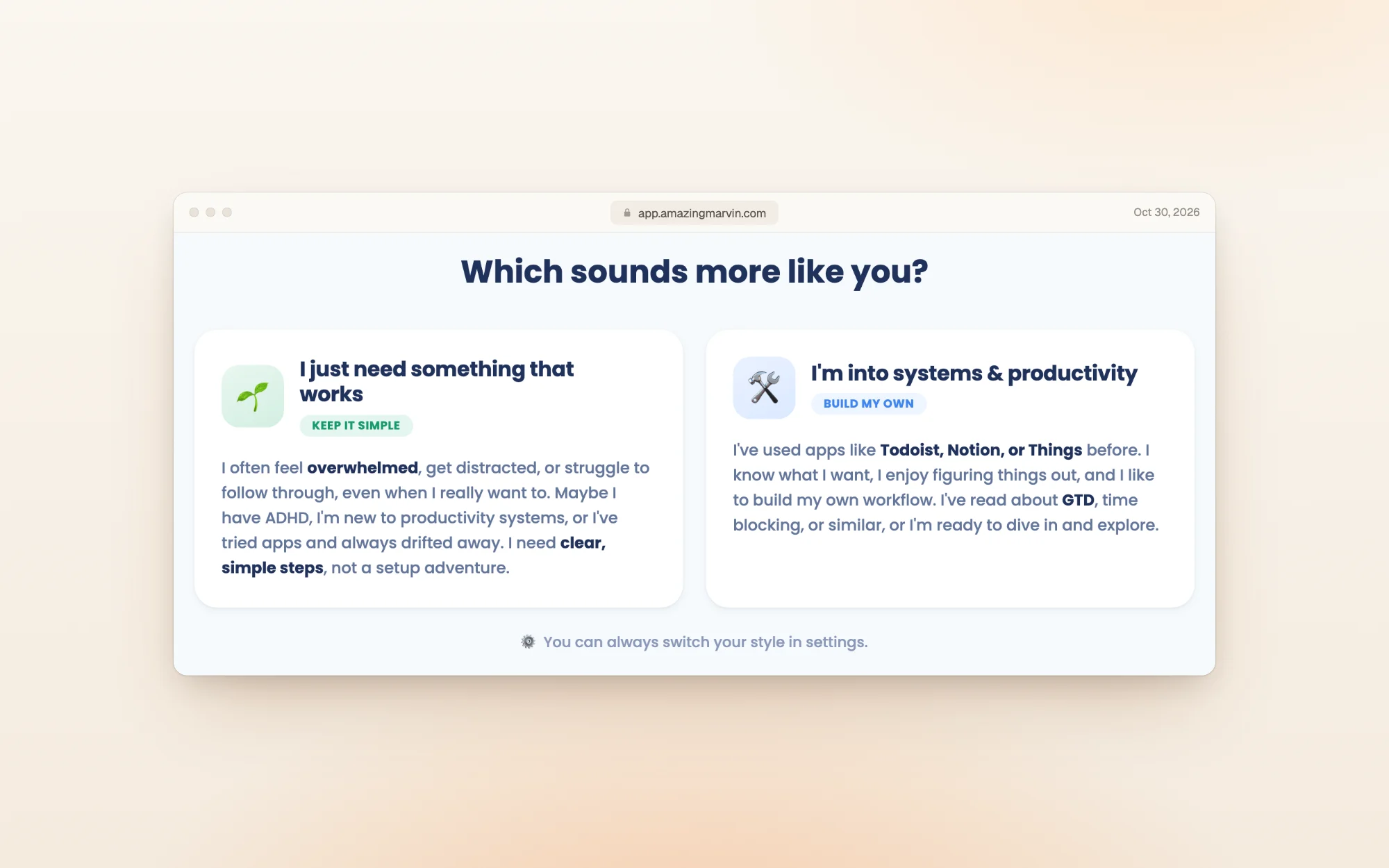
It then asks you to pick life areas (we chose Work, Home and Personal) and type a few tasks for each. The whole setup took us a couple of minutes.
What the checkout charges
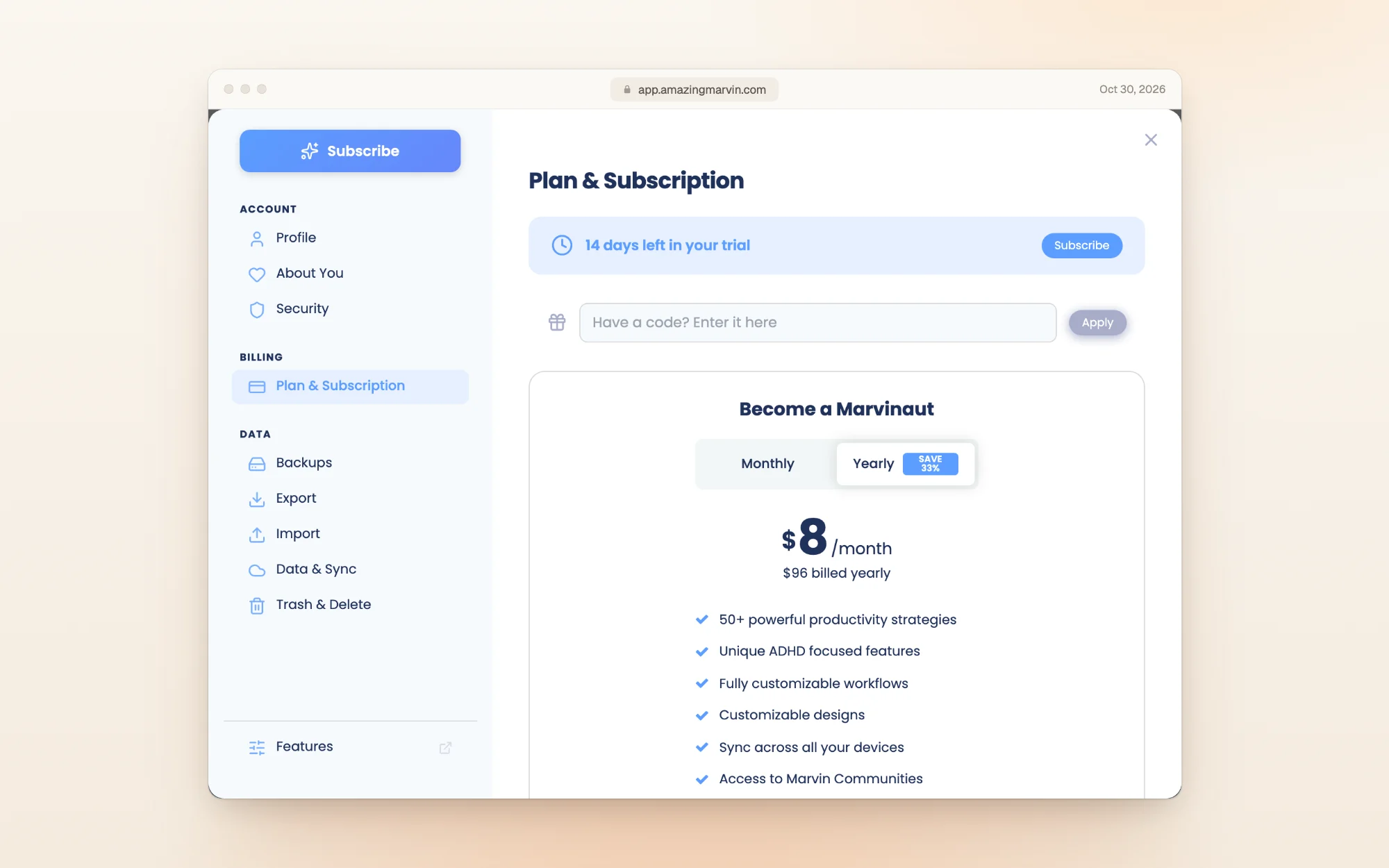
Inside the app, Your account, then Plan & Subscription shows how many trial days are left and the same two prices:
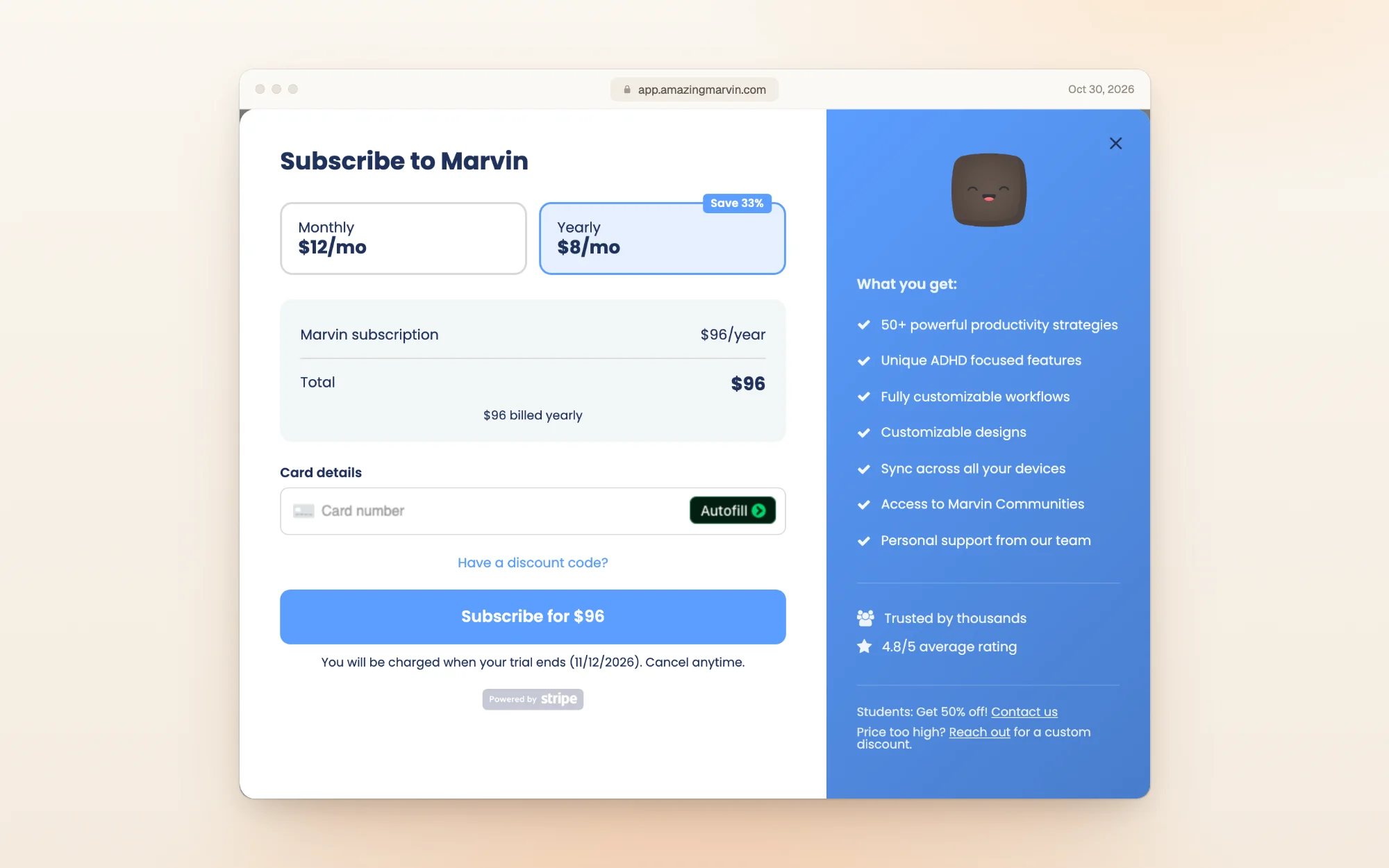
The checkout is a Stripe card form. What stood out: subscribing during the trial doesn't charge you on the spot. The line under the button says you'll be charged when your trial ends:
| You choose | Charged today | Then |
|---|---|---|
| Yearly, during the trial | $0 | $96 when the trial ends, then every year |
| Monthly, during the trial | $0 | $12 when the trial ends, then every month |
So you lose nothing by subscribing on day one, as long as you're sure. You can still cancel before the trial ends.
Discounts: students and "pay what you can"
Marvin has no free plan, but it does have two ways to pay less:
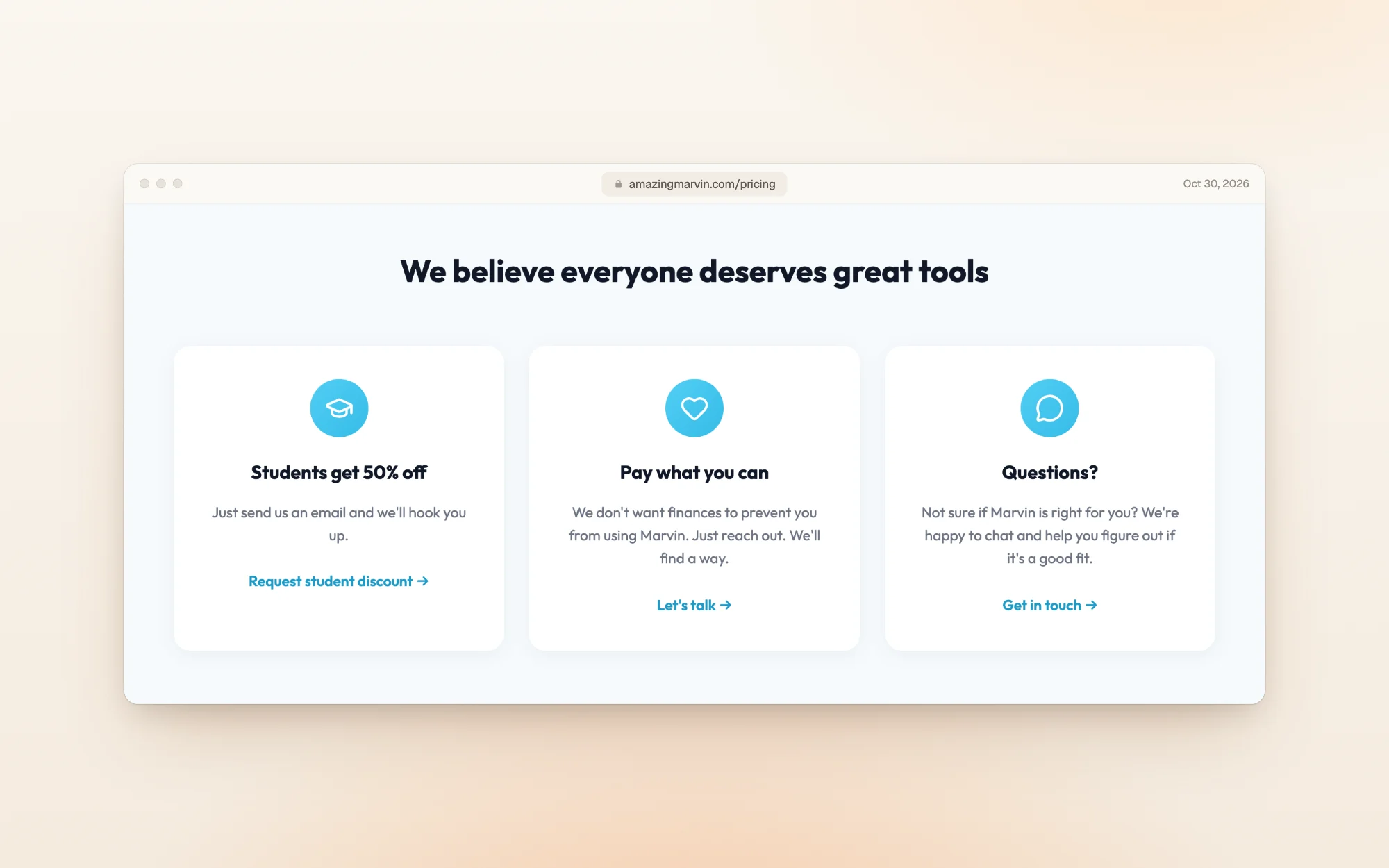
- Students: 50% off, monthly or yearly. You email Marvin from your student address and get a code.
- Pay what you can: if the price is a barrier, Marvin asks you to reach out for a custom discount.
- Codes only work on the web or desktop app. The iPhone and Android apps bill through Apple and Google, so there's nowhere to enter a code. If you already pay through a store, Marvin's help center says to cancel there first and subscribe on the web once it ends, so you don't pay twice.
Refunds and cancelling
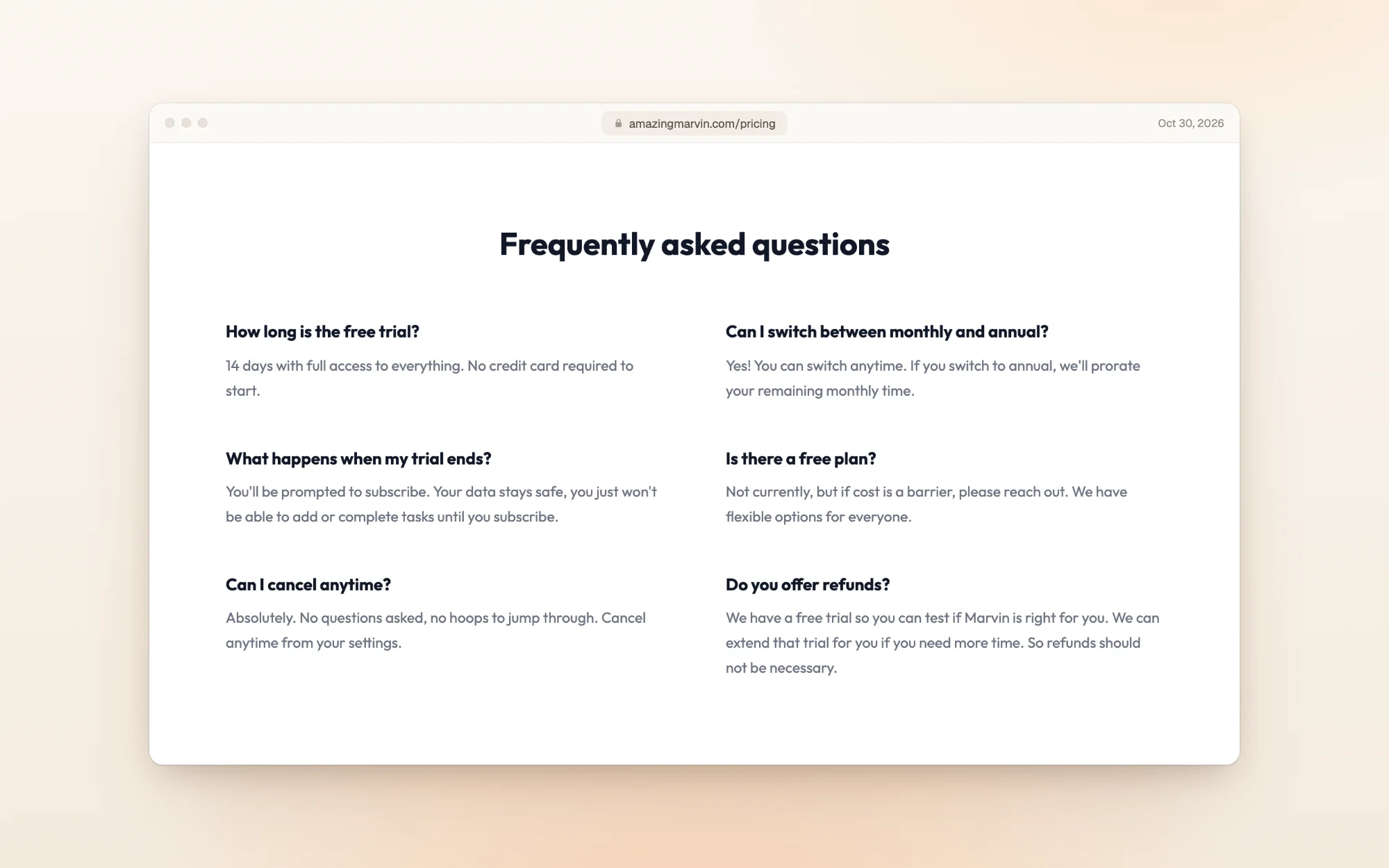
- Refunds: Marvin's FAQ says that because of the trial, "refunds should not be necessary". Treat a payment as final, and use the trial to decide.
- Cancelling on the web or desktop: open the main menu, then Your account, Plan & Subscription, Cancel Subscription, give a reason and confirm. You keep access until the end of the period you paid for, and your data is kept.
- Cancelling on iPhone or Android: Apple or Google manages the subscription, so cancel in your Apple ID or Google Play subscriptions. Deleting the app doesn't cancel it.
- Price changes: Marvin's terms say new prices apply to new and returning subscribers, and an active subscription isn't affected until it renews.
What about a lifetime plan? Marvin's terms still mention "lifetime plans", and its help center says lifetime members have nothing to cancel. But the pricing page and the checkout only offer monthly and yearly billing.
What reviewers say
On the US App Store, the Amazing Marvin iPhone app was rated 4.0 out of 5 from 129 ratings when we checked. The checkout's own panel says "4.8/5 average rating", which isn't the App Store figure.
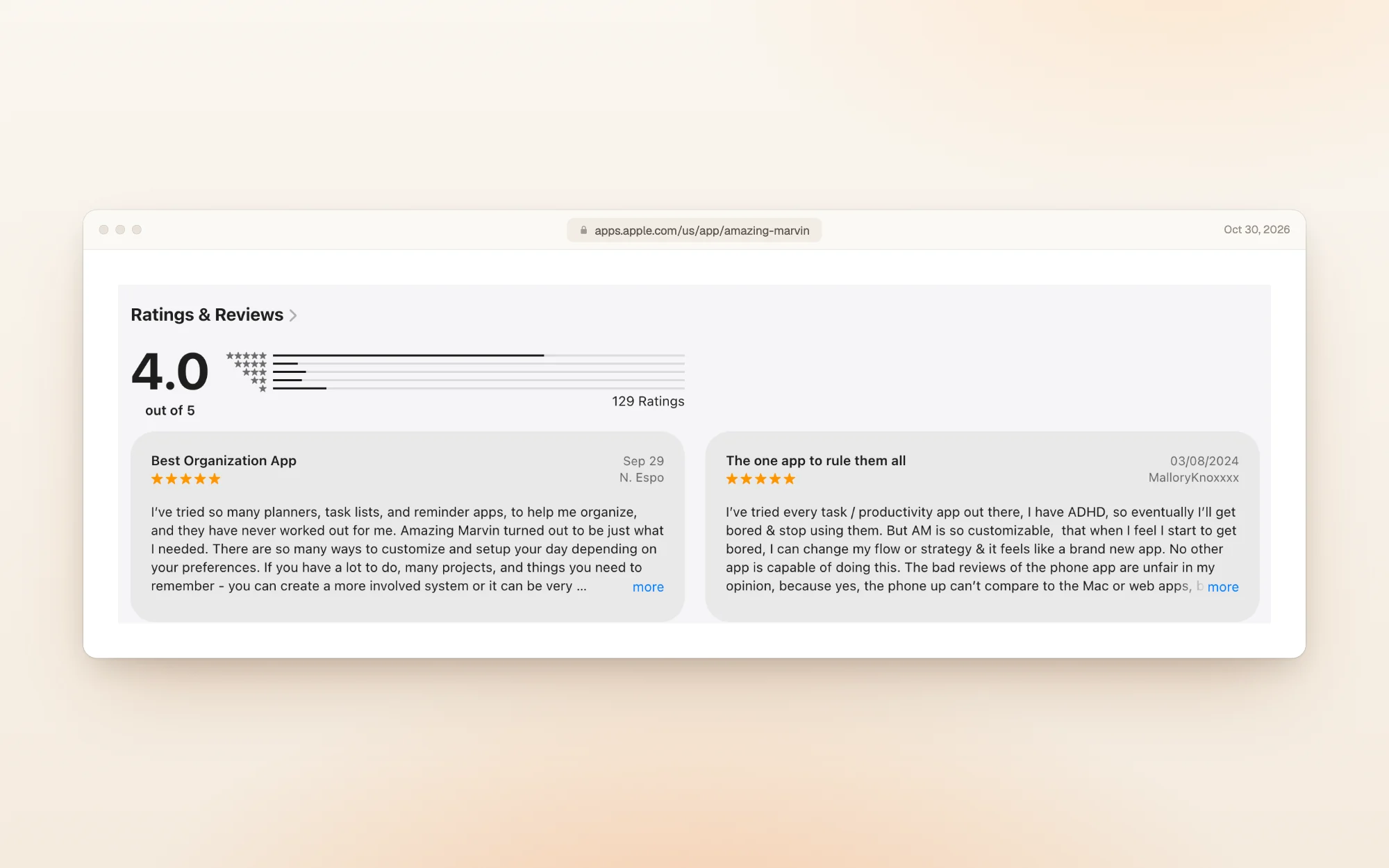
People who stick with it praise how far it bends:
"AM is so customizable, that when I feel I start to get bored, I can change my flow or strategy." MalloryKnoxxxx, App Store, March 2024
The same reviewer admits the phone app is the weaker one, and an older review agrees:
"Desktop version is way better than the app." sincerelyjackie, App Store, December 2020
Is Amazing Marvin worth the money?
At $96 a year, Marvin costs more than TickTick Premium ($49.99) or Tiimo Pro ($54), and much less than Akiflow ($228).
Pay for Marvin if:
- You've tried simple to-do apps and dropped them, and want features you can switch on as you need them
- You want ADHD-friendly tools like time estimates, focus features and gamification in one app
- You plan mostly on a computer, where Marvin is strongest
Look elsewhere if:
- You want a free plan to stay on: Marvin has none
- You want a refund window after paying: Marvin doesn't offer one
- You mostly plan on your phone
Other planners worth a look
| If you want… | Look at | What it does well |
|---|---|---|
| A visual planner built with ADHD in mind | Tiimo | A color-coded timeline and focus timer, $54 a year |
| A full task manager with a free plan | TickTick | Lists, habits and a Pomodoro timer, with Premium at $49.99 a year |
| Tasks and calendar in one time-blocking planner | Akiflow | $228 a year, with an AI assistant included |
| A day you can actually finish | Dayplan | An AI Coach that plans your day with you, three must-dos, and breaks built into the plan |
Dayplan is our product. Where most planners make room for one more task, Dayplan's Coach helps you plan a day you can finish: three must-dos, a warning when the plan outgrows your hours, and breaks built in. See how the Coach works.
Amazing Marvin pricing FAQ
$12 a month, or $96 a year ($8 a month) on yearly billing. There's one plan, Marvin Pro, with every feature.
No. There's no free plan, only a 14-day free trial. When it ends, your data stays but you can't add or complete tasks until you subscribe.
No. The 14-day trial starts without a card. If you subscribe during the trial, the first charge happens when the trial ends.
Yes, 50% off monthly or yearly. Email Marvin from your student address for a code, then subscribe on the web or desktop app, since codes can't be used in the phone apps.
Marvin's pricing FAQ says refunds shouldn't be necessary because of the free trial, which it can extend if you ask. Plan to decide during the trial.
Not one you can buy from the pricing page or checkout, which only offer monthly and yearly billing. Marvin's terms still mention lifetime plans.
On the web or desktop: main menu, Your account, Plan & Subscription, Cancel Subscription. If you subscribed on iPhone or Android, cancel in your Apple ID or Google Play subscriptions.
How we checked
On October 30, 2026 we read Amazing Marvin's pricing page in both billing views, its help articles on cancelling and student discounts, its terms and its US App Store listing, and saved a screenshot and the text of each. We then created an account with an email and password, went through the setup, and opened Plan & Subscription and the checkout for monthly and yearly billing. We didn't enter a card. The trial history and earlier prices come from the Wayback Machine's copies of Marvin's pricing page between July 2024 and October 2026. Prices change, so if you spot a difference, email us and we'll update this page.
More guides like this one: Productivity app guides.
Sources
- Amazing Marvin pricing
- Amazing Marvin help: How to cancel your subscription
- Amazing Marvin help: Do you offer student discounts?
- Amazing Marvin terms of service
- Amazing Marvin on the App Store
- Amazing Marvin pricing page, March 26, 2025 (Wayback Machine)
- Amazing Marvin pricing page, May 20, 2025 (Wayback Machine)
- Tiimo pricing guide
- TickTick pricing guide
- Akiflow pricing guide
- Dayplan Coach