
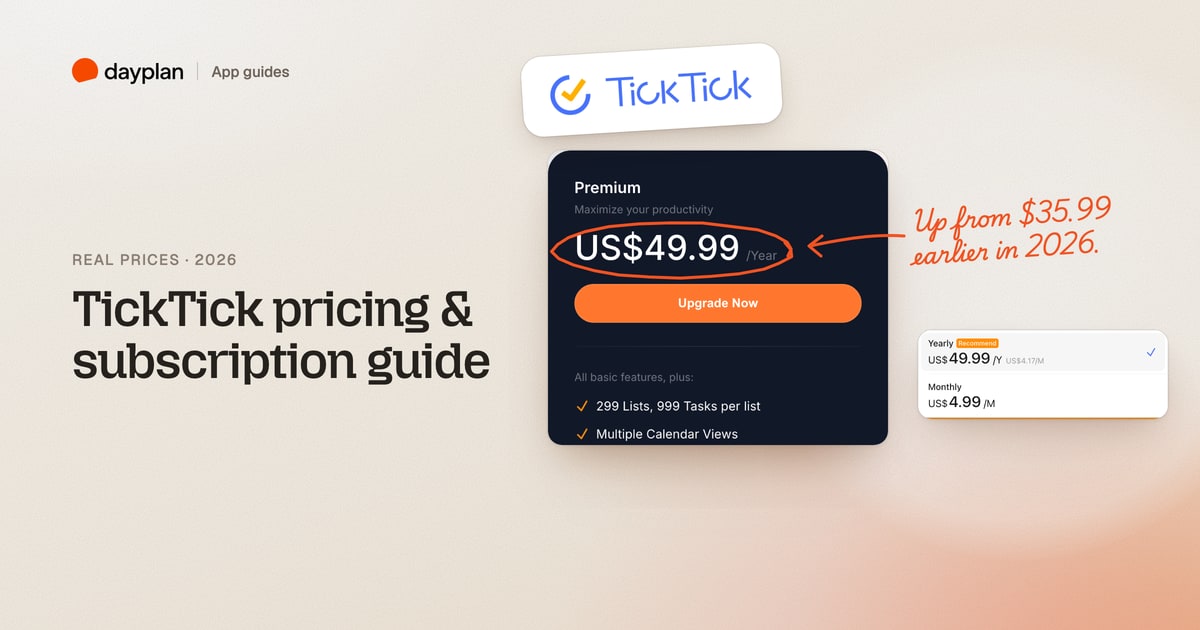
TL;DR: TickTick has a free plan you can keep. Premium costs $49.99 a year or $4.99 a month ($59.88 over a year). The yearly price went up from $35.99 in 2026. The monthly plan isn't on TickTick's pricing page, but it's in the app's upgrade window, on the web and on the App Store. There's no free trial of Premium, and you have 14 days to ask for your money back on web purchases. Students and teachers pay $37.99 for their first year.
TickTick (ticktick.com) is a to-do list app with a calendar, habit tracker, Pomodoro timer and Eisenhower Matrix built in. We created a free TickTick account on October 28, 2026, filled it with tasks and lists until we hit the limits, and opened both Premium checkouts, stopping before paying. Every screenshot is ours.
How much does TickTick cost?
| Plan | Price | Works out to | Where you can buy it |
|---|---|---|---|
| Free | $0 | Free for as long as you like | Everywhere |
| Premium, yearly | $49.99 a year | $4.17 a month | Web (Stripe or PayPal), App Store, Google Play |
| Premium, monthly | $4.99 a month | $59.88 a year | Web app upgrade window, App Store |
| Premium for education | $37.99 for the first year | 25% off one year | Web, after TickTick approves your documents |
Paying yearly saves $9.89 against twelve monthly payments. One Premium subscription covers every device you sign in on.
TickTick's pricing page shows only the free plan and the yearly price:
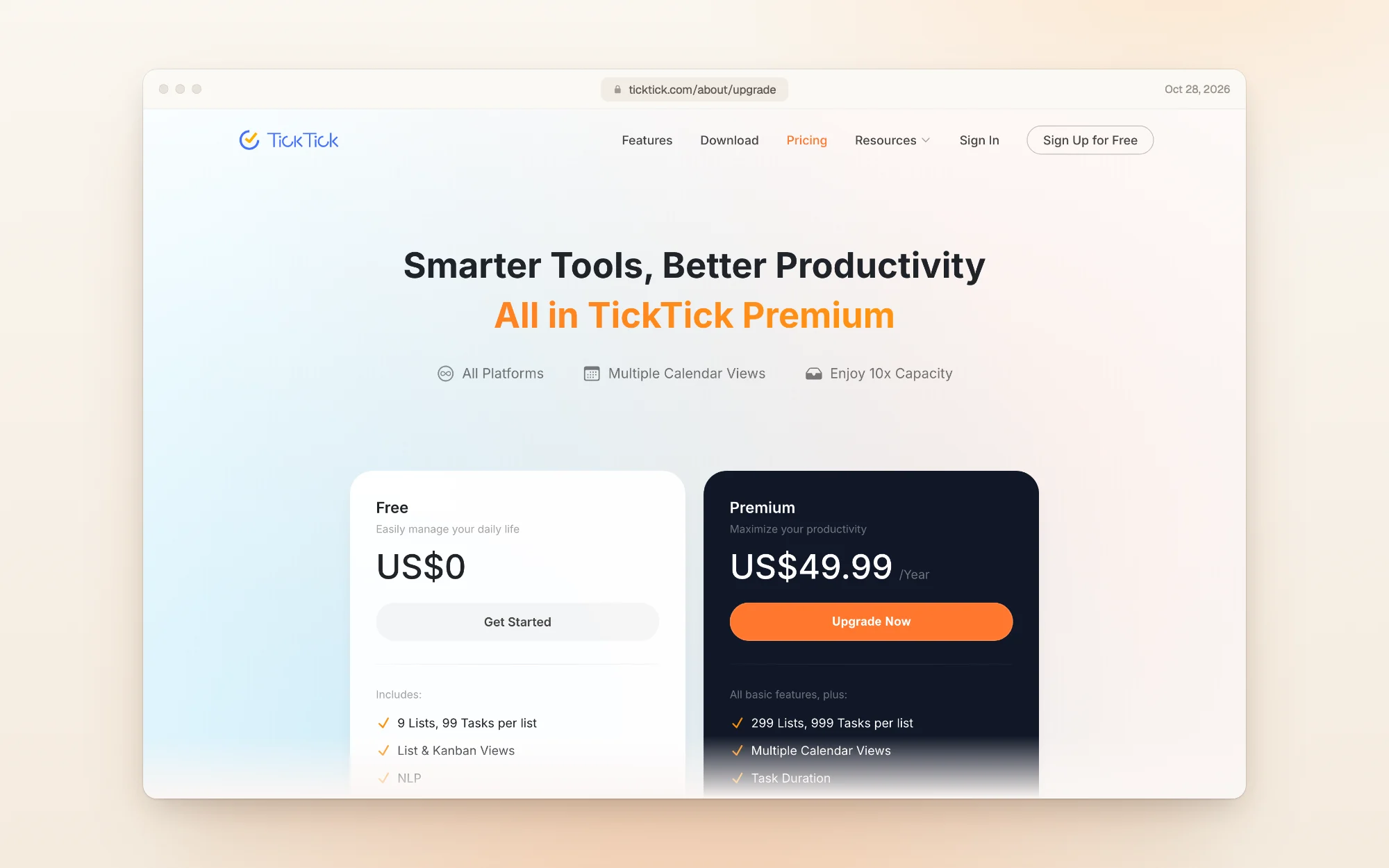
TickTick raised the yearly price from $35.99 to $49.99
For years, Premium cost $35.99 a year. The Wayback Machine's copy of TickTick's pricing page from February 26, 2026 still says "Annual plan for $35.99 (less than $3/month)".
By July 23, 2026, the same page listed $49.99 crossed out, with $35.99 as a "Limited-Time Offer" at 28% off. By October 1, 2026, the offer was gone, and today the page lists $49.99 a year with no discount. That's $14 more a year, a 39% rise. The page doesn't mention the change.
If you're already subscribed, check the renewal amount in your account or your App Store subscriptions before it renews.
What the free plan includes, and where it stops
TickTick's free plan is a full to-do app: lists, tags, subtasks, recurring tasks, priorities, reminders and sync across devices. The limits are in the numbers:
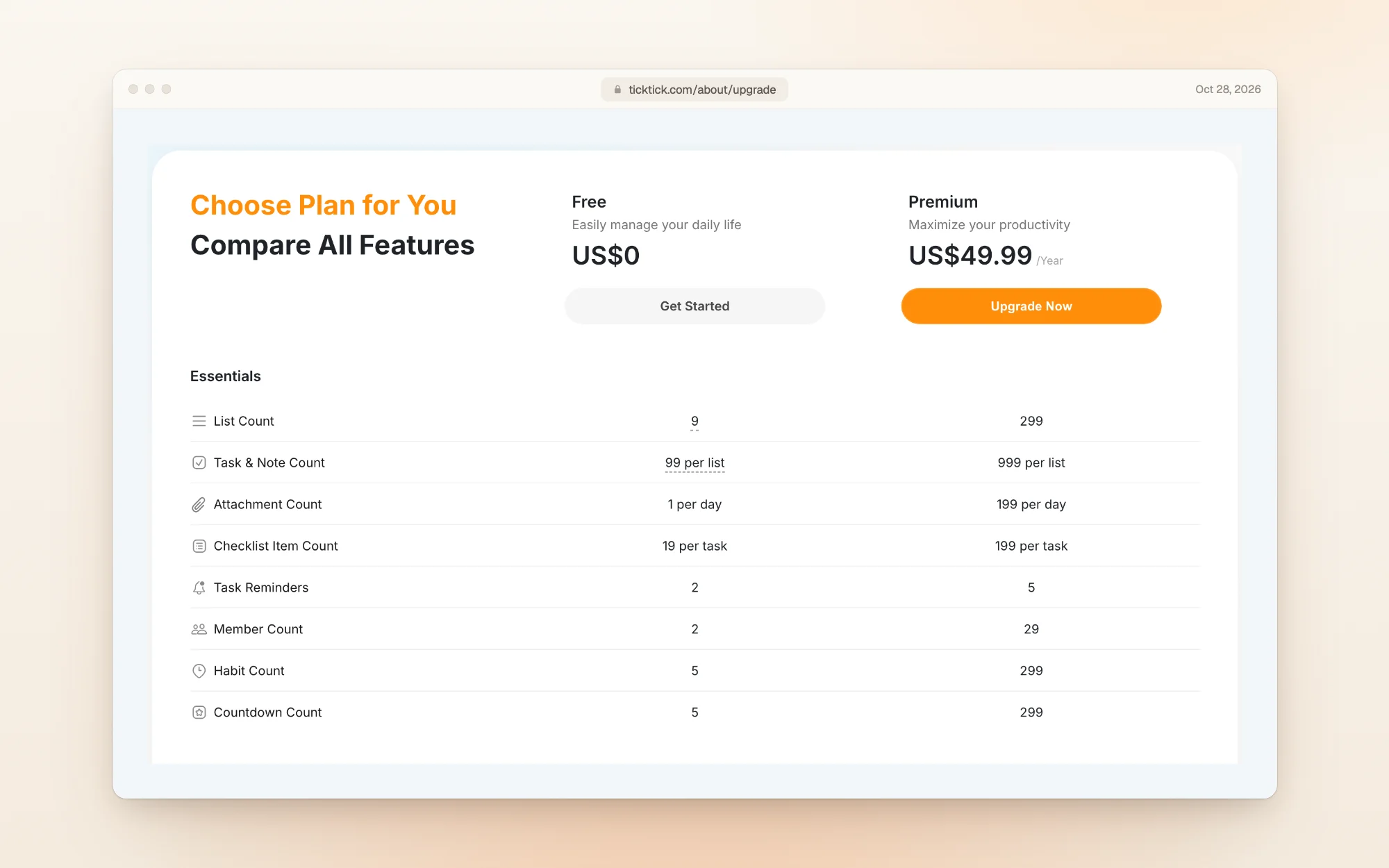
| What's capped | Free | Premium |
|---|---|---|
| Number of lists | 9 | 299 |
| Items in one list (tasks and notes) | 99 | 999 |
| Reminders on one task | 2 | 5 |
| Attachments | 1 a day | 199 a day |
| Checklist items in one task | 19 | 199 |
| People in a shared list | 2 | 29 |
| Habits you can track | 5 | 299 |
| Countdowns you can track | 5 | 299 |
Free also gets priorities, tags, subtasks, comments and templates. Premium adds task duration, filters, constant reminders, checklist item reminders, list and task activity, the Timeline view, integrations and the AI features. Widgets, themes, statistics, the calendar and the Eisenhower Matrix come in a basic version on free and a full version on Premium.
We hit the 9-list limit
We created nine lists (Work, Personal, Groceries, Home, Health, Reading, Travel, Side project and Finances). The sidebar then showed "Used: 9/9", and the button for a tenth list opened an upgrade window instead:
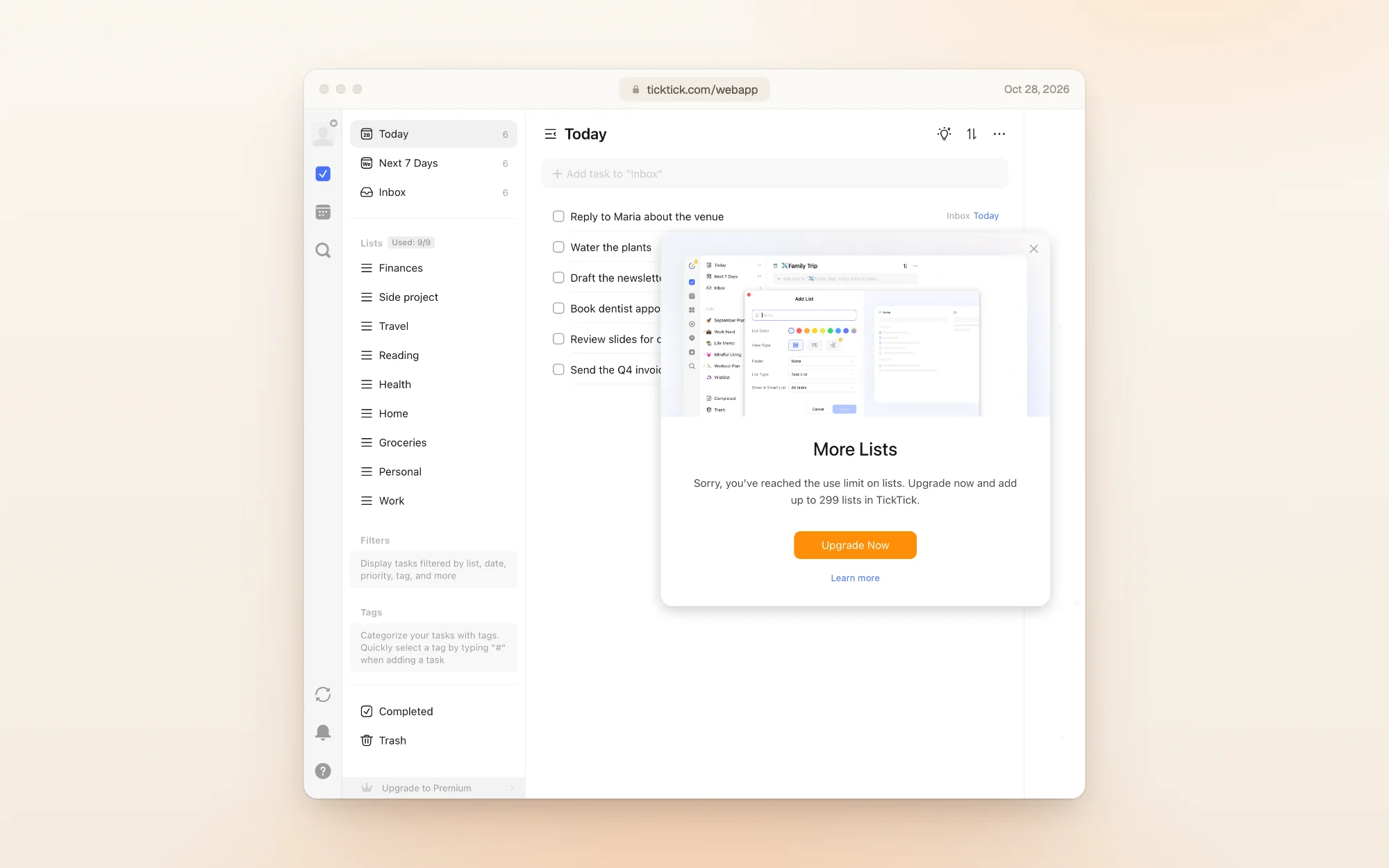
Your nine lists keep working. You just can't add another one, or move past 99 tasks in a list, without Premium.
The calendar opens with an upgrade prompt
On the free plan, opening the Calendar tab in the web app showed the month grid behind a "Monthly View" window with an Upgrade Now button:
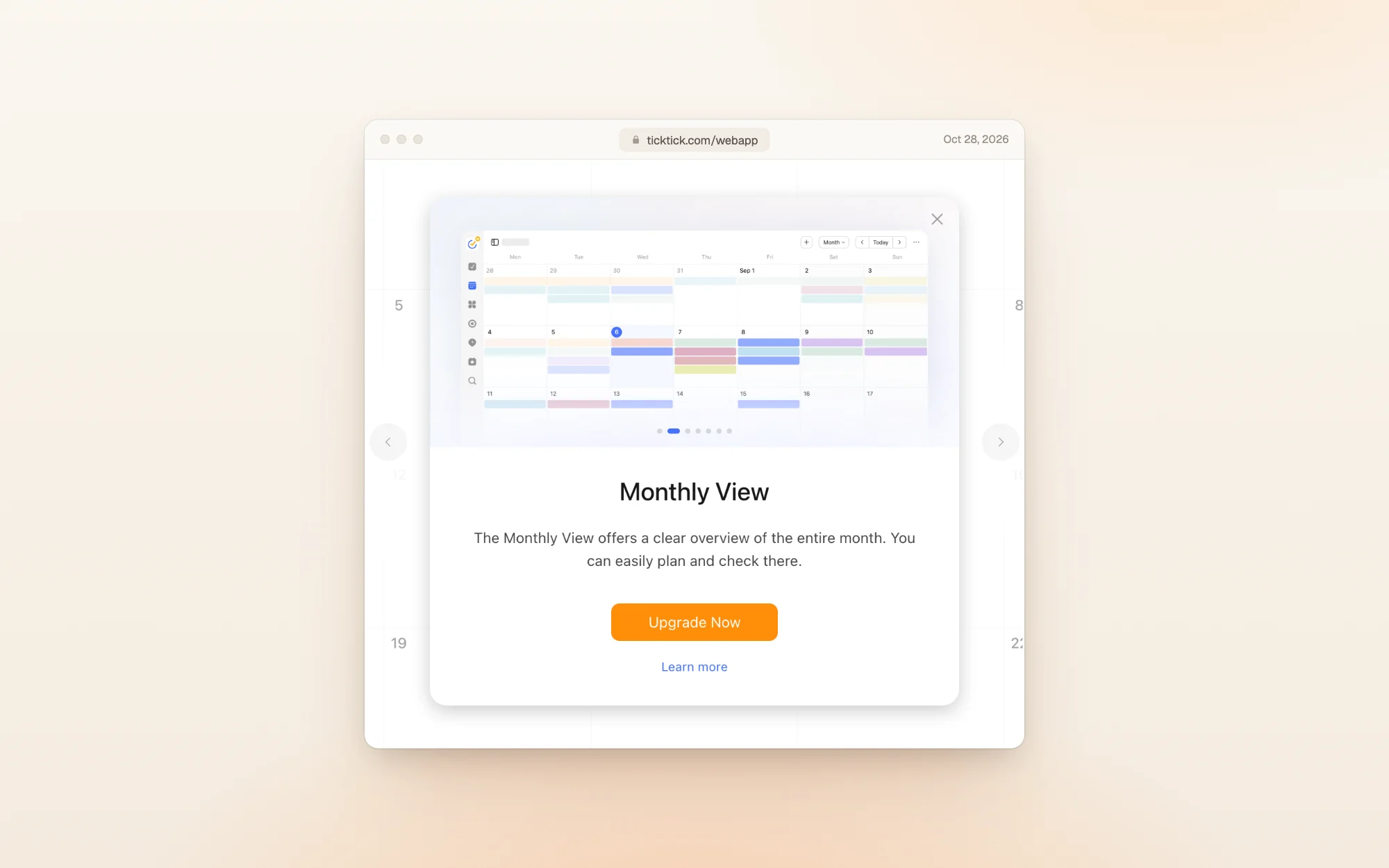
If you plan your days on a calendar, this is the feature most likely to push you to Premium.
The $4.99 monthly plan is inside the app
TickTick's pricing page only offers the yearly plan. Click Upgrade to Premium in the web app, though, and the upgrade window has a plan menu:
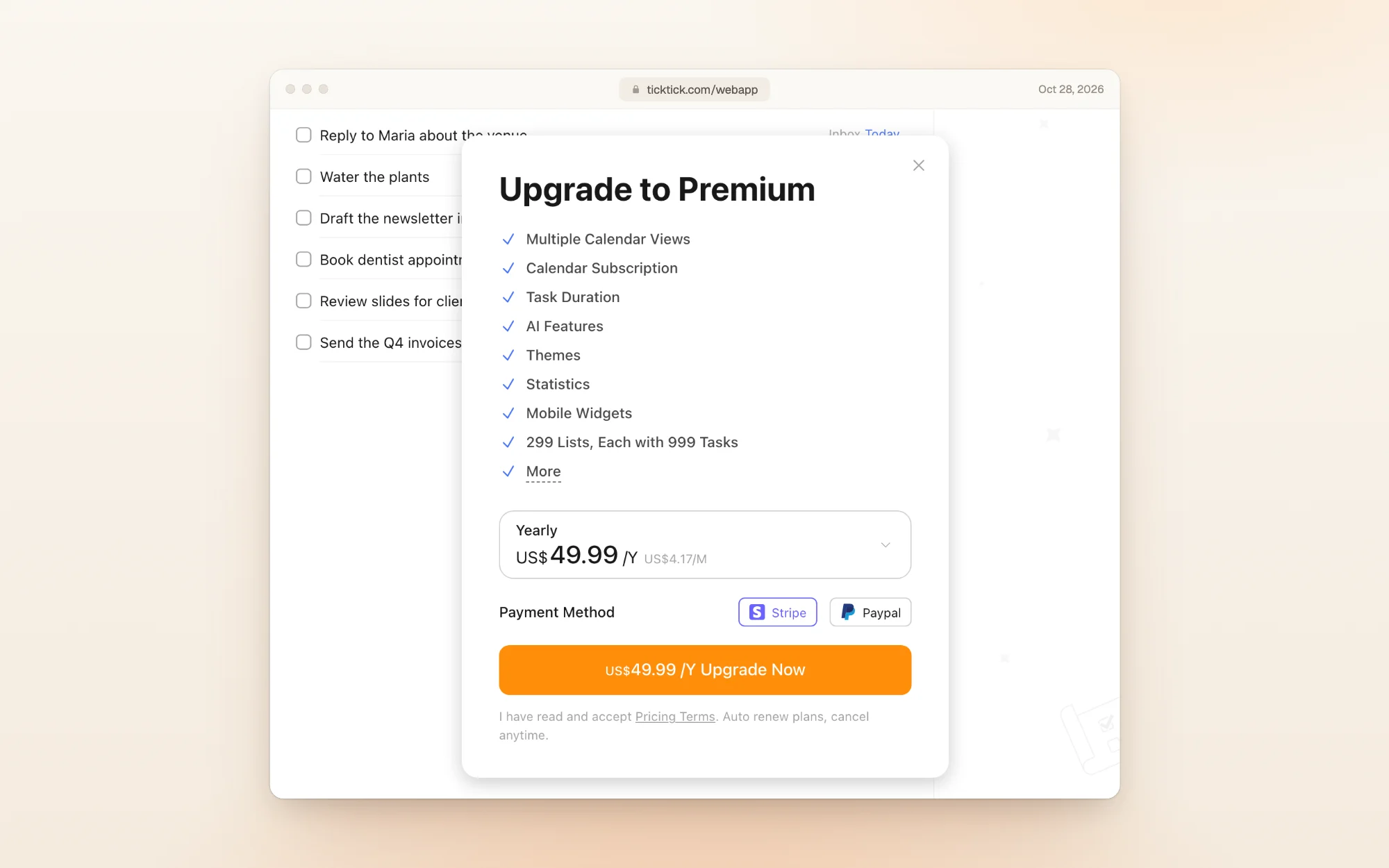
Open the menu and the second option is Monthly at $4.99:
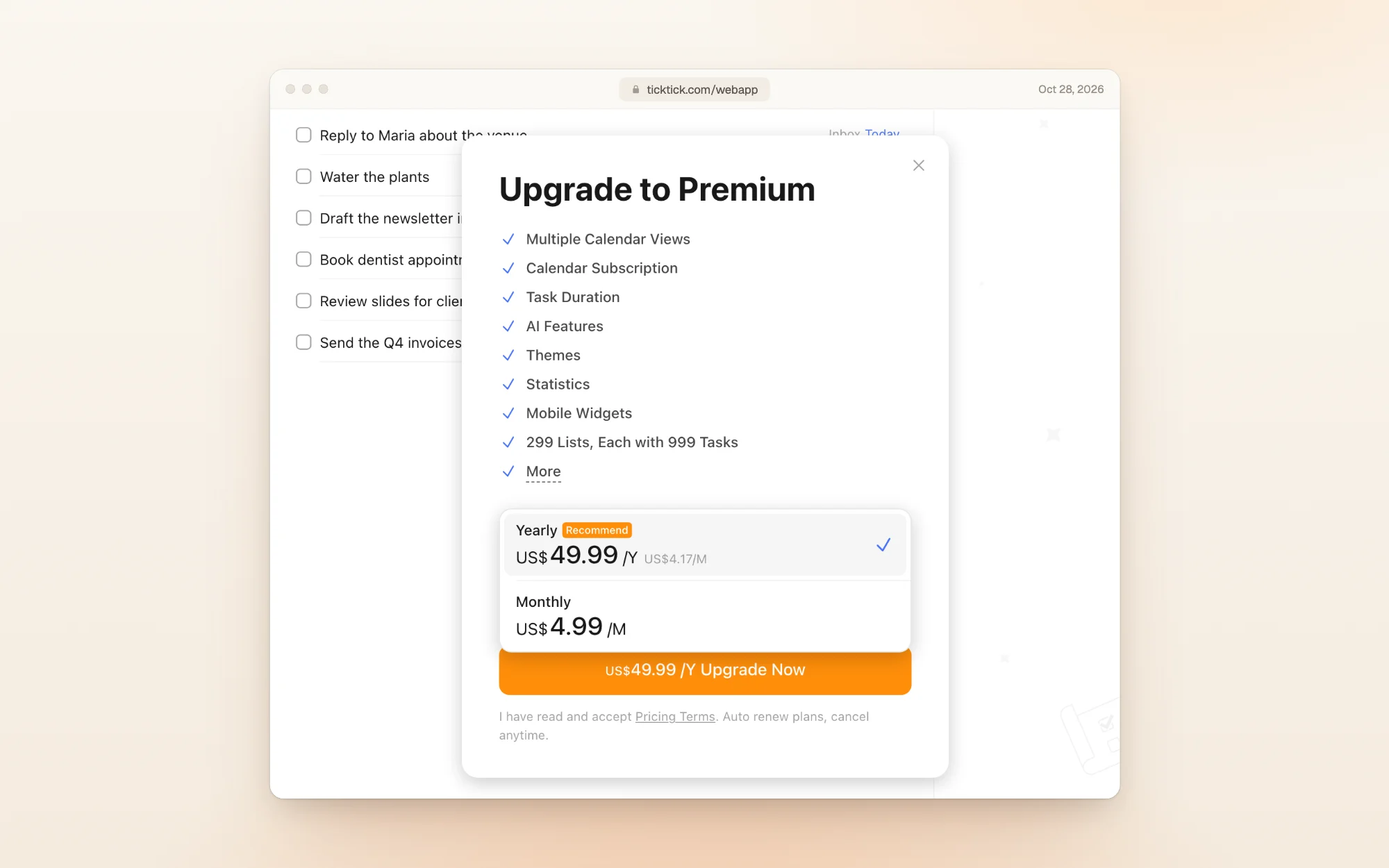
You can pay with Stripe (card or Link) or PayPal. We picked Stripe for both plans.
What the checkout charges
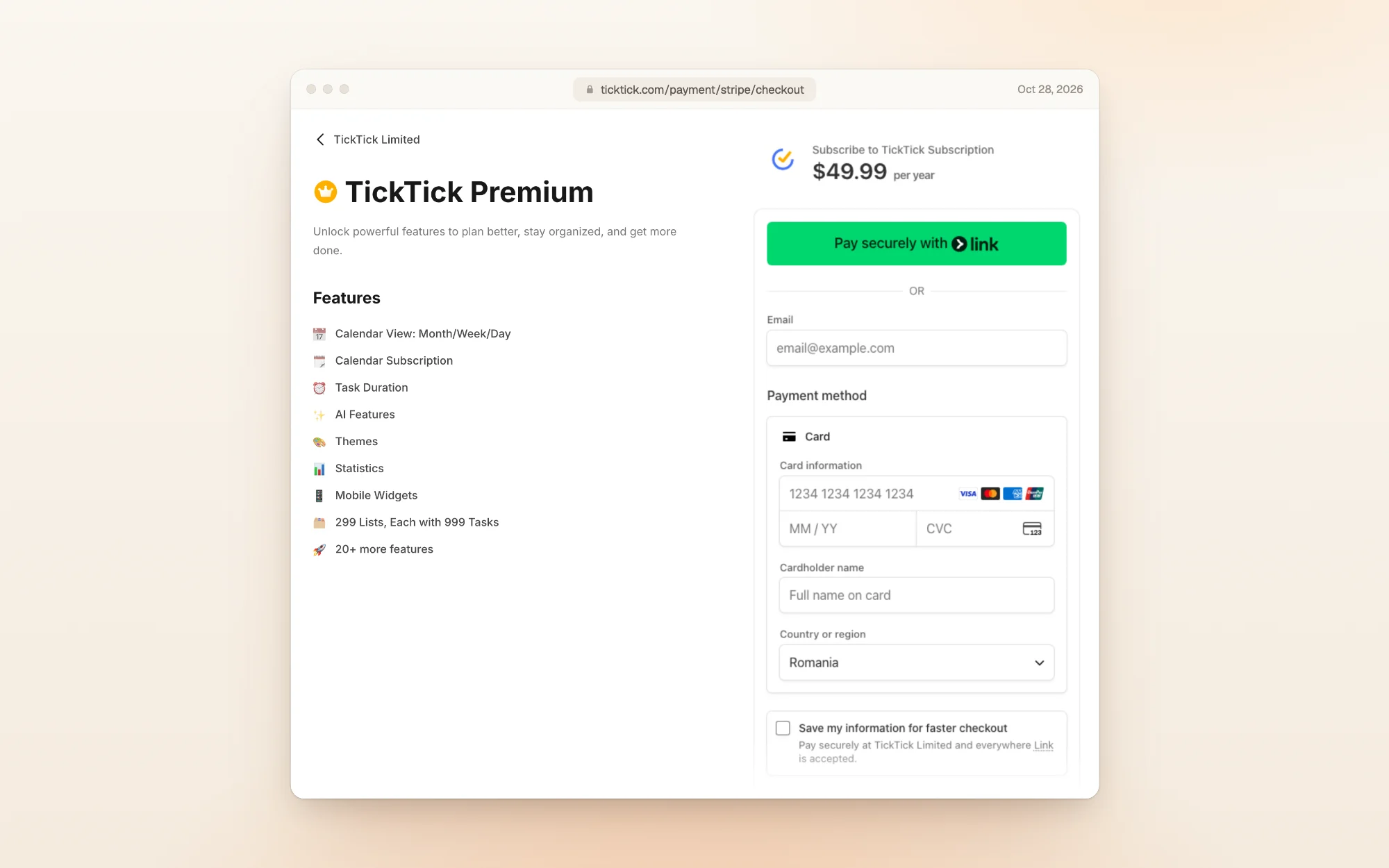
Both checkouts charge the full price on the day you subscribe. Neither offers a free trial:
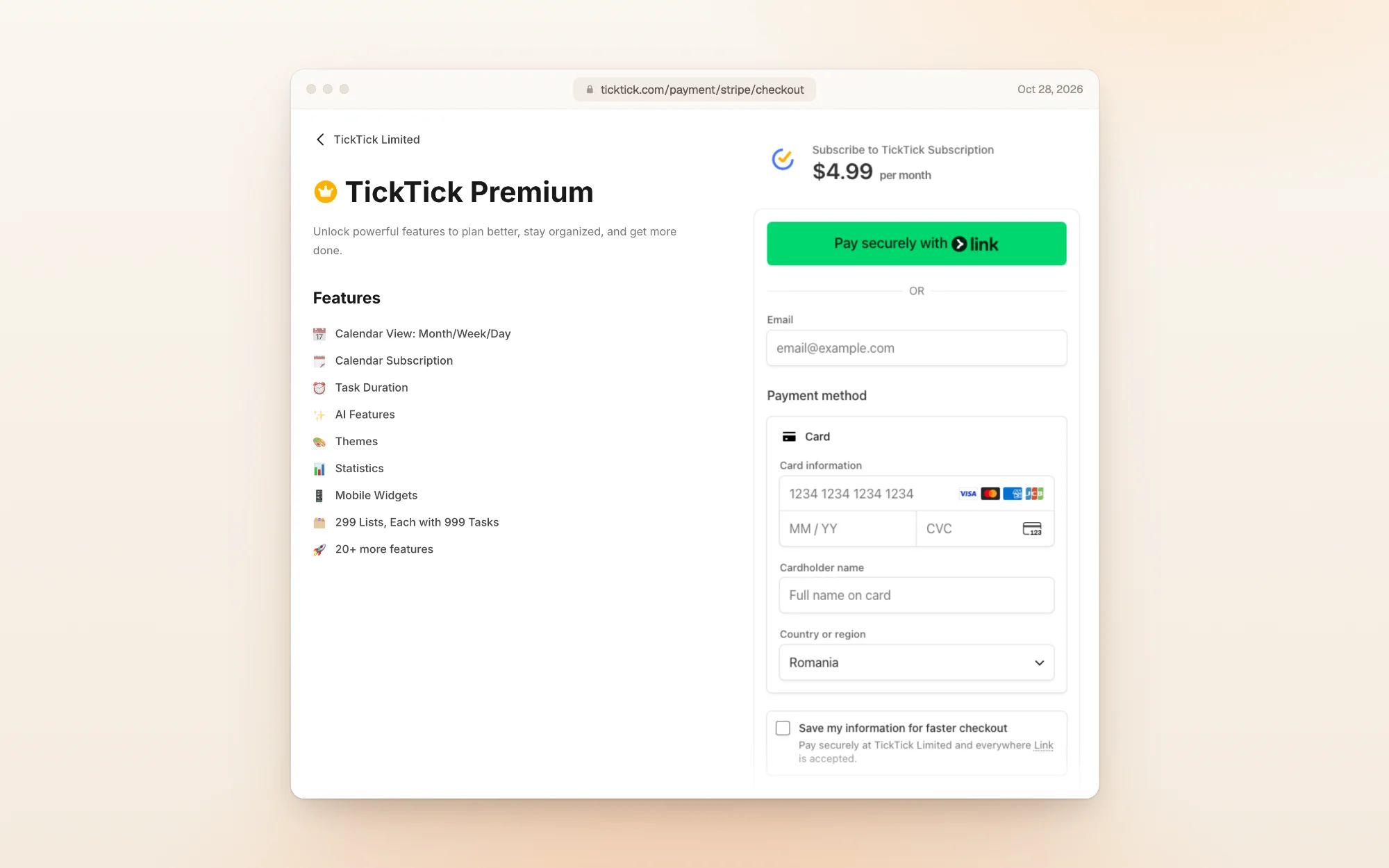
| You choose | Charged today | Then |
|---|---|---|
| Yearly | $49.99 | $49.99 every year |
| Monthly | $4.99 | $4.99 every month |
Our account was opened from Romania. The checkout set the country to Romania and still showed prices in US dollars. Just above the Pay and subscribe button, a line says you authorize TickTick to charge you until you cancel.
Is there a free trial?
No. TickTick's pricing page says nothing about a Premium trial, and neither checkout offered one. The free plan is the way to try TickTick, and the 14-day refund on web purchases (below) is your safety net if Premium disappoints.
Student and teacher discount
Students and school staff can get their first year of Premium for $37.99, a 25% discount:
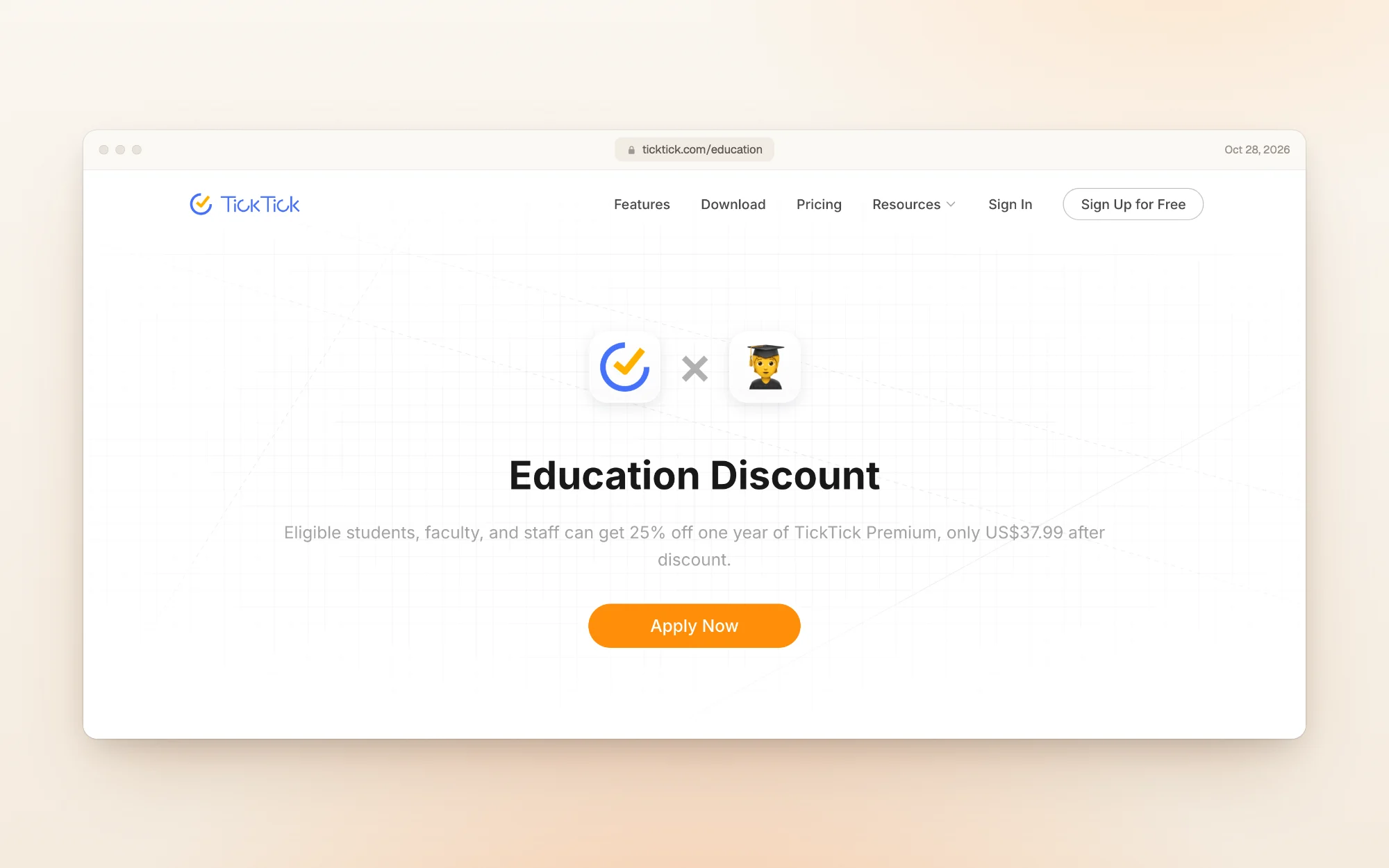
You sign in, apply with your educational documents, and wait. Once TickTick approves you, it emails you a discounted checkout link. The lower price covers one year only.
Refunds, cancelling and your data
- Refunds: if you paid through Stripe, PayPal or Google Play, you can ask for a refund within 14 days of buying. After 14 days, there are no refunds. App Store purchases go through Apple's refund process.
- Cancelling: Stripe, PayPal and Google Play subscriptions are cancelled in the TickTick web app. App Store subscriptions are cancelled in your Apple account settings, no later than a day before the period ends.
- Your data: when Premium ends, TickTick says it keeps all your data. You carry on as a free user, without the Premium features.
- Switching stores: if you already have Premium through one store, TickTick's App Store listing suggests waiting until it expires before subscribing through another.
What reviewers say
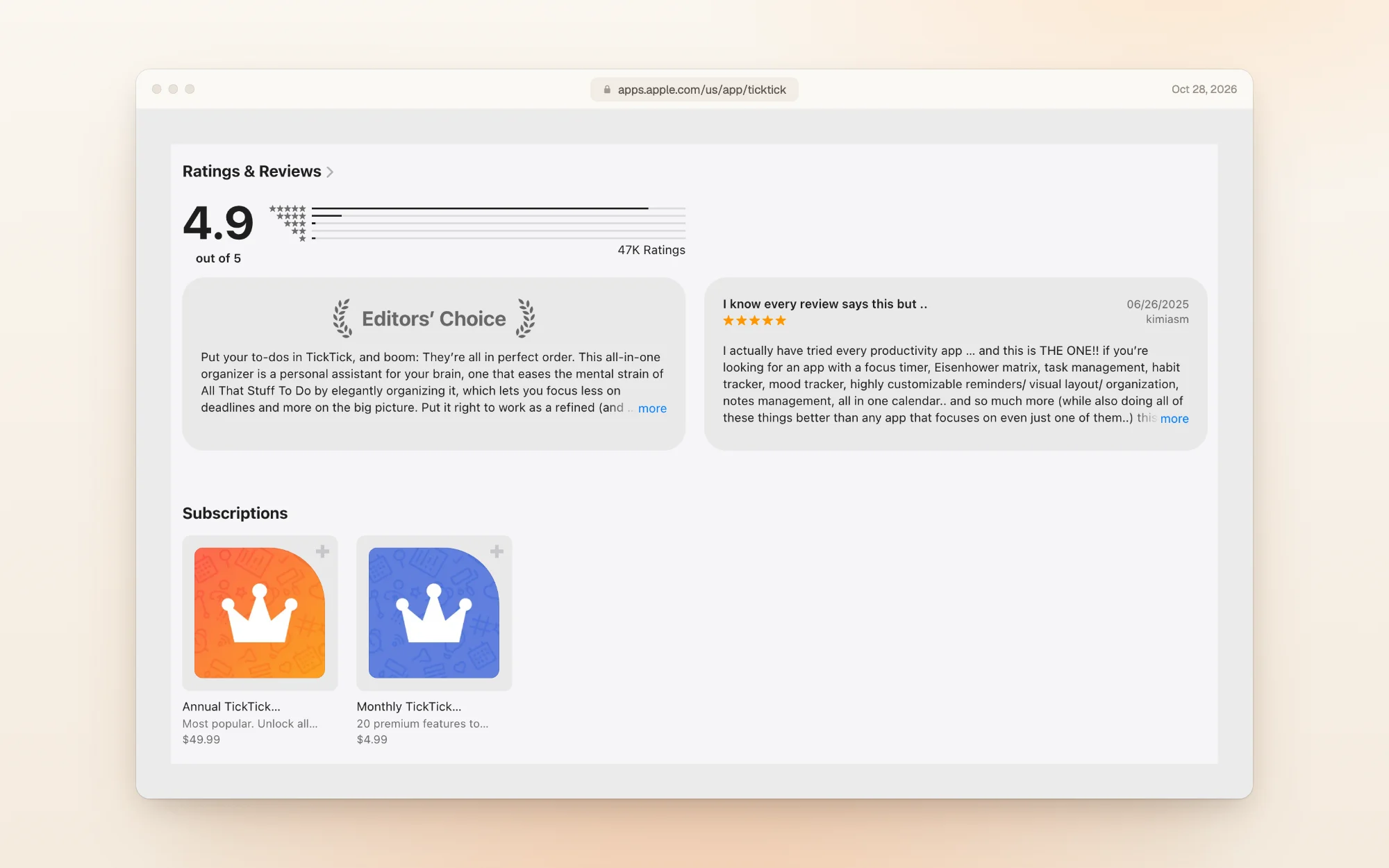
On the US App Store, TickTick was rated 4.9 out of 5 from 47,000 ratings when we checked, and it carries Apple's Editors' Choice badge. The listing shows the same two prices as the web: $49.99 a year and $4.99 a month.
One reviewer who has used both the free and paid versions sums it up:
"Just splurge that little bit on the pro version you will not regret it." Goddess_717, App Store, August 2026
Another reviewer who loves the app still wishes TickTick didn't need an account and a sign-in:
"Some people like me don't want to login or be tied to some cloud server." Some nickname123, App Store, September 2022
Is TickTick Premium worth the money?
At $49.99 a year, TickTick Premium is still one of the cheaper paid planners we've covered: Griply Premium is also $49.99 a year, and Akiflow is $228.
Pay for Premium if:
- Your planning happens on a calendar and you want the month and week views
- You've run out of lists, or a list is near 99 tasks
- You want task durations, the Timeline view or the AI features
Stay on free if:
- Nine lists and two reminders a task cover what you track
- Your calendar lives in another app
- You mostly use TickTick for quick capture and checklists
Pick monthly or yearly: monthly costs $9.89 more over a year, but lets you stop after a month. With no trial, a month at $4.99 is the cheapest way to test Premium.
Other planners worth a look
| If you want… | Look at | What it does well |
|---|---|---|
| A to-do app built around projects and sharing | Todoist | Fast task capture, shared projects and a free plan |
| Tasks and calendar in one time-blocking planner | Akiflow | $228 a year, with an AI assistant included |
| Goals and habits more than lists | Griply | Goals broken into habits and tasks, with a free plan |
| A visual planner built with ADHD in mind | Tiimo | A color-coded timeline and focus timer, $54 a year |
| Calendar and tasks with AI planning | Morgen | $180 a year, with a 14-day trial that needs no card |
| A day you can actually finish | Dayplan | An AI Coach that plans your day with you, three must-dos, and breaks built into the plan |
Dayplan is our product. Where most planners make room for one more task, Dayplan's Coach helps you plan a day you can finish: three must-dos, a warning when the plan outgrows your hours, and breaks built in. See how the Coach works.
TickTick pricing FAQ
TickTick is free to use. Premium costs $49.99 a year or $4.99 a month in US dollars. Students and teachers can get their first year for $37.99.
Yes, $4.99 a month. It isn't on TickTick's pricing page, but you'll find it in the web app's upgrade window (click Upgrade to Premium, then open the plan menu) and in the App Store.
Yes. Premium was $35.99 a year until 2026. By July the page listed $49.99, with $35.99 as a limited-time offer, and by October 1, 2026 the price was $49.99 with no offer.
No. There's no Premium trial on the web checkout. You can use the free plan as long as you like, and you have 14 days to ask for a refund on web purchases.
9 lists of up to 99 tasks, 2 reminders and 19 checklist items on each task, 1 attachment a day, 5 habits and 5 countdowns. The month view of the calendar asks free users to upgrade.
Yes, within 14 days, if you paid through Stripe, PayPal or Google Play. App Store purchases are refunded through Apple.
TickTick says it keeps all your data. You carry on as a free user, without the Premium features.
How we checked
On October 28, 2026 we read TickTick's pricing page, education page, help center and terms, and its US App Store listing, and saved a screenshot and the text of each. We then created a TickTick account with an email and password, added six tasks and nine lists, tried to add a tenth list, and opened the Calendar tab. From the web app's upgrade window we opened the Stripe checkout for the yearly and the monthly plan, and stopped before entering a card. Our account was opened from Romania. Earlier prices come from the Wayback Machine's copies of TickTick's pricing page from February 26, July 23 and October 1, 2026. Prices change, so if you spot a difference, email us and we'll update this page.
More guides like this one: Productivity app guides.
Sources
- TickTick pricing
- TickTick education discount
- TickTick help center: Payment and upgrades
- TickTick terms of service
- TickTick on the App Store
- TickTick pricing page on February 26, 2026 (Wayback Machine)
- TickTick pricing page on July 23, 2026 (Wayback Machine)
- TickTick pricing page on October 1, 2026 (Wayback Machine)
- Akiflow pricing guide
- Griply pricing guide
- Tiimo pricing guide
- Morgen pricing guide
- Dayplan Coach