
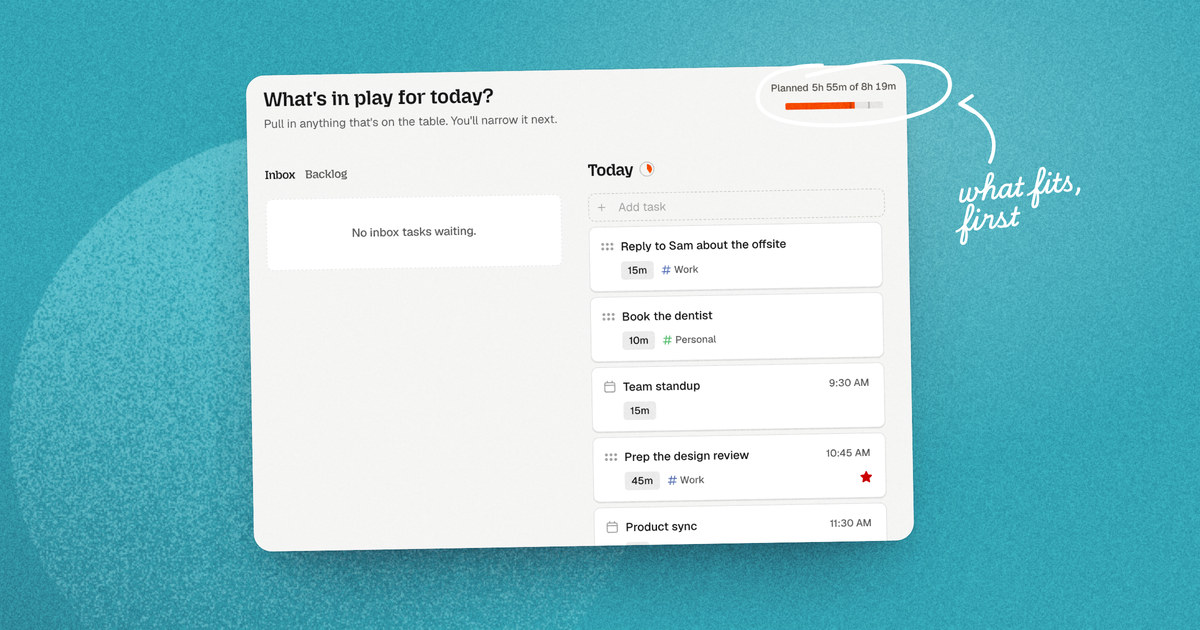
TL;DR: Most daily plans fail by early afternoon because they're built for a perfect day that never comes. Capacity-first planning starts from how much you can really do, not how many hours are free. It rests on three pillars: plan for real capacity (leave room for the friction every day has), cap your priorities at three must-dos, and take breaks that actually restore you, not ones spent scrolling. Three short rituals hold it together: a 5-minute morning plan, a quick midday reset when things go sideways, and an evening shutdown that ends the day for real.
It's 9 a.m. and your plan looks great. Fourteen tasks, back-to-back blocks, four hours of deep work, and an hour to clear your inbox. On paper, it's your most productive day in weeks.
By 2 p.m., the clock says half the day is gone and the important work hasn't started. You've spent two hours putting out small fires. You can't decide which big project to open next. And your "break" was twenty minutes on Instagram, which somehow left you more tired than before.
That's not a discipline problem. It's a planning problem.
Most of us plan as if we'll have the same focus at 4 p.m. that we had at 9 a.m. We won't. The version of you who writes the plan is fresh, optimistic, and has had coffee. The version of you who has to live it has had meetings, messages, and lunch. Capacity-first planning is a way to plan for the second one.
Why your plan falls apart by 2 p.m.
Most planning tools ask one question: what else can I fit into today? Every open slot on the calendar looks like room for one more thing.
The result is what we call the urgency overpack: a day stuffed with everything that feels pressing, and no room for what actually matters.
Psychologists have a name for part of this. The mere urgency effect describes our tendency to pick tasks that feel time-sensitive over tasks that are more important, even when the important ones have a bigger payoff (Zhu, Yang & Hsee, 2018). Answering a ping feels urgent. The strategy doc that would change your quarter doesn't.
Put fifteen items on one list and three things happen:
- Everything looks the same size. A two-minute admin task and a three-hour proposal sit side by side, with the same weight on the page.
- Choosing wears you out before you start. Every glance at the list asks "which one now?", and each answer costs a little focus.
- The big work gets avoided. Faced with a wall of "urgent", your brain reaches for the quick wins, and the important thing slides to tomorrow.
Here's the shift capacity-first planning makes:
| Time-first planning | Capacity-first planning | |
|---|---|---|
| The question | What else can I fit in? | What can I do well today? |
| Priorities | As many as the list holds | Three must-dos |
| Free time | Filled with more tasks | Left as buffer |
| Breaks | Whatever's left over | Planned first, like any other commitment |
| When plans change | Rebuild the whole day | Reset the next hour |
| How the day feels | Behind by lunch | Finished on purpose |
The 3 pillars of capacity-first planning
Capacity-first planning isn't a rigid system. It's three guardrails that protect your focus and energy, so the plan you make in the morning still works in the afternoon.
Pillar 1: Plan for real capacity, not your best-case day
Most plans are built for a day where nothing goes wrong. Researchers call this the planning fallacy: we predict how long things will take by imagining the ideal version, and ignore everything that usually gets in the way (Kahneman & Tversky, 1979). In one classic study, students predicted they'd finish their thesis in about 34 days. On average, it took them 55. Even their worst-case guess, 49 days, was too optimistic (Buehler, Griffin & Ross, 1994).
Your workday works the same way. Every day carries hidden costs that never make it onto the plan: switching between tasks, answering messages, meetings that run over, getting coffee, getting back into focus. None of them are big. Together, they eat hours.
Your focus also isn't flat. One large study of Danish students found that every hour later in the day a test was taken, scores dropped. A 20 to 30 minute break beforehand lifted scores by more than an hour's worth of that decline (Sievertsen, Gino & Piovesan, 2016). You at 9 a.m. really aren't you at 4 p.m.
How to plan for real capacity:
- Plan less than you have. A good starting point: if you're at your desk for eight hours, plan five to six hours of focused task time. The rest isn't wasted. It's the buffer that absorbs the unexpected without breaking your day.
- Estimate every task. A task without a duration is a wish. Rough is fine: "about 30 minutes." Then add it up. If the total is more than the time you have left, something has to move before the day starts, not at 4 p.m.
- Put the hardest work where you're sharpest. For many people, that's the morning. Save admin and messages for the afternoon dip.
Pillar 2: The Rule of 3 must-dos
Ask yourself "what do I want to get done today?" and you'll write a list that never ends. We always want to do more, and most tools make that easy.
Ask a different question instead:
Without which task does today not count?
It sounds harsh, but it changes everything. Most days, only a few things truly move you forward. The rest is maintenance: useful, but not what makes a day count.
That's why capacity-first planning caps your day at three must-dos. Everything else goes on a secondary list you can work through if there's time.
Must-dos (max 3)
- Draft the product strategy proposal
- Review the architecture spec
- Submit the Q3 budget
If there's time
- Clear Slack
- File the expense report
Why three? It's few enough to force a real choice, and enough to hold a balanced day. And fewer options means faster decisions: Hick's Law describes how decision time grows with the number of choices (Hick, 1952). Three must-dos means no more "where do I even start?"
Think of the cap as a guardrail, not a handcuff. If you finish your three by lunch and still have energy, great: pick from the secondary list. But finishing "three out of three" feels like a win, while finishing "six out of fifteen" feels like failing, even when it's more work.
In Dayplan, this is built in. You mark a must-do from a task's star, and if you try to add a fourth, Dayplan stops you: "You already have 3 must-do tasks. Unmark another must-do before adding this one." The discipline lives in the app, not in your willpower.
Go deeper: The Rule of 3: Why Capping Priorities Is the Ultimate Anti-Burnout Strategy
Pillar 3: Real rest, not fake rest
This is where most productivity systems fail completely: they ignore how you spend your breaks.
When you're tired, the easiest "break" is your phone. Reddit, Instagram, YouTube, the news. It feels like rest, but your brain is still working: reading, reacting, comparing, switching. That's fake rest.
The evidence is stark. In one experiment, people who used their phone during a break took 19% longer to finish the rest of their task and solved 22% fewer problems than people who took other kinds of breaks. They did about as badly as people who took no break at all (Kang & Kurtzberg, 2019).
Real rest lowers the load on your mind instead of swapping one input for another:
- After deep focus: a short walk, tea, looking out the window.
- After hours of sitting: stretch, move, get fresh air.
- After working alone: talk to someone you like.
- After back-to-back meetings: ten quiet minutes with nobody to answer.
Two habits make real rest stick:
- Choose your breaks in advance. When you're drained, you won't pick a walk. You'll pick the phone. Keep a short menu of breaks you actually enjoy, so tired-you has a better default.
- Schedule breaks before the day fills up. Put them on your plan like any other commitment. If rest is whatever's left over, there won't be any left over.
Dayplan's break menu works exactly like this. Breaks are their own item, in their own color, grouped into starters (2 to 10 minute resets), mains (15 to 45 minute recharges), and desserts (treats with a timebox, like one episode with a timer on).
Go deeper: Why Social Media Ruined Your Breaks (And How to Truly Rest)
The 3 daily rituals that hold it together
A framework only works if it survives a real day. Three short rituals keep capacity-first planning on track: one to start the day, one for when it goes sideways, and one to end it.
1. The 5-minute morning plan
Don't open Slack, email, or social media first. The moment you do, other people's priorities become yours, and everything feels urgent.
Instead, take five minutes to decide what today is for:
- Review yesterday. What carried over? Decide before you commit to anything new.
- Put everything in play. Brain dump what's on your mind, big and small.
- Pick your three must-dos. "Without which task does today not count?"
- Park the rest, guilt-free. Tomorrow, or in a week or two. Somewhere you trust it'll come back.
- Shape the day. Add durations, add breaks, then put it all on your calendar.
See it step by step: The Dayplan Daily Planning Guide: Plan Your Day in 5 Steps
Go deeper: The 5-Minute Morning Reset: A Daily Planning Routine to Prevent Midday Chaos
2. The midday reset: what to do when your day falls apart
No plan survives every day. A client call runs over, an urgent bug lands, or your energy just drops at 2 p.m.
When that happens, don't replan the whole day. Staring at everything that's left is how a bad afternoon turns into a lost one. Do a quick reset instead:
- Zoom in on the next hour. Forget the rest of the day for now. What's the one thing that matters next?
- Shrink the first step. If "write the report" feels impossible, make it "open the doc and write two bullet points."
- Talk it out. Saying "I'm stuck" out loud, to a person or a coach, often unsticks you faster than staring at the calendar.
This is what the Dayplan Coach is for (on Pro). You can text it, in the app or over iMessage: "I'm stuck and a bit overwhelmed. What should I do first?" It looks at your day and hands you one small next step. Ask it to break a big task into pieces, or to find 30 minutes for deep work this afternoon, and it does. No judgment when the plan slips, just a realistic next move. You can also turn on a midday check-in, so the Coach reaches out around 1 p.m. before the afternoon gets away from you.
Go deeper: How an AI Accountability Coach Helps You Beat Task Initiation Paralysis
3. The evening shutdown
If your laptop closes but your head keeps working, your day never really ended. It just paused.
Unfinished tasks nag at you because your brain keeps open loops active until they're done or have a plan. The good news: a plan is enough. Research shows that simply deciding when you'll deal with an unfinished goal quiets the intrusive thoughts about it (Masicampo & Baumeister, 2011).
So close the day in three steps:
- Clear. Look at what you finished. Let it count.
- Migrate. Give every open task a home: tomorrow, or a backlog you trust.
- Sign off. A short reflection, then a clear "done" signal. Close the laptop.
Go deeper: The 5-Minute Evening Shutdown Ritual
How Dayplan builds capacity-first planning in
You can run this framework on paper or in any calendar. But doing it by hand means constant manual math, rescheduling, and willpower, usually at the exact moment you have the least of it.
We built Dayplan so the guardrails are part of the app:
- Three must-dos, enforced. Star up to three a day. A fourth needs you to unmark one first. On by default, and you can turn it off in Settings if you really want to.
- A workload meter. While you plan, Dayplan shows your planned time against the time left in your workday, like "5h / 7h", and warns you when you go over. You set when your workday ends.
- A guided morning plan. Review yesterday, pull in what's in play, pick your must-dos, park what can wait, then shape the day: durations, breaks, calendar.
- Breaks as their own item. Pick from your break menu, type "break 15m" anywhere, or drag one onto your calendar. Dayplan suggests breaks while you plan but never books one without you. Skipped breaks don't carry over, so there's no guilt pile tomorrow.
- A Coach you can text (Pro). In the app, over iMessage, or by voice. It breaks tasks down, finds time, helps you replan, and can send a gentle break nudge after an hour or more of focused work with no break coming.
- A shutdown that ends the day. Review, decide where each open task goes, then close out. Dayplan marks the day closed: "You've shut down for today. See you tomorrow."
- Nothing reshuffles behind your back. Tasks you defer come back with their history, like a "From yesterday" or "back from 2 weeks" tag, so you always know why something is on your plate.
Stop fighting your calendar. Start planning for capacity.
Productivity isn't about filling every gap on your calendar. It's about giving your best energy to the few things that matter, and keeping enough in reserve to enjoy the rest of your life.
Plan for the day you'll actually have. Pick three. Rest for real. Close the day on purpose.
See it in action: The Dayplan Daily Planning Guide walks through a real planning session, screenshot by screenshot.
Ready to plan a day that respects your energy? Dayplan is free to start. Get started
Frequently asked questions
Capacity-first planning is a way of planning your day around how much you can realistically do, not how many hours are free. It limits you to three must-do priorities, leaves buffer for the unexpected, and schedules real breaks before the day fills up.
Plan less than you're available. A good starting point is five to six hours of focused task time in an eight-hour day. The rest is buffer for meetings, messages, and everything you didn't predict.
Two biases work together. The planning fallacy makes us underestimate how long things take, and the mere urgency effect pulls us toward tasks that feel urgent over ones that matter. Most planners make it worse by treating every free slot as room for more.
The Rule of 3 means choosing no more than three must-do tasks per day: the things that, if done, make the day count. Everything else is optional. Fewer priorities means less decision fatigue and a day you can actually finish.
Fake rest stops the work but keeps your brain busy, like scrolling social media. Real rest lowers the load: a walk, stretching, tea, or quiet time. Research found people who used their phone on a break performed about as poorly as people who took no break at all.
Don't replan the whole day. Focus on the next hour, shrink the next task into a tiny first step, and talk it through if you're stuck. A quick reset gets you moving again without the overwhelm of rebuilding everything.
References
- Buehler, R., Griffin, D., & Ross, M. (1994). Exploring the "planning fallacy": Why people underestimate their task completion times. Journal of Personality and Social Psychology, 67(3), 366–381.
- Hick, W. E. (1952). On the rate of gain of information. Quarterly Journal of Experimental Psychology, 4(1), 11–26.
- Kahneman, D., & Tversky, A. (1979). Intuitive prediction: Biases and corrective procedures. TIMS Studies in Management Science, 12, 313–327.
- Kang, S., & Kurtzberg, T. R. (2019). Reach for your cell phone at your own risk: The cognitive costs of media choice for breaks. Journal of Behavioral Addictions, 8(3), 395–403.
- Masicampo, E. J., & Baumeister, R. F. (2011). Consider it done! Plan making can eliminate the cognitive effects of unfulfilled goals. Journal of Personality and Social Psychology, 101(4), 667–683.
- Sievertsen, H. H., Gino, F., & Piovesan, M. (2016). Cognitive fatigue influences students' performance on standardized tests. Proceedings of the National Academy of Sciences, 113(10), 2621–2624.
- Zhu, M., Yang, Y., & Hsee, C. K. (2018). The mere urgency effect. Journal of Consumer Research, 45(3), 673–690.